— 7 —
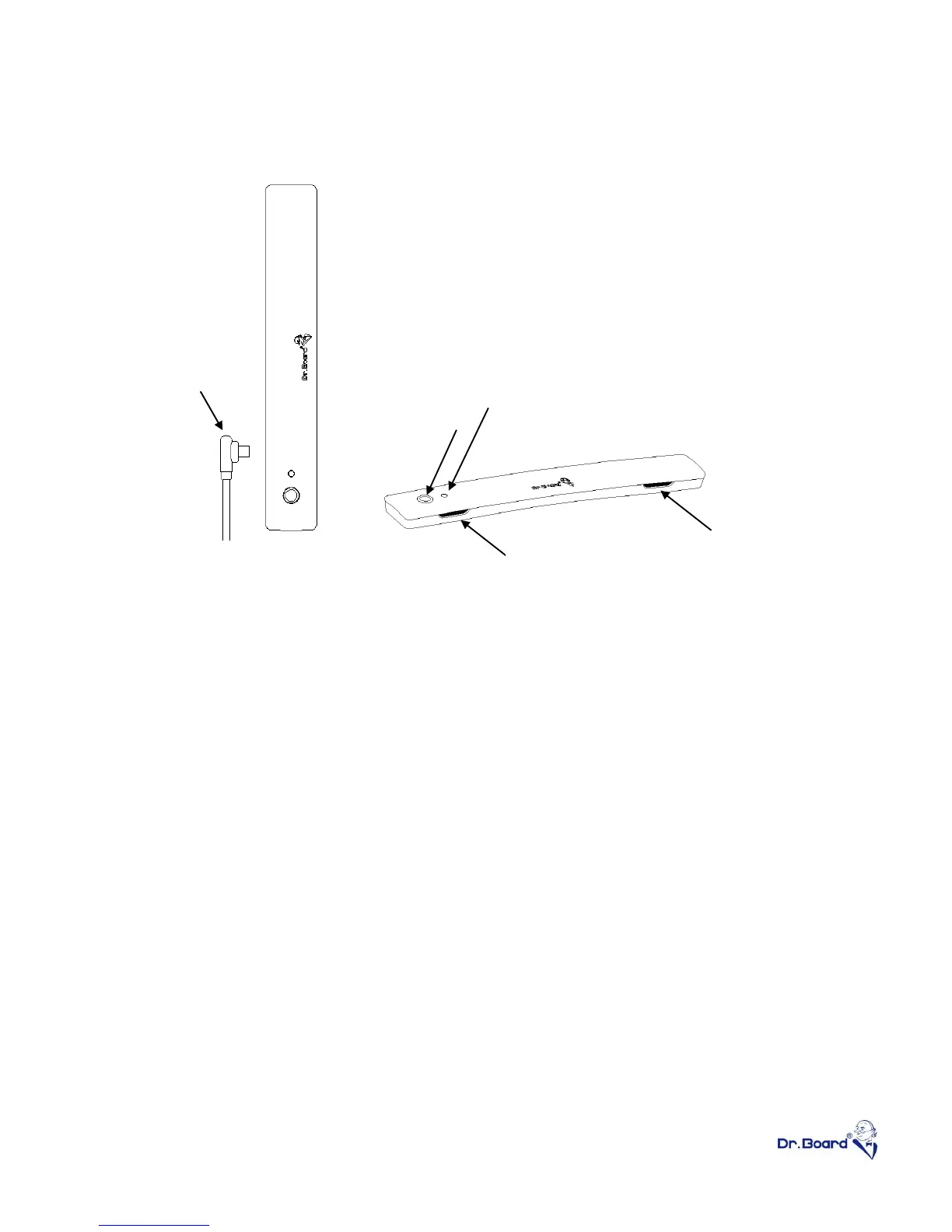
Specification – DB-02C Station
① Ultra Sonic Receiver – In order to get better writing performance, do
not block the two receivers when using the product.
② Mimi B USB-port – Connect the Station to computer with the USB
cable. USB extender will be needed if distance between computer and
the Station is over 5 meter.
③ Blue LED indicator – Indicator will light up with good connection and
ready to use. Indicator will flash when station is receiving signal from
the stylus. If indicator remains dark when device is connected, contact
with distributor for trouble shooting.
④ Calibration button – Call out calibration coordinators anytime when
needed. Noted that the calibration button will only function when driver
is installed and operating.
⑤ Remove the transparent protectors from the black anti-slip sheets
under the Station before attach the device to the steel mounting plate.


 To Next Page