— 8 —
Specification – DB-02C Stylus
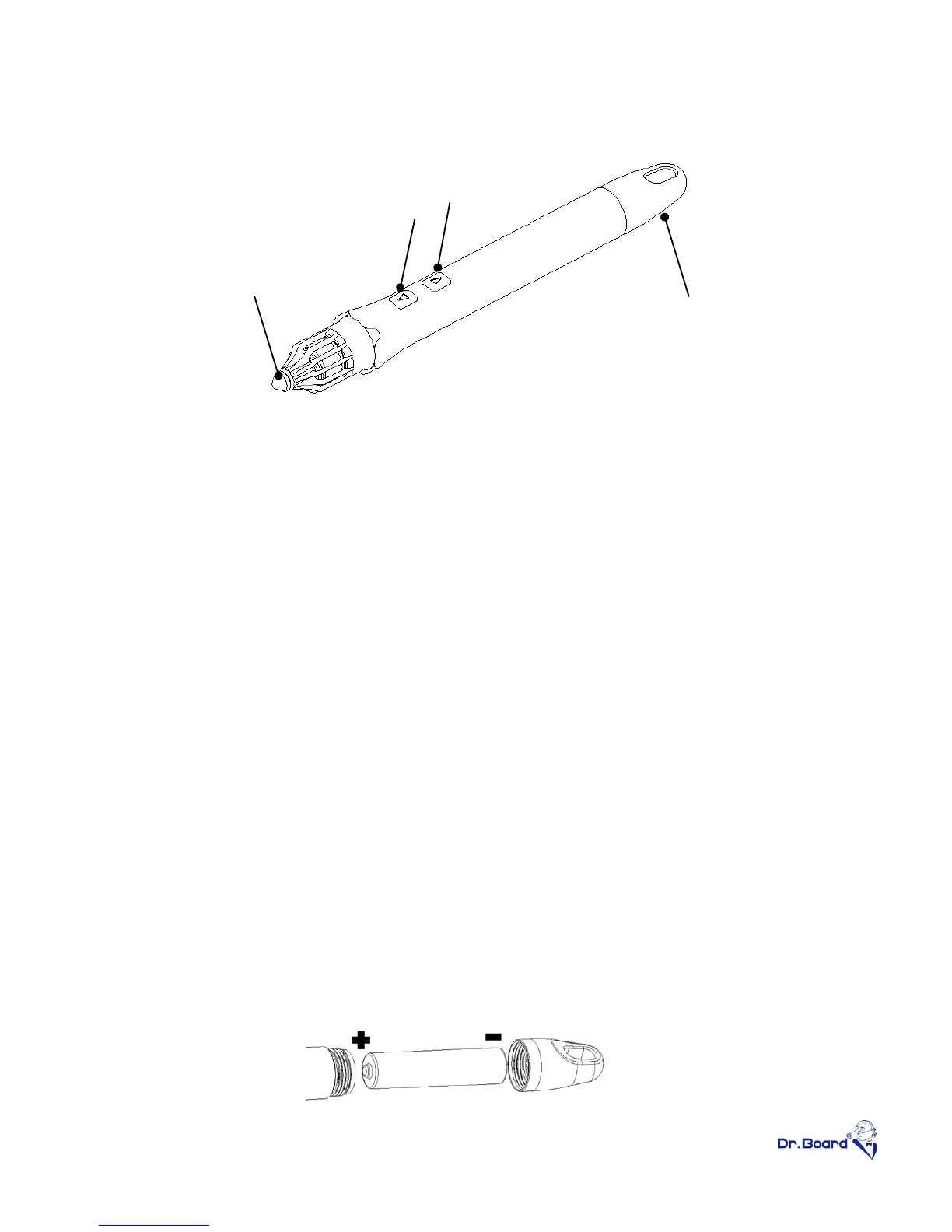
① Hover button- Perform normal writing function without touching the
screen by holding the “Hover button” and move the stylus around.
② Right click button- Mouse’s right key function.
③ Click pen tip- Mouse’s left key function.
④ The blue LED will light up on pen tip if user presses any button or the
pen tip. In order to prevent unintended operation to drain the battery,
power saving mode will be enable after 30 second continuous lighting,
⑤ Station and stylus will automatically enter hibernation mode after 30
seconds standby. Click on any key or press pen tip to exit hibernation
mode.
⑥ Featuring smooth and intuitional writing with short response time.
⑦ Special and unique stylus design to avoid tumbling.
⑧ Only one AAA battery is required. Alkaline battery is highly
recommended.
Please note the battery direction when installing battery. Battery
with”+” mark shall be inside the pen tube.


 To Next Page