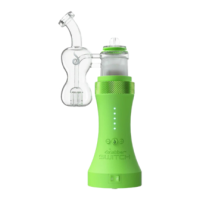
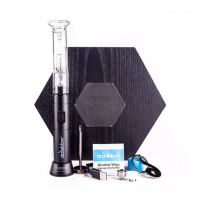
3. Select mode by flipping the switch to oil or leaf mode.
4. Select power with (+) or (-) buttons. Battery level is indicated with Pink LEDs once power level is confirmed.
5. Place carb cap on glass attachment and press (GO) button. Enjoy Vapor.
Quick Tips & Tricks (https://vimeo.com/650453718)
We recommend using all included silicone seals (Carb Cap Seal & Glass Attachment Seal) for maximum vapor
production.
Your SWITCH has standard oil and flower modes, advanced mode, and crystal mode.
Advanced Mode (https://www.youtube.com/watch?v=751DOOOKz-U&t=4s)
To access advanced mode, start with the switch in the OFF position. Hold the (GO) button and power your device
on by switching it to either Leaf or Oil mode to enter the corresponding advanced mode. The front LEDs will
illuminate in a Rainbow pattern indicating the device is in advanced mode. Advanced mode is included for those
who want more flexibility in fine tuning ideal temperatures.
Crystal Mode (https://www.youtube.com/watch?v=SAn5Iml66Rw)
To access crystal mode, the Switch must be powered down from advanced mode.To enter crystal mode, press
and hold the (+) button and power on the device by flipping the power switch to either Leaf or Oil. The front LEDs
will illuminate Whiteindicating crystal mode.
To return to advanced mode from crystal mode, press and hold the (+) button while the device is in the off position,
then power the device on by flipping the power switch to either Leaf or Oil mode. To return to standard mode from
advance mode, power down the device from advance mode. Press and hold the (GO) button while the device is in
the off position, then power the device on by flipping the power switch to either Oil or Flower. The front LEDs will
illuminate Yellow for standard oil mode and Green for standard flower mode.
Training Hold Time (https://www.youtube.com/watch?v=dt2Lg4KC7Bs&t=10s)
In advanced and crystal modes, you may train the hold time of your Switch unit. The "hold time" is the length of
time the Switch remains activated, so you may enjoy your hit, which is indicated with a green light. Select your
desired temperature, then press and hold the GO button. Continue holding the GO button until you are satisfied
with the amount of hold time. Once the GO button is released, the Switch unit will remember this hold time on all
further heating cycles in advanced/crystal mode. You may train the Switch as many times as you like, it will only
remember the most recent train time. Standard hold time is 15 seconds. The minimum trainable hold time is 5
seconds. The longest trainable hold time is 30 seconds.
The Induction system will heat any conductive materials placed inside the induction chamber. Therefore, ceramic
or glass loading tools are suggested, but metallic loading tools will not harm the device. We recommend pre-
loading your product in the induction cups to prevent any issues. Pre-loading is also convenient and helps
preserve the taste of the terpenes in your oils.


 To Next Page
 Loading...