EasyManua.ls Logo

Dr. pen A8S - User Manual

Dr. pen A8S
12 pages
Print Icon
To Next Page IconTo Next Page
Loading...
Please read the manual before use
User Manual
A8S
EN
Question and Answer IconNeed help?

Do you have a question about the Dr. pen A8S and is the answer not in the manual?

Overview

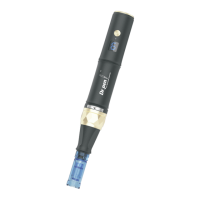
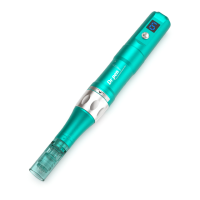
This document provides a user manual for the Dr.pen A8S Auto Microneedle System, an electric microneedling pen designed for skin treatment.

Function Description:

The Dr.pen A8S is an electric microneedling device that works with disposable needle cartridges. Its primary function is to improve the appearance of the skin and reduce signs of aging by stimulating collagen and elastin production through micro-needles. The microchannels created in the superficial skin also enhance the absorption of skin serums. The device supports both micro-needling and nano-needling treatments, depending on the type of needle cartridge used.

Important Technical Specifications:

  • Product Name: Auto-stamp Motorized Meso Machine
  • Model Name: Dr.pen A8S
  • Power Source: Built-in battery, allowing for wireless operation. Can also be charged via power cable and adapter.
  • Charging Time: Approximately 2 hours for a full charge.
  • Adapter Input: 100-240V, 50-60Hz
  • Adapter Output: 5V, 1A
  • Package Weight: 440 g
  • Package Size: 169 x 123 x 56 mm
  • Warranty Period: 12 months from the purchase date.

Usage Features:

  • Wireless Operation: The device is powered by a built-in battery, enabling wireless use.
  • Charging Indicator: The speed display flashes slowly when the battery capacity is 10% left. The pen turns off automatically after 1 minute if the speed flashes quickly, indicating low battery. Upon restarting after an automatic shutdown due to low battery, the display shows "L". During charging, the display shows a spinning animation. When charging is complete, the display shows a solid indicator.
  • Needle Cartridge Application:
    1. Remove the needle cartridge from its sterilized packaging.
    2. Align the "U" shape notch on the cartridge with the dot on the bottom of the device and push the cartridge in.
    3. Lock the cartridge by turning it clockwise.
    4. To remove, turn the cartridge counterclockwise and pull it out.
    5. The device starts only when the cartridge is correctly assembled.
    6. Press and hold the power button for 3 seconds to turn the device on/off.
    7. Important: Before assembling or disassembling, ensure the U-shaped point of the needle cartridge is aligned with the point of the handpiece.
  • Needle Length Adjustment: The needle depth can be adjusted by turning the scale adjustment ring. This adjustment should be made after starting the pen. The scale number aligned with the scale point indicates the current needle depth. Turning clockwise shortens the depth, while turning counterclockwise lengthens it.
  • Speed Display and Adjustment: The device features a speed display screen. There are 6 speed settings. After starting the device, pressing the power button changes the speed setting once per press.
  • Available Needle Cartridges: The Dr.pen A8S supports 7 different types of disposable needle cartridges: 12 Needles, 24 Needles, 36 Needles, 42 Needles, R NANO Needles, S NANO Needles, and 18 Needles.
  • Reference Chart for Needle Depth:
    • Forehead: 0.25 - 0.5 mm
    • Between the Eyebrows: 0.25 - 0.5 mm
    • Nose: 0.25 mm
    • Around the Orbital Rim: 0.25 mm
    • Cheek and Chin: 0.5 - 1.0 mm
    • Surgical and Scar Maximum: 2.5 mm

Precautions:

  • Always read and follow the instructions before use.
  • Do not use on individuals with acute diseases, bloody diseases (over 38°C), allergies, hemophilia, facial melanosis, high internal heat, those regularly visiting hospitals, taking medicines, or under 12 years old.
  • Do not use with power sources other than AC 220V to prevent fires or malfunctions.
  • Avoid using near high temperatures, dust, or humidity (e.g., near humidifiers) to prevent malfunctions.
  • Do not repair, disassemble, or alter the controller or body of the device.
  • Do not touch the device or detach power cords with wet hands to prevent electric shock.
  • Do not use stripped or propped cords; replace them if damaged to prevent fires.
  • Do not use a propped cord with cracks or scars, as it may cause skin damage.
  • Unplug the device from the outlet when not in use for a long time.
  • If any troubles are found, have the device inspected and repaired.
  • Only the operator should touch the device to prevent accidents or malfunctions.

Maintenance Features:

  • Needle Cartridge: The needle cartridge is disposable and designed for single use. It is specifically for Dr.pen A8S. Sterilize the needle cartridge with 75% alcohol for a few minutes before use. Dispose of used needle cartridges in a trash container. If a cartridge is contaminated during installation (e.g., dropped, package opened/damaged), discard it and use a new one.
  • General Maintenance:
    • Inspect the device and adapter before each use.
    • Ensure the device is turned off when not in use.
    • Wipe the surface with a disinfecting wipe.
    • Pay attention to cleaning crevices, seams, and areas around where the needle cartridge attaches.
    • Keep the device away from direct sunlight, high temperatures, or humidity.
    • Do not allow non-professional staff to measure, repair, or alter the device.
    • If the device has not been used for a long time, check its proper and safe operation before use.
  • Warranty: The warranty covers repair service for 12 months from the purchase date for damages or natural troubles. Using third-party cartridges can damage the device and invalidate the warranty.

Packing List:

  • Hand Piece: 1 pc
  • Adapter: 1 pc
  • Manual: 1 pc
  • Power Cable: 1 pc
  • Needle Cartridge: 2 pcs
  • Battery: 1 pc

Dr. pen A8S Specifications

General IconGeneral
BrandDr. pen
ModelA8S
CategoryPersonal Care Products
LanguageEnglish

Related product manuals