Replacing the Chipper Knife
The DR CHIPPER SHREDDER is shipped with a sharp Chipper Knife. Depending
upon material being chipped we've found it can remain acceptably sharp for
over 40 hours. When you notice diminished feeding, it is time to replace the
knife. You may also choose to have the knife sharpened instead as described on
the next page.
Tools and Supplies needed:
• Two 1/2" Wrenches
• 3/16" Allen Wrench
• Awl
• Gloves
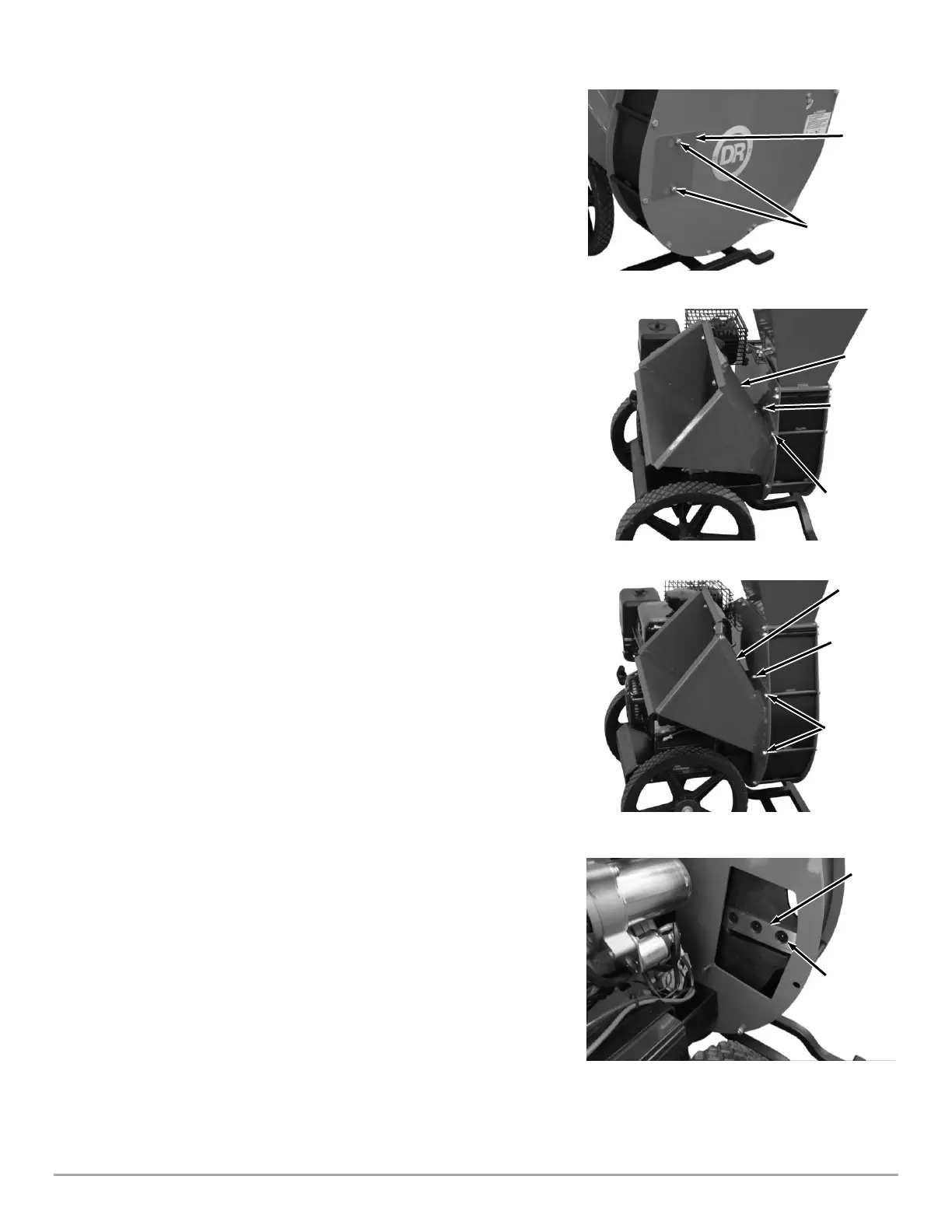
1. Loosen the Locknuts on the Access Plate using a 1/2″ Wrench, slide the
Plate to the side to align the holes with the Locknuts, and remove the Access
Plate (Figure 13).
2. Remove the three PREMIER 320 (Figure 14a), or four PRO 420 (Figure 14b),
Locknuts using one or two 1/2″ Wrenches as needed to remove the Chipper
Chute.
3. Rotate the Flywheel with a stick until the Knife is centered in the opening
(Figure 16).
4. Clean out the heads of the Allen Screws with an awl or sharp tool.
5. Insert a 3/16” Allen wrench into the head of the screws and a 1/2" Wrench
onto the Locknuts to remove the two (PREMIER 320) or three (PRO 420)
Locknuts and Screws.
6. Carefully remove the dull or damaged Knife and visually inspect the Knife
mounting area and be sure they are clean. Metal burrs may need filing so
that the replacement Knife will be able to mount flush against the Flywheel.
7. Install a new or sharpened Knife and finger tighten the Allen Screws and
Locknuts.
Note: New Allen Screws and Locknuts are provided with each new Chipper Knife.
8. Using a 3/16" Allen Wrench on the Screw and a 1/2" Wrench on the
Locknut, tighten the hardware to secure the Chipper Knife.
9. Double-check all Screws again for tightness.
10. Reinstall the Chipper Chute and Access Plate.


 To Next Page