10
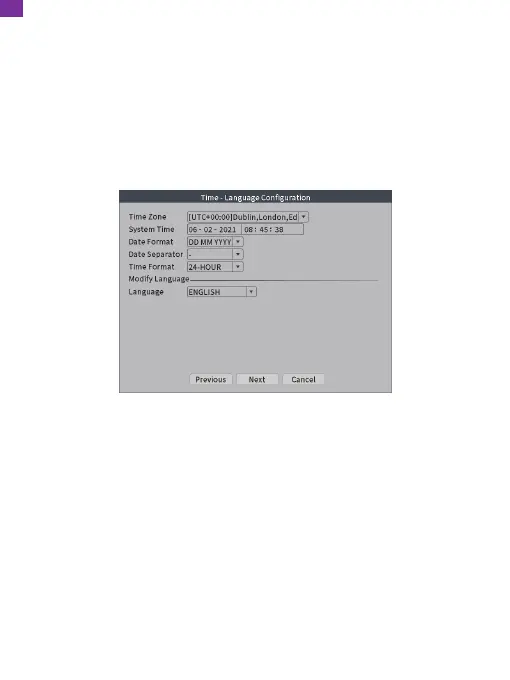
4. Time-Language Configuration
Enter Startup Wizard and click [Next] to go to this interface.
[Time Zone]: Set and select the time zone.
[System Time]: Set the system date and time.
[Date Format]: Choose the date format: YMD, MDY or DMY.
[Date Separator]: Choose the separator of the date format.
[Time Format]: Choose the time format: 24-hour or 12-hour.
[Language]: Select your preferred language.
5. Wireless Device List
Click "Wireless" in the shortcut menu to add a camera.
[Wired Configuration]: Search/add/delete/clear IP channels.
[Repeat Set]: Set the wireless relay transmission mode.
[Code for Wireless]: Pair the camera and NVR wireless signal.
EN


 To Next Page