8
MENU OPERATION
1. Startup Wizard
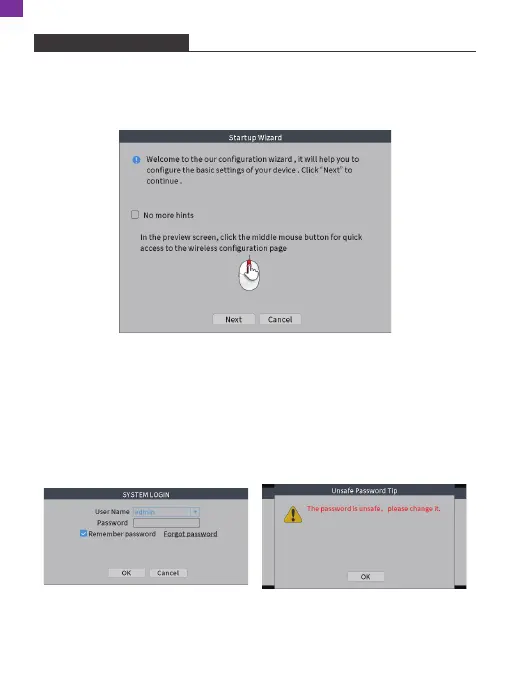
After booting up the NVR, the Startup Wizard will be displayed on the screen. If you
don't want to see the Startup Wizard next time, you can check and enable
"No more hints", then click [Next].
2. Modify Password
The first time you run the NVR, you must log in and set a new password. There is
no need to enter a password when you log in for the first time. Just click [OK] to
log in and click [OK] to set a new password.
[New]: Input a new password.
[Confirm]: Retype the same password.
EN


 To Next Page