5
EN
INSTALLATION AND CONNECTIONS
1. Installation
USB
Note:
• Internet connection is required for remote viewing.
• Do not connect the NVR to a computer directly. It must be connected to a TV or
monitor only.
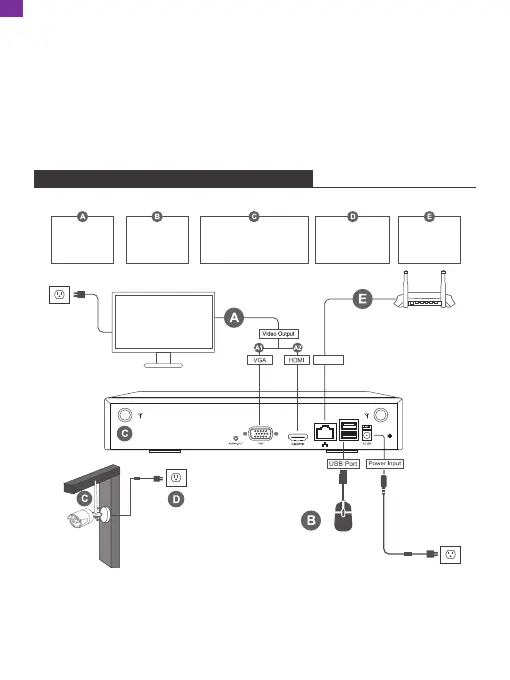
Connect the
monitor
Connect the
mouse
Connect the NVR and
IPC antenna
Connect to
power
(IPC and NVR)
Connect the
router
(LAN or Wifi)
LAN/Wifi
EN
2. Camera
Image Sensor: HISILICON 3MP image sensor
Video Compression: H.265/H.264
Recording Mode: Manual/Motion Detection/Schedule/Alarm/Human Recognition
Input: DC 12V
Antenna: Built-in professional enhanced wireless reception


 To Next Page