6
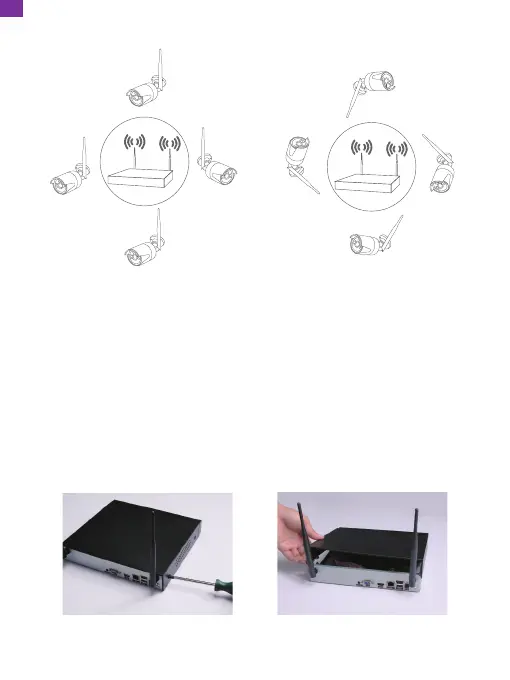
Correct method Incorrect method
2. Hard Disk Installation
The NVR system requires a 3.5" or 2.5" SATA internal hard drive or mobile hard
disk drive for video recording. Without installing a hard drive, the system can
display real-time video, but cannot record or play back video footage. The system
supports a hard drive of up to 8TB.
Note:
• Hard disk drive sold separately.
• Installing a 2.5-inch SATA hard drive may require a bracket (sold separately).
① Remove the screws ② Remove the cover
EN


 To Next Page