13
8. Access by Mobile Phone
For Android Devices
1) Install the HOMEVIZ app for free from Google Play. Tap the app icon to open the
app.
2) Tap [Register] to create a new account, then log in by inputting the user name
and password.
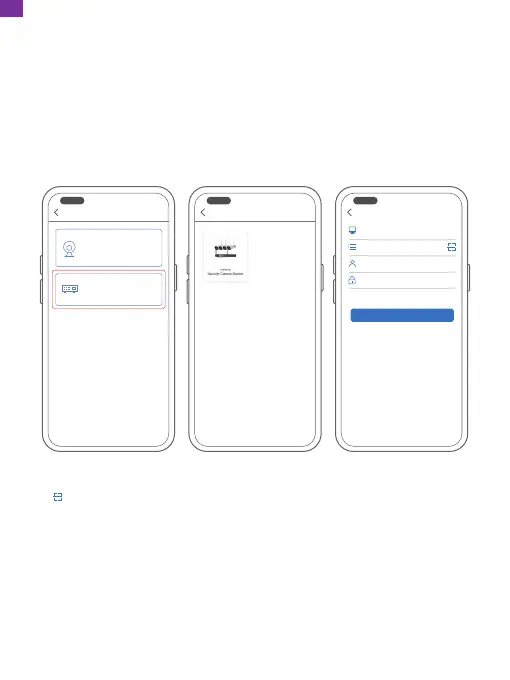
3) Tap [+] to add a new device.
4) Configure the following:
Network video recorder
Add camera
Wireless camera
Add WIFI wireless webcam
Network video recorder
Add network video recorder
Add a camera
OK
Please enter the device name
Please enter the device serial number
User name (default is admin)
Password (empty by default)
① [Device Name]: Input a name for your system.
② [ ]: Scan the QR code in the NVR Guide to get the serial number.
The Guide will pop up when you power on the NVR for the first time and you
can find it on the NVR's quick menu. If you cannot scan the QR code, go to
[Main Menu] → [Advanced] → [Version] → [Serial Number] to get the serial
number and input it manually.
③ [User Name]: admin
④ [Password]: The password is the same as the NVR's password.
EN


 To Next Page