8
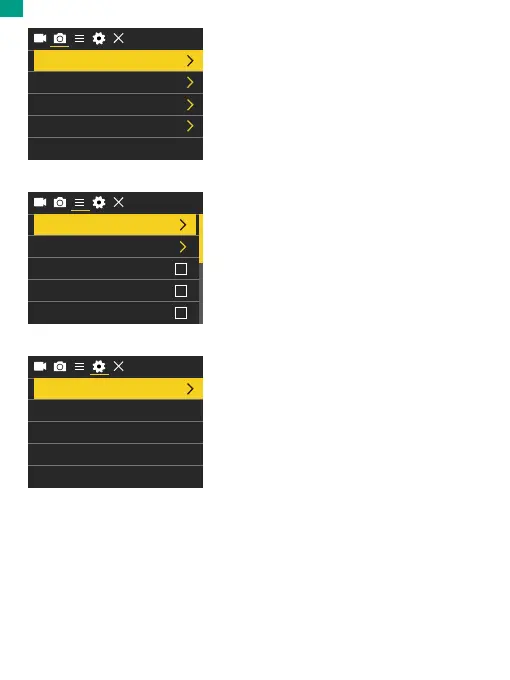
System Settings Mode
After accessing the general settings
screen, press the Mode button to enter
System Settings Mode.
In this mode, you're free to change the
system settings.
Language
Date-Time
Format
Reset To Factory Settings
Firmware Version
English
Photo Settings Mode
After accessing the video screen screen,
press the Mode button to enter Photo
Settings Mode.
In this mode, you're free to change the
photo settings.
General Settings Mode
After accessing the photo settings
screen, press the Mode button to enter
General Settings Mode.
In this mode, you're free to change the
general settings.
Photo Resolution
Self-Timer
Auto-Shoot Close
Close
CloseBurst
20M
Exposure
White Balance
Wifi
Auto
Image Rotation
Driving Mode
0
EN


 To Next Page