Dragonwar04
INSTALLING YOUR DRAGONWAR G18
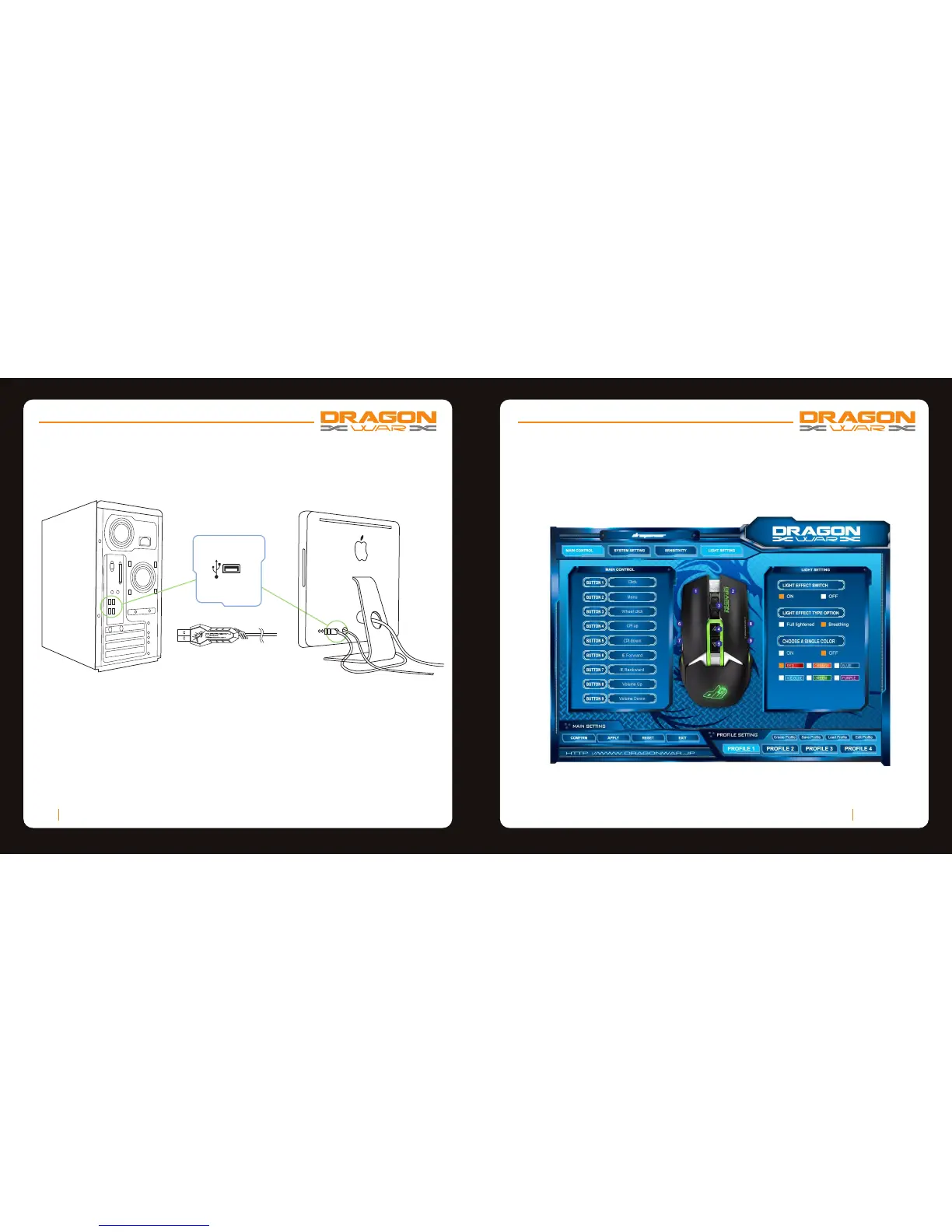
Step 1: Plug the Dragonwar G18 into the USB port of your computer.
Step 2: Run the installer and follow the Programme.
Step 3: Wait until the software automatically downloads and installs.
Step 4: Open the programme, then set up
Dragonwar05
CONFIGURING YOUR DRAGONWAR G18
MOUSE TAB
The Mouse Tab is your default tab when you first install Programme. This tab allows
you to customize your device’s profiles, button assignments, performance and lighting.



 To Next Page