899262c.doc01‐26‐17 6
Update Firmware, con
t
inued
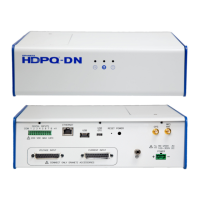
The procedure below details how to install the latest firmware update to the HDPQ.
Action... Result...
STEP 8:
After the downloaded file
HDPQ_Vx_x_x.hpk is installed
properly in the instrument, the
HP version should indicate the
version installed (note: x_x_x is
the version number)
.
The Instrument Status screen
displays the latest installed
version of firmware in the
instrument.
In this example the order is
displayed that the HP V2.1.3
is the latest firmware installed:
MP V2.1.1
OS V2.0.8
HP V2.1.3
BP 1.0.4
Note:
If the latest firmware version
you have installed does not
appear correctly in this
screen, try to reload the
update firmware. First, power
the instrument “OFF” and
back “ON” and repeat steps 1
through 8 of this procedure.
If you require additional product support, contact the Dranetz Customer Support Department .
Telephone: (732) 287-3680 or 1-800-372-6832.


 To Previous Page
 Loading...