9. SETTING THE VACUUM CLEANER
FIG. 2
9.1 CHANGING SETUP FROM WET
TO DRY VACUUMING - FIG. 2
Empty the tank and dispose of any liquid which may
have been picked up previously.
Remove the foam filter (if fitted).
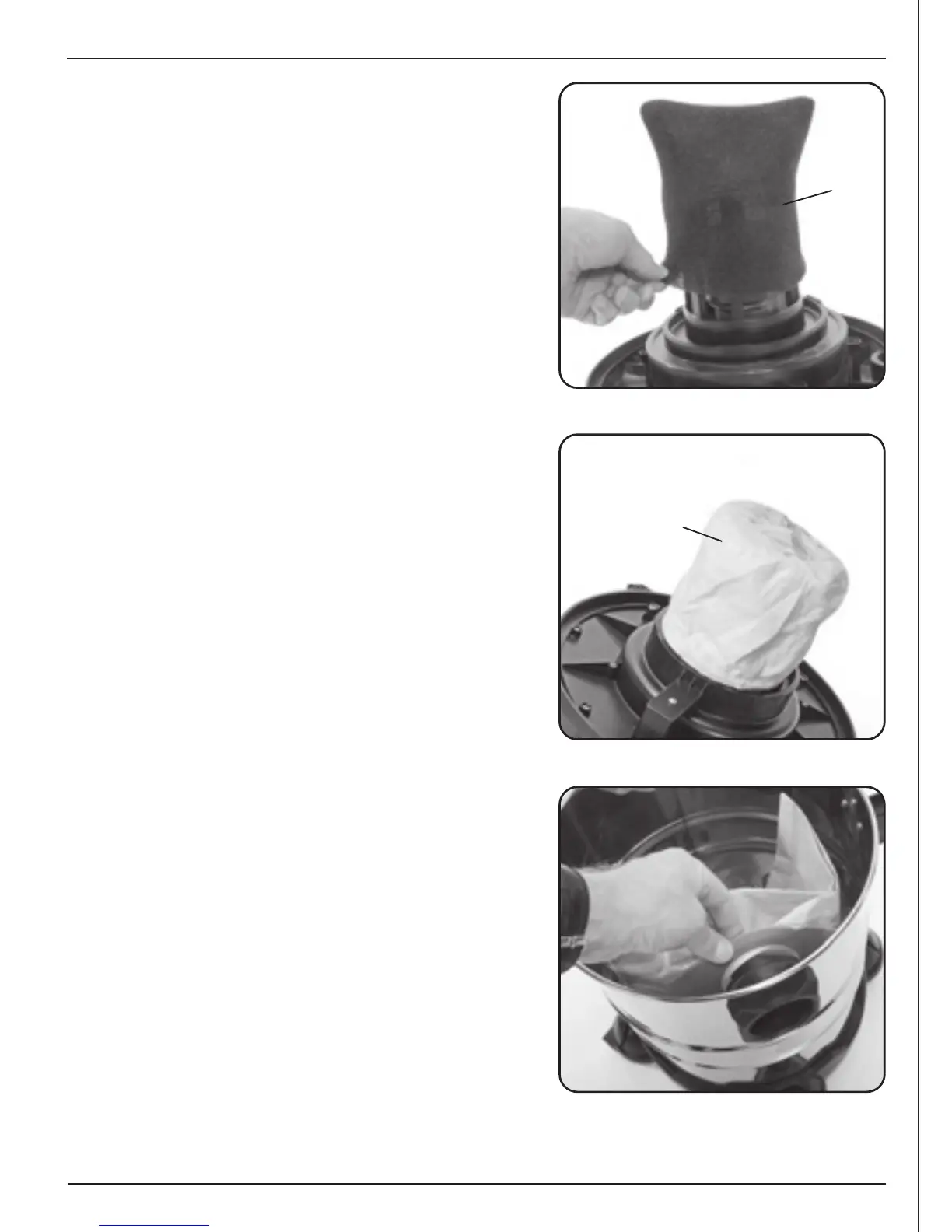
9.2 ATTACHING THE CLOTH FILTER - FIG. 3
Placing it beneath the motor, the cloth filter must
now be fitted by pushing it on.
FIG. 4
9.3 ATTACHING THE PAPER DUSTBAG - FIG. 4
Fix the paper dustbag to the inner side of the hose
connector in the tank as shown. When using the paper
dust bag, dirt can be removed more hygienically.
Note: As suction power decreases, replace the paper
dustbag with a new one.
FIG. 3
11


 To Next Page