7. SETTING UP YOUR
WATERING PROGRAM
PLEASE NOTE: You cannot program the
current date and time on this water timer. If
you require a timer with this capability you
may purchase Draper’s Electronic Ball Valve
Timer (Stock No. 36750)
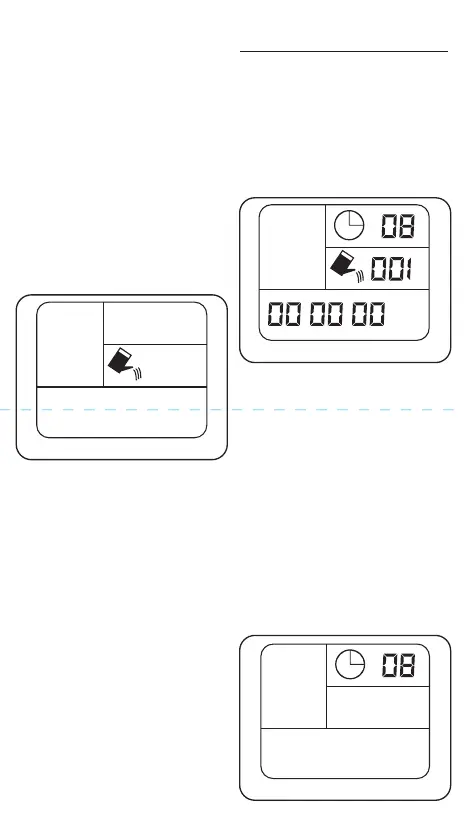
7.1 TURN ON TIMER - FIG. 4
- Press ON/OFF.
- The screen will turn on and the display
should looks like Fig. 4. A clock symbol
will be flashing
- Go to STEP 2
6.4 MANUAL MODE - FIG. 3
Use manual mode if you want free flowing
water outside of the watering program you
have set. The valve will open and water will
continue to flow until you switch to another
mode or turn the timer off
- Press ON/OFF switch to turn on the
screen.
- Press SELECT on the control dial. You will
see 3 options on the left (Auto, Manual,
Time Delay) Auto will be flashing.
- Press SELECT again and Manual will start
flashing.
- Press OK. You will hear a click which is
the solenoid valve opening. Water will
start to flow.
- To close the valve and turn Manual mode
off:
1. If the screen has automatically
switched off, press the ON/OFF
button. The screen should turn on.
2. Press the ON/OFF button again. The
valve will close and stop the water
flow.
Auto
H
m
D/H/M
Manual
7.2. SET WATERING FREQUENCY -
FIG. 5
- Press SELECT.
- You will see AUTO flashing on the left of
the screen.
- Press OK. The number in the top right of
the screen will begin flashing.
- Press FREQUENCY to change the
frequency to one of the following
settings:
- Once every: 8hrs / 12hrs / 1 day / 2 days /
3 days / 5 days / 7 days
- Press OK to select.
- You will now see a watering can icon
and minutes flashing on the right of the
screen.
- Go to STEP 3
Auto
H
FIG.3
FIG.4
FIG.5



 To Next Page
 Loading...