8. BASIC CORDLESS SCREWDRIVER OPERATIONS
FIG.4
FIG.5
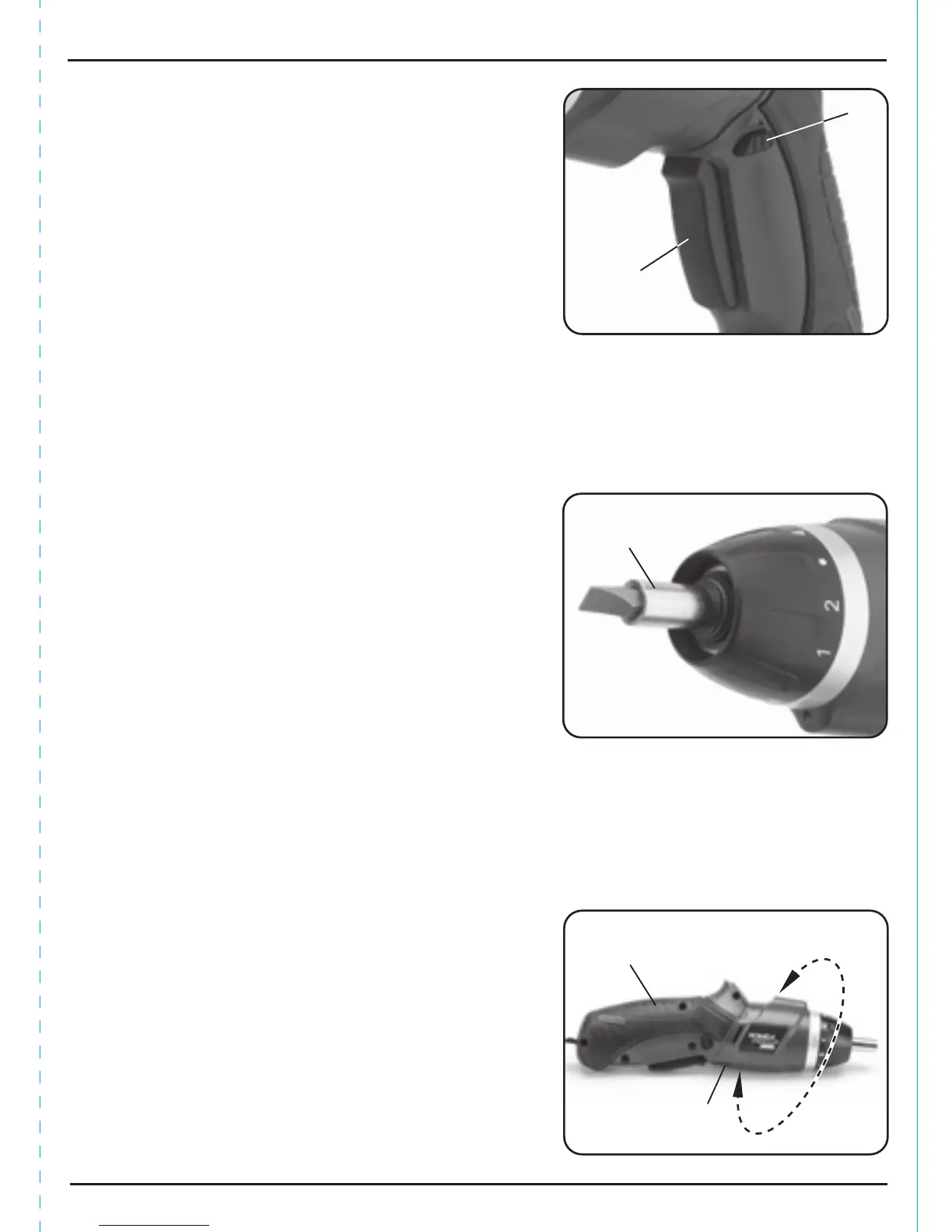
8.2 FORWARD AND REVERSE TRIGGER
SWITCH – FIG. 3
To activate the screwdriver, press trigger .
To change direction of rotation of the bit holder, i.e.
clockwise or anticlockwise.
i Stop the screwdriver and push switch . When
the direction switch is pushed to the left, the bit
holder will rotate clockwise.
When the switch is pushed to the right, the bit
holder will rotate anticlockwise. Before
operation, check that the switch is set in the
required position. Do not change the direction
of rotation until the bit holder comes to a
complete stop.
ii When the screwdriver is not in use move the
direction switch to the neutral position (the
middle setting) to lock the trigger out.
8.3 INSTALLING BITS – FIG. 4
Insert the appropriate bit, suitable for the intended
application, into the female hex. bit holder .
Note: Will accept 6.35mm (¼") hex. bits only.
To prevent slip or damage to the screw head, match
the screwdriver bit to the head size and pattern.
Screwdriver bits are a consumable item.
Replace a worn screwdriver bit to avoid damaging
the screw head or slipping out when driving.
8.4 ADJUSTING THE HANDLE
POSITION – FIG. 5
In addition to the general pistol grip function, the
screwdriver also incorporates a twist grip facility that
doubles its use as a general in line screwdriver, useful
for screwdriving in areas with awkward access.
– To change the handle position, press the handle
release button and twist the handle
through 180º until it clicks into position.
FIG.3
11


 To Next Page