9 10
EN EN
Note: If there is no operation within 15 minutes of being fully charged, the vacuum will enter sleep
mode.
Charging
Note: Fully charge the vacuum before rst use.
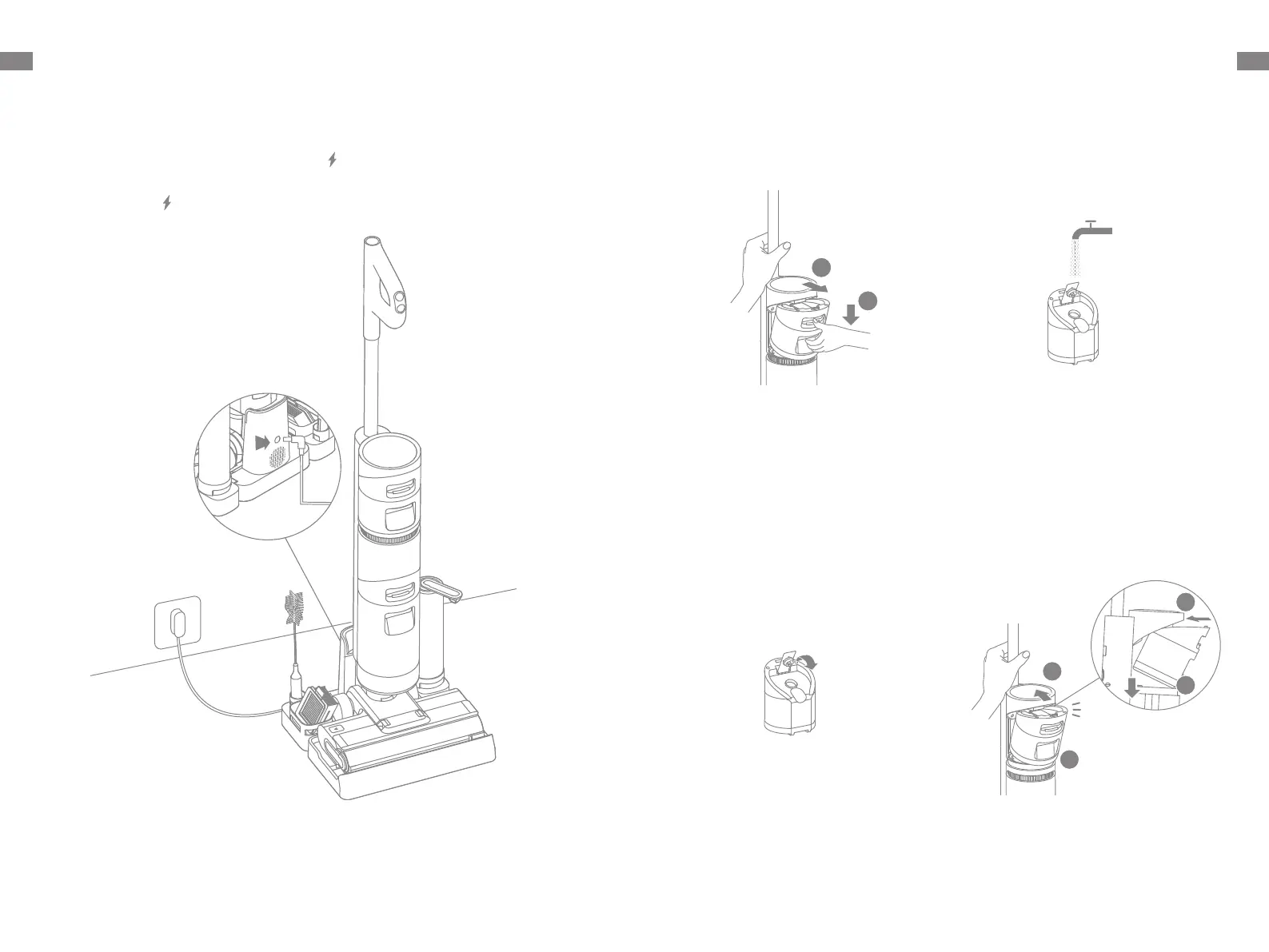
1. Place the charging base on the level ground against a wall. Connect one end of the
power adapter to the charging base and another end to a power outlet.
2. Place the vacuum on the charging base, the on the screen will light up to indicate
the charging status. The number on the display screen represents the current battery
level as a percentage during charging. When the number is at 100, the battery is fully
charged and the will turn o. If no operation is performed within 10 seconds, the
screen will turn o automatically.
1
2
How to Use
Filling the Clean Water Tank
1. Press the clean water tank release
button and pull the tank outwards to
remove it.
2. Remove the cover of the clean water
tank and ll the tank with clean water.
3. Close the tank cover tightly. 4. Install the clean water tank and ensure
it clicks into place.
Click


 To Next Page