9
EN EN
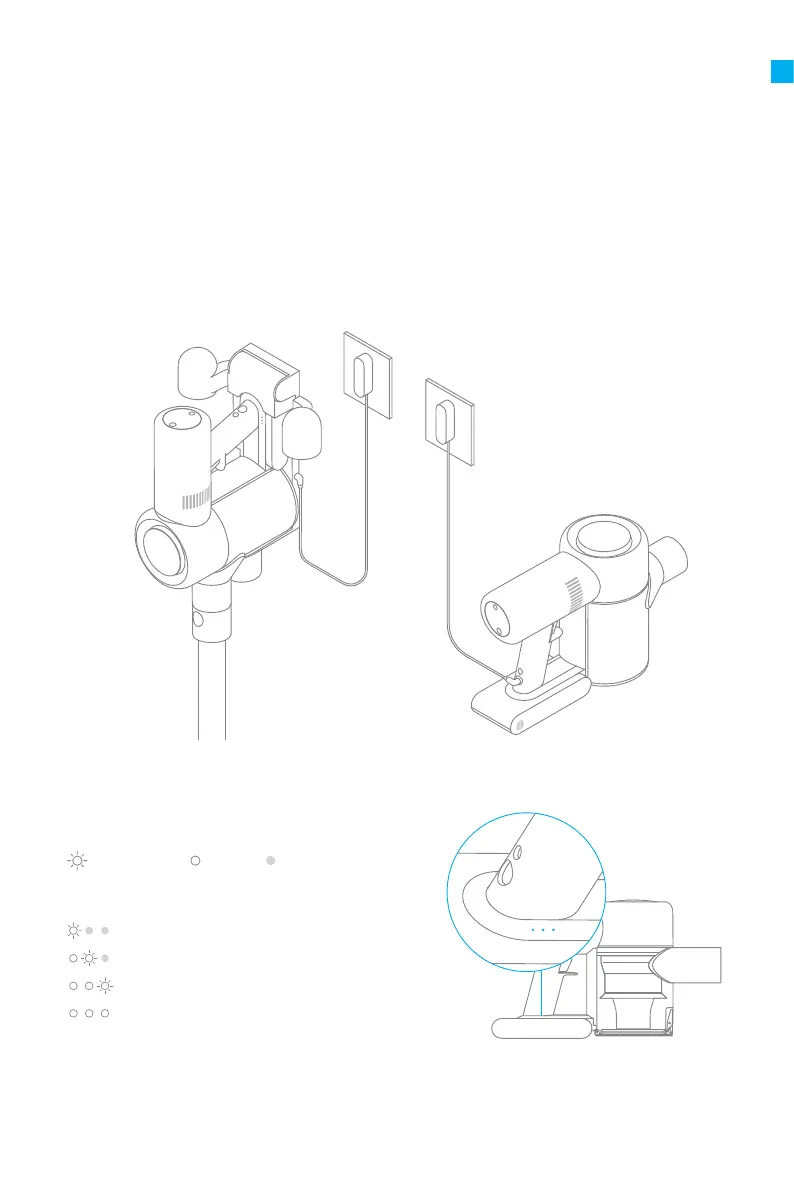
Low battery
Half battery
Nearly full
Fully charged
Fully charge the vacuum before using it for the rst time.
LED Battery Status Indicator
Note:
• The vacuum cannot be used while charging.
• A full charge will take about 4 hours. Vacuuming in Turbo Mode for a prolonged period
will cause the battery to heat up, which increases charging time. Allow the vacuum to
cool down for 30 minutes before charging it.
Note: Once the vacuum is fully charged, the indicator will turn o after 5 minutes, and the
vacuum will enter the energy-saving mode.
Charging
Blinking
On O



 To Next Page
 Loading...