EasyManua.ls Logo

Dreame X40 Ultra - User Manual

Dreame X40 Ultra
148 pages
Print Icon
To Next Page IconTo Next Page
Loading...
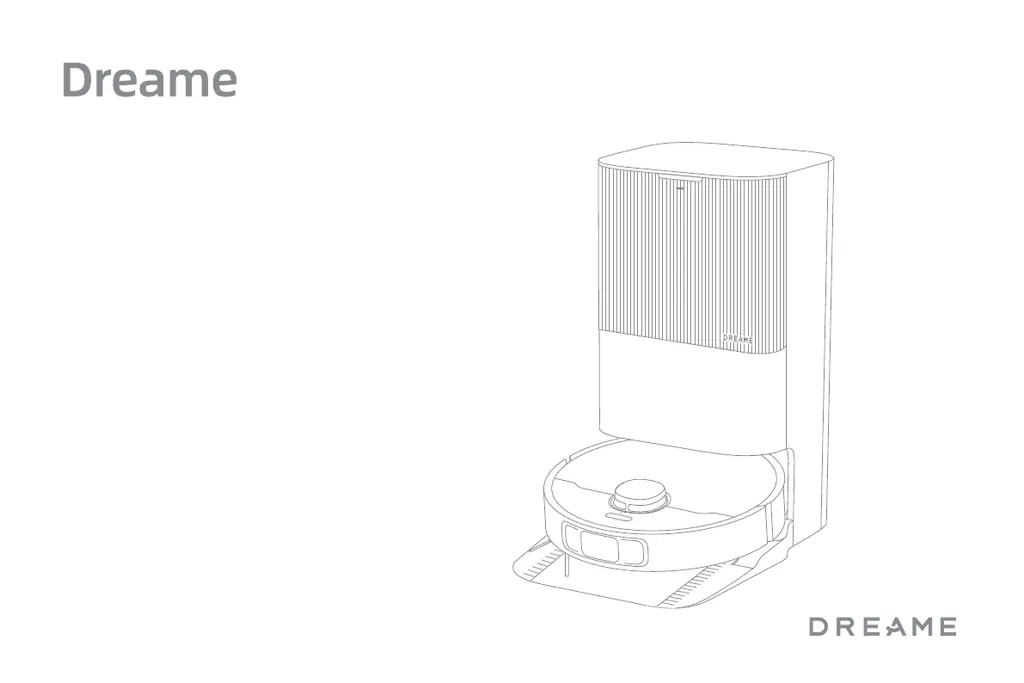
The illustrations in this manual are for reference only. Please refer to the actual product.
X40 Ultra/X40 Ultra Complete
Robot Vacuum and Mop with
Auto-Empty and Mop Self-Cleaning
User Manual

Questions and Answers

  • K
    Karen MonroeAug 5, 2025
    Why my Dreame Vacuum Cleaner fails to connect to Wi-Fi?
    • K
      Katherine CampbellAug 6, 2025
      If your Dreame Vacuum Cleaner fails to connect to Wi-Fi, ensure that you're using the correct Wi-Fi password. Also, this appliance only supports a 2.4 GHz Wi-Fi connection, not 5 GHz. A weak Wi-Fi signal could also be the problem, so move the vacuum to an area with better coverage. If problems persist, exit and re-enter the app, then try the Wi-Fi setup again.
  • J
    Jessica McdanielAug 11, 2025
    What to do if my Dreame X40 Ultra cannot find and return to the base station?
    • S
      Sandra FullerAug 11, 2025
      If your Dreame Vacuum Cleaner robot can't find or return to the base station, make sure the base station is properly connected to a power supply and has not been moved while the robot was away. Too many obstructions around the base station can also prevent the robot from docking. Try placing the base station in a more open area. If the robot is too far away, you may need to manually place it on the base station. Also, ensure the signaling area on the base station is clean from dust or debris.
  • C
    Charles WilliamsAug 16, 2025
    How to fix Dreame X40 Ultra that will not turn on?
    • M
      Matthew KennedyAug 16, 2025
      If your Dreame Vacuum Cleaner will not turn on, the battery may be low. Recharge the robot on the base and try again. Also, the appliance is recommended to operate at a temperature between 32°F (0°C) and 104°F (40°C).
  • E
    elizabeth84Aug 21, 2025
    What to do if my Dreame X40 Ultra Vacuum Cleaner will not charge?
    • J
      John PetersonAug 21, 2025
      If your Dreame Vacuum Cleaner will not charge, check that the base station is correctly plugged into power at both ends of the cord. Also, clean the charging contacts to ensure good contact between the base station and the robot. Finally, check for any foreign objects at the connector of the robot and remove them.
  • A
    Anthony ThomasAug 26, 2025
    What to do if my Dreame X40 Ultra Vacuum Cleaner gets stuck in front of the base station?
    • B
      Brenda SparksAug 26, 2025
      If your Dreame Vacuum Cleaner robot gets stuck in front of the base station and cannot return to it, you should clear any obstructions within 2" (5 cm) on the left and right sides or within 60" (1.5 m) in front of the base station. Also, the robot may slip if the floor in front of the base station is overly wet. Finally, make sure the ramp extension plate is installed properly.
  • S
    scottjacquelineAug 31, 2025
    Why my Dreame Vacuum Cleaner will not resume cleaning after charging?
    • M
      michaelmasseyAug 31, 2025
      If your Dreame Vacuum Cleaner will not resume cleaning after charging, ensure that the robot is not set to the Do Not Disturb (DND) mode, as this will prevent it from resuming cleaning.

Summary

Safety Information

Usage Restrictions

Safety guidelines for product usage and user limitations.

Safety Information

Batteries and Charging

Information on battery safety, replacement, and charging procedures.

Laser Safety Information

Details on laser sensor compliance and safety precautions.

Product Overview

Package Contents

List of items included in the Dreame X40 Ultra package.

Other Accessories

List of optional accessories available for the robot.

Complete Package Contents

List of items included in the Dreame X40 Ultra Complete package.

Extra Accessories Kit

Details on additional accessories provided in the kit.

Robot Components and Controls

Description of robot buttons, status lights, and indicators.

Robot Sensors and Components

Identification of robot sensors, LDS cover, and bumper.

Dust Box and Mop Assembly

Overview of the dust box and mop attachment components.

Base Station Components

Identification of base station parts and features.

Preparing Your Home

Environmental Preparation Guidelines

Instructions for preparing the home environment for robot cleaning.

Before Use

Base Station Setup

Steps for placing and connecting the base station.

Install Ramp and Mop Assembly

Instructions for installing the ramp and mop components.

Connect Robot and Add Fluids

Steps for connecting the robot and adding cleaning solution/water.

Connecting with the Dreamehome App

App Download and Installation

Guide to downloading and installing the Dreamehome mobile application.

Device Pairing and Wi-Fi Setup

Steps for connecting the robot to the Dreamehome app.

How to Use

Basic Robot Operations

Instructions for turning on/off, pausing, resuming, and restarting the robot.

Mapping and Cleaning Modes

Explanation of mapping, DND mode, and auto-resume cleaning.

Vacuum and Mop Operation

Instructions for starting cleaning and auto-mop washing.

Station Auto-Functions

Details on auto dust emptying, mop washing, and used water tank cleaning.

Specific Cleaning Modes

Explanation of Vacuum Only, Mop Only, and Mop after Vacuuming modes.

Routine Maintenance

Maintenance Schedule Overview

Table detailing maintenance frequency and replacement periods for parts.

Washboard Base Cleaning

Step-by-step guide for cleaning the washboard base.

Used Water Tank Cleaning

Instructions for cleaning the used water tank.

Dust Bag Replacement

Procedure for replacing the dust bag.

Dust Box and Filter Cleaning

Instructions for cleaning the dust box and filter.

Brush Maintenance

Guide for cleaning and maintaining the main and side brushes.

Sensor and Wheel Maintenance

Cleaning robot sensors, wheels, and mop pad holder.

Base Station and Battery Care

Cleaning base station parts and battery maintenance.

Troubleshooting

Robot Power and Charging Issues

Solutions for problems related to robot not turning on or charging.

Connectivity and Wi-Fi Problems

Troubleshooting steps for Wi-Fi connection failures.

Navigation and Docking Errors

Solutions for robot failing to find or return to the base station.

Operational Performance Issues

Solutions for slow charging, increased noise, and abnormal movement.

Cleaning Path and Resume Issues

Troubleshooting missed rooms and failure to resume cleaning.

Station and Water System Issues

Solutions for auto-empty, water level, and mop holder problems.

Specifications

Robot and Base Station Specs

Technical specifications for the robot and base station.

Battery Disposal and Removal

Battery Safety and Removal

Precautions and procedures for battery removal and disposal.

WEEE Recycling Information

Information on electronic waste disposal and recycling.

Dreame X40 Ultra Specifications

General IconGeneral
Auto-EmptyYes
Water Tank Capacity (Robot)80 ml
Clean Water Tank Capacity (Base Station)4.5 L
Dirty Water Tank Capacity (Base Station)4 L
Auto Empty StationYes
Filtration SystemHEPA
Charging Time4 hours
Mopping SystemDual rotating mops
Obstacle AvoidanceAI-powered 3D obstacle avoidance
Auto-Mop WashingYes
Auto-Mop DryingYes
Mapping TechnologyLIDAR navigation
Voice ControlYes (Google Assistant, Alexa)
NavigationLIDAR navigation
Mopping FunctionYes
App ControlYes

Related product manuals