EasyManua.ls Logo

Dreame H11 - User Manual

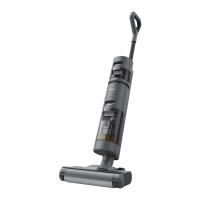
Dreame H11
186 pages
Print Icon
To Next Page IconTo Next Page
Loading...
Please read this manual carefully before use and retain it
for future reference.
Wet and Dry Vacuum
User Manual

Table of Contents

Other manuals for Dreame H11

Questions and Answers

  • J
    Joshua SmithJul 25, 2025
    Why doesn't the battery status indicator light up when charging my Dreame H11 Vacuum Cleaner?
    • D
      Diane CisnerosJul 26, 2025
      If the battery status indicator doesn't light up when charging your Dreame Vacuum Cleaner, ensure the charging base is properly connected to the vacuum. Make sure the vacuum is correctly placed on the base.
  • J
    jholderJul 29, 2025
    What to do if my Dreame Vacuum Cleaner is not working properly and shows an error message?
    • B
      brownjonathanJul 29, 2025
      If your Dreame Vacuum Cleaner isn't working and displays an error, check the following: Ensure the clean water tank is full and properly installed, the dirty water tank is installed and not full, the roller brush is installed and free of obstructions (clean it with the included brush if needed), and the tube isn't blocked. Also check if the filter is clogged.
  • W
    weissericAug 3, 2025
    What to do if my Dreame H11 self-cleaning failed?
    • T
      Thomas BatesAug 3, 2025
      If the self-cleaning function on your Dreame Vacuum Cleaner fails, make sure of the following: 1. The roller brush isn't jammed by large particles. Open the brush cover to check and clean the roller brush. 2. The vacuum is sufficiently charged (more than 10%). 3. The dirty water tank is correctly installed and not full. Reinstall or empty it as needed. 4. The clean water tank is correctly installed and not empty. Reinstall or fill it as needed.
  • T
    Thomas GardnerAug 7, 2025
    Why is there no water flow coming out of my Dreame H11 Vacuum Cleaner?
    • M
      Melissa CareyAug 7, 2025
      If no water flows from your Dreame Vacuum Cleaner, the clean water tank may not be installed correctly or might be empty. Try reinstalling or filling the clean water tank.
  • J
    Justin CrawfordAug 12, 2025
    What does it mean if my Dreame H11 Vacuum Cleaner shows troubleshooting code E6?
    • J
      Jamie SmithAug 12, 2025
      If your Dreame Vacuum Cleaner displays error code E6, it indicates the battery is overheating. Allow the battery to cool down to a normal temperature before resuming use.
  • R
    rushjermaineAug 16, 2025
    What to do if my Dreame H11 shows troubleshooting code E4/E5?
    • S
      Stephanie WilsonAug 16, 2025
      If your Dreame Vacuum Cleaner shows error code E4 or E5, it means the power adapter is incompatible. Use the original power adapter.
  • R
    Richard SingletonAug 20, 2025
    Why is my Dreame Vacuum Cleaner leaking water from the top of the dirty water tank?
    • W
      wallenAug 20, 2025
      If your Dreame Vacuum Cleaner leaks water from the top of the dirty water tank, it could be due to a collision or sharp pull causing water to enter the motor. Move gently back and forth when the vacuum is turned on. It could also be that the filter was not completely dry after being cleaned. Thoroughly dry the filter before use.

Summary

Safety Information

Important Safety Instructions

Essential safety guidelines for safe operation and usage.

Important Safeguards

Crucial safety measures and precautions to prevent hazards.

Product Overview

Packing List

Lists all components included in the product package.

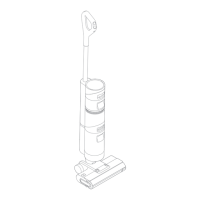
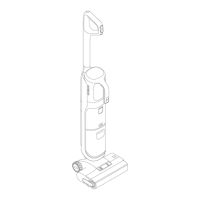
Vacuum

Detailed labeling of the vacuum cleaner's parts and functions.

Roller Brush Assembly

Explains the components of the roller brush system.

Charging Base

Details the design and connection points of the charging base.

Display Screen

Explains the meaning of icons and indicators on the LED screen.

Voice Prompt Button

Details the function and usage of the voice prompt button.

Installation

Charging Base Installation

Instructions for assembling the charging base.

Vacuum Installation Diagram

Step-by-step guide for assembling the vacuum cleaner.

Charging

How to Use

Fill the Clean Water Tank

Steps to correctly fill the clean water tank.

Start Cleaning

Guide on how to turn on and operate the vacuum for cleaning.

Switch Suction Level

Instructions on how to change between suction modes.

Care & Maintenance

Tips

Advice on general maintenance, parts replacement, and storage.

One-Click Self-Cleaning

Procedure for performing the automatic self-cleaning function.

Clean the Roller Brush Cover

Steps to remove and clean the roller brush cover.

Clean the Roller Brush

Instructions for cleaning the roller brush and its components.

Clean the Dirty Water Tank

Guide to emptying and cleaning the dirty water tank.

Clean the Filter

How to clean and maintain the vacuum's filter.

Clean the Tube

Instructions for cleaning the internal tube of the vacuum.

FAQ

Troubleshooting

Specifications

Dreame H11 Specifications

General IconGeneral
Cleaning typeDry&wet
Vacuum air filtering-
Dirt separating methodAqua filtering
Suitable for all types of surfaceYes
Brush shapeRectangular
Display typeLED
Product colorWhite
Dust container typeBagless
Liquid tank capacity0.9 L
LED indicatorsStatus
Power sourceBattery
Charging time- h
Suction power10000 Pa
Battery voltage- V
Battery capacity2.5 Ah
Power consumption (typical)170 W
Number of batteries supported6
Vacuum brushes includedCleaning brush
Weight and Dimensions IconWeight and Dimensions
Weight- g

Related product manuals