EasyManua.ls Logo

Dreame H12 Core - User Manual

Dreame H12 Core
23 pages
Print Icon
To Next Page IconTo Next Page
Loading...
The illustrations in this manual are for reference only.
Please refer to the actual product.
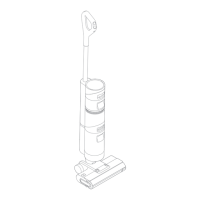
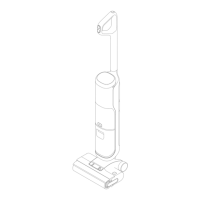
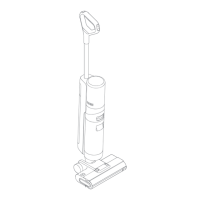
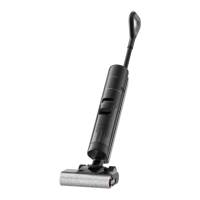
Wet and Dry Vacuum
User Manual
Dreame
H12 Core

Other manuals for Dreame H12 Core

Questions and Answers

  • M
    Mary WilliamsSep 23, 2025
    Why does my Dreame H12 Core vent leak water?
    • A
      athomasSep 23, 2025
      A water leak from the vent of your Dreame Vacuum Cleaner could be due to a collision or sharp pull causing water to enter the motor. Try moving the appliance gently back and forth while it is turned on. Alternatively, the filter might not be completely dry after cleaning, so ensure the filter is completely dry before use.
  • A
    Angela GrahamAug 25, 2025
    Why is the suction power weak on my Dreame H12 Core?
    • S
      Sarah WatersAug 25, 2025
      If the suction power of your Dreame Vacuum Cleaner is weak, check the following: 1. Make sure the filter is installed correctly. 2. Clean the filter if it's clogged. 3. Remove any foreign objects blocking the suction inlet or tube.
  • N
    Nancy BarkerAug 25, 2025
    What to do if my Dreame Vacuum Cleaner has weak suction power?
    • E
      Elizabeth CollinsAug 26, 2025
      If your Dreame Vacuum Cleaner has weak suction power: * Ensure the filter is installed correctly. * Clean the filter if it's blocked. * Check and clean the tube and suction inlet for any blockages or foreign objects.
  • J
    James OliverAug 27, 2025
    What to do if my Dreame H12 Core Vacuum Cleaner is charging slowly?
    • D
      danacampbellAug 27, 2025
      If your Dreame Vacuum Cleaner is charging slowly, the battery temperature may be too low or too high. Wait until the battery's temperature returns to normal.
  • R
    Ryan MitchellSep 23, 2025
    What to do if Dreame H12 Core Vacuum Cleaner display screen does not light up while charging?
    • E
      Emily VillanuevaSep 23, 2025
      If the display screen of your Dreame Vacuum Cleaner doesn't light up while charging, ensure that the power adapter plug is properly inserted into the electrical outlet and that the appliance is correctly placed on the charging base.
  • M
    Mr. Matthew TaylorSep 13, 2025
    What to do if my Dreame H12 Core Vacuum Cleaner Used Water Tank is full?
    • R
      richardsonkathleenSep 13, 2025
      If the Used Water Tank of your Dreame Vacuum Cleaner is full, empty it.
  • M
    Melissa HarrisSep 12, 2025
    What to do if my Dreame H12 Core tube is blocked?
    • J
      josephgonzalezSep 12, 2025
      If your Dreame Vacuum Cleaner tube is blocked, check that the filter is not clogged. Alternatively, clean the pipe and dirt sensor.
  • R
    robbinscraigSep 12, 2025
    What to do if my Dreame Vacuum Cleaner brush roller is stuck?
    • K
      karenpowellSep 12, 2025
      If the brush roller of your Dreame Vacuum Cleaner is stuck, clean it with the provided cleaning brush.
  • J
    jacksonmitchellSep 4, 2025
    What to do if the display screen does not light up while charging my Dreame Vacuum Cleaner?
    • S
      Shannon SmithSep 4, 2025
      If the display screen doesn't light up while charging your Dreame Vacuum Cleaner: * Ensure the power adapter plug is properly inserted into the electrical outlet. * Make sure the appliance is correctly placed on the charging base.
  • A
    Andrew HarringtonSep 2, 2025
    What to do if my Dreame H12 Core Vacuum Cleaner vent leaks water?
    • A
      Alexis BaileySep 2, 2025
      If the vent of your Dreame Vacuum Cleaner leaks water: * Move the appliance gently back and forth while it is turned on, if a collision or sharp pull caused water to enter the motor. * Ensure the filter is completely dry before use, if it was recently cleaned.

Summary

Important Safety Instructions

Usage Restrictions

Guidelines for safe operation and usage limitations of the appliance.

Maintenance and Storage

Instructions for maintaining and storing the appliance properly to ensure longevity.

Battery and Charging

Information and precautions related to the appliance's battery and charging process.

Symbols and WEEE Information

Explanation of symbols and guidelines for waste electrical equipment disposal.

Product Overview

Packing List

Lists all items included in the product package for user verification.

Vacuum Components

Identifies and labels the main parts of the vacuum cleaner.

Roller Brush and Charging Base

Details the roller brush assembly and the charging base components.

Display Screen and Controls

Explains the display screen indicators and the voice prompt button functions.

Installation

Installing the Handle

Step-by-step guide for attaching the handle to the main appliance body.

Charging

Charging Process

Instructions for charging the appliance, including placement and status indicators.

How to Use

Filling and Cleaning Fluid

Instructions for filling the clean water tank and adding cleaning fluid.

Starting Cleaning and Modes

Steps to start cleaning and switch between Auto and Suction modes.

Care & Maintenance

General Maintenance Tips

Essential tips for maintaining the appliance, including storage and part replacement.

One-Click Self-Cleaning

Instructions for initiating and completing the self-cleaning cycle of the appliance.

Cleaning Brush Cover and Roller

Detailed steps for removing and cleaning the brush roller cover and roller.

Cleaning Water Tanks and Filter

Steps for cleaning the used water tank, its filter, and the internal tube.

Troubleshooting

Appliance Operation Issues

Solutions for issues like appliance not working, slow charging, or weak suction.

Motor and Display Issues

Troubleshooting for motor noise and display screen not lighting up.

Water Flow and Cleaning Problems

Solutions for no water output, vent leaks, and failed self-cleaning.

Error Prompts and Solutions

Error Icons and Causes

Explains common error icons displayed on the screen and their potential causes.

Error Codes and Solutions

Lists error codes, their possible causes, and recommended solutions.

Specifications

Vacuum and Adapter Details

Technical specifications for the vacuum cleaner and its power adapter.

Battery Disposal and Removal

Disposal Precautions

Information on the safe disposal of the lithium-ion battery and environmental considerations.

Battery Removal Guide

Step-by-step instructions on how to safely remove the battery from the appliance.

Dreame H12 Core Specifications

General IconGeneral
Battery Capacity4000 mAh
Clean Water Tank Capacity900 ml
Dirty Water Tank Capacity500 ml
DisplayLED
Self-CleaningYes
Power200 W
TypeCordless Wet and Dry Vacuum Cleaner
Dustbin CapacityNot applicable
Cleaning ModesAuto, Max
Run Time35 minutes
Charging Time4-5 hours

Related product manuals