EasyManua.ls Logo

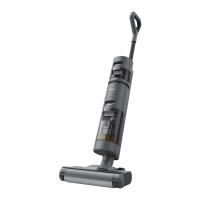
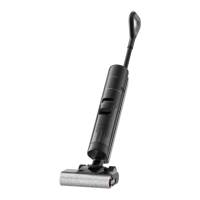
Dreame H12 Pro - User Manual

Dreame H12 Pro
110 pages
Print Icon
To Next Page IconTo Next Page
Loading...
1
H12 Pro
User Manual • Uživatelský manuál •
Užívateľský manuál • Használati utasítás •
Benutzerhandbuch

Questions and Answers

  • K
    Kylie FuentesJul 29, 2025
    What to do if my Dreame H12 Pro Vacuum Cleaner shows an error icon?
    • M
      Mitchell ShortJul 29, 2025
      If your Dreame Vacuum Cleaner displays an error icon, it could be due to several reasons: the clean water tank might be empty (fill it), the used water tank might be full (empty it), the brush roller could be stuck (clean it with the provided brush), or the brush roller might not be installed (install it). Also check for blocked tube.
  • P
    Paul SilvaAug 4, 2025
    Why does my Dreame Vacuum Cleaner display H7?
    • T
      ttapiaAug 4, 2025
      If your Dreame Vacuum Cleaner displays 'H7', it means the battery is overheating. Wait until the battery's temperature returns to normal.
  • K
    Kristen WagnerAug 10, 2025
    What to do if the Used Water Tank is full in Dreame H12 Pro?
    • E
      Elizabeth JarvisAug 10, 2025
      If the Used Water Tank of your Dreame Vacuum Cleaner is full, you should empty it.
  • J
    Jonathan WoodAug 16, 2025
    How to fix a stuck brush roller in Dreame H12 Pro?
    • D
      Daniel GillespieAug 16, 2025
      If the brush roller of your Dreame Vacuum Cleaner is stuck, use the provided cleaning brush to clean it.
  • J
    Jillian MeyerAug 22, 2025
    What to do if the tube is blocked in Dreame Vacuum Cleaner?
    • F
      francispaulAug 22, 2025
      If the tube of your Dreame Vacuum Cleaner is blocked, check whether it is clogged. You can also clean the tube and the dirt sensor.

Summary

Safety Information

Important Safety Instructions

General safety precautions for household use.

Wet and Dry Vacuum

Charging

How to Use

Working Modes

Explains different operational modes like Auto, Ultra, and Suction.

Filling the Clean Water Tank

Start Cleaning

Cleaning the Used Water Tank

One-Press Self-Cleaning

Drying Mode

Care & Maintenance

Cleaning the Tube and the Dirt Sensor

Cleaning the Brush Assembly

FAQ

Troubleshooting

Battery Disposal and Removal

Dreame H12 Pro Specifications

General IconGeneral
Cleaning typeDry&wet
Cleaning surfacesBare floor, Carpet, Hard floor
Vacuum air filtering-
Vacuum brushes includedRoller brush
Brush shapeRectangular
Display typeLED
Product colorBlack
Dust container typeBagless
Liquid tank capacity0.9 L
Battery typeBuilt-in
Power sourceBattery
Charging time3 h
Battery voltage- V
Battery capacity4 Ah
Maximum input power300 W
Number of batteries supported6
Weight and Dimensions IconWeight and Dimensions
Weight4900 g

Related product manuals