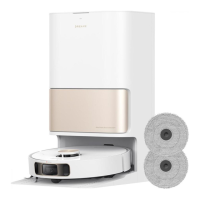
The rated power of the charging base is the power when the drying function and the
charging function are turned on at the same time.
Battery Disposal and Removal
The built-in lithium-ion battery contains substances that are hazardous to the
environment. Before disposing of the battery, make sure the battery is removed
qualified technicians and discarded at an appropriate recycling facility.
• The battery must be removed from the appliance before it is scrapped.
• The appliance must be disconnected from the supply mains when removing the
battery.
• The battery is to be disposed safely.
Removal Guide
1. Remove the display screen by rotating it with a tool.
2. Remove the screws on the battery cover in turn and then pry open the cover with
proper tools.
3. Unplug the terminals between the battery and PCB board to remove the battery.
CAUTION:
• Before removing the battery, disconnect the power and run out the battery as
much as possible.
• Unneeded batteries should be discarded at an appropriate recycling facility.
• Do not expose to high temperature environment to avoid risks of explosion.
• Under abusive conditions, liquid may be ejected from the battery. If contact
occurs, flush with water and seek medical help.



 To Next Page
 Loading...