8
EN
Installation
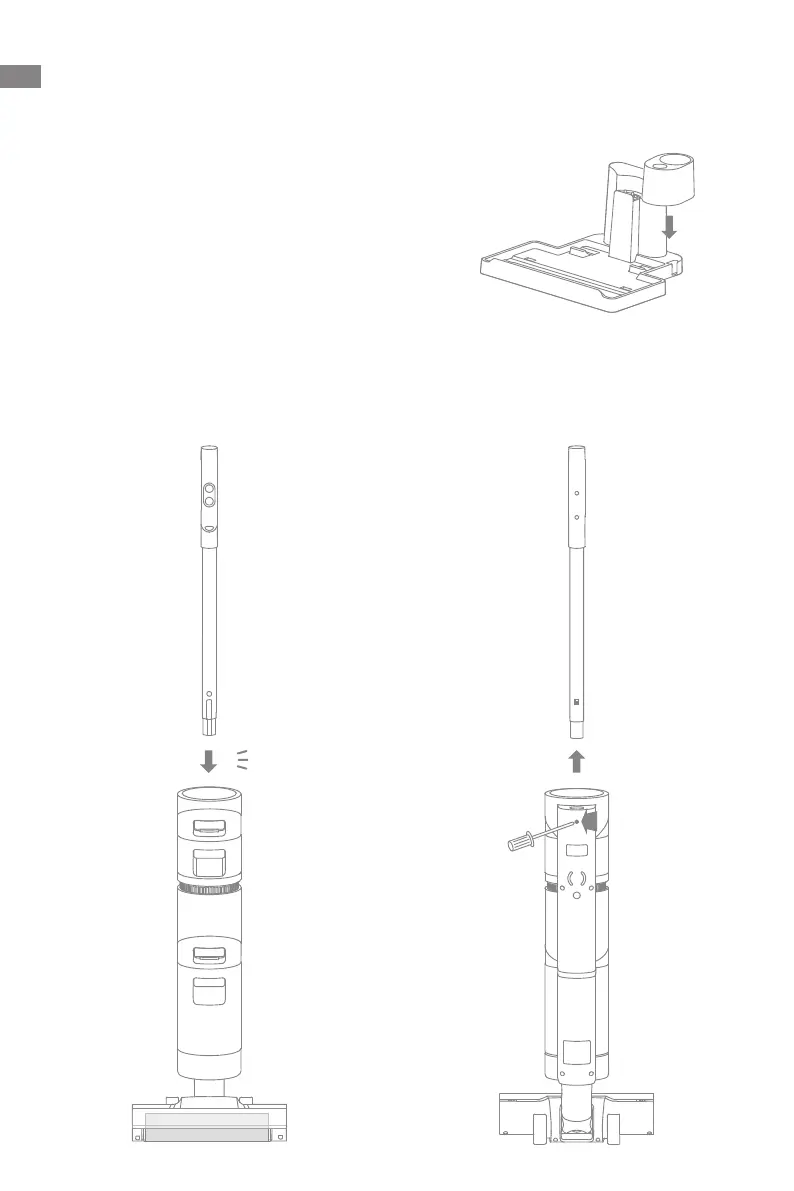
Vacuum Installation Diagram
Insert the end of the handle assembly vertically into the port on the top of the vacuum
as indicated, you will feel it click in place.
Note: To disassemble the handle, please use a hard object to reach into the hole on
the back of the vacuum to press the contacts, and at the same time pull the handle
upwards.
2
1
咔哒
Click
Charging Base Installation
Install the accessory holder into the charging base as indicated.



 To Next Page
 Loading...