10
EN
How to Use
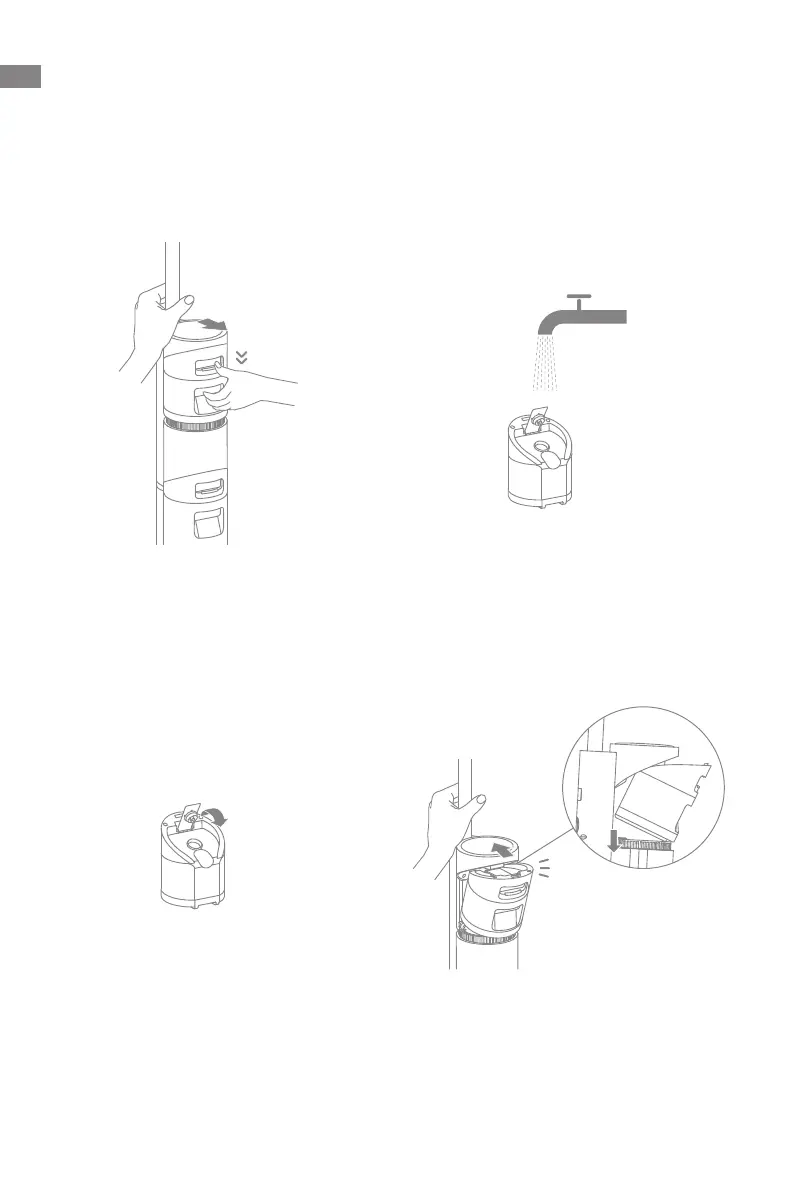
Fill the Clean Water Tank
1. Press the clean water tank release
button and pull the tank outward to
remove it.
3. Tightly close the tank cover after the
water has been added.
2. Open the tank cover and add enough
clean water to the clean water tank.
4. Install the clean water tank into the
main body until you hear a click.
Click



 To Next Page
 Loading...