EasyManua.ls Logo

DreameTech DreameBot L10 Pro - User Manual

DreameTech DreameBot L10 Pro
17 pages
Print Icon
To Next Page IconTo Next Page
Loading...




 追觅 

󸵦󸋀


追觅
Robot Vacuum and Mop
User Manual
Read this manual carefully before use and keep it for future reference.

󾖶󾖶󾖷󾖶 󸵦󸋀 󾖶
󽗊󾖷


󸵦󸋀


󽗉󽗊


󽗉 󸵦󸋀 


󽗉
󽗊


 󸵦󸋀 


łł󽗉 󸵦󸋀 ąż
łśżęęąę󽗉ąął
Question and Answer IconNeed help?

Do you have a question about the DreameTech DreameBot L10 Pro and is the answer not in the manual?

Summary

Product Overview

Accessories

Lists the included components of the robot vacuum.

Robot Top View

Details the components visible on the top surface of the robot.

Robot Bottom View and Sensors

Describes the underside of the robot and its various sensors.

Dust Bin, Mopping Module, and Charging Dock

Explains the dust bin, mopping module, and charging dock components.

Clearing Home Environment

Home Environment Preparation

Provides guidance on preparing the environment for optimal robot operation.

Preparation Before Use

Initial Setup and Charging

Outlines the essential steps before the robot's first use.

Connecting with Mi Home;Xiaomi Home App

App Integration Steps

Guides users through downloading, installing, and connecting the app.

How to Use

Basic Operation and Modes

Explains turning on/off, starting, pausing, and cleaning modes.

Advanced Usage Features

Covers spot cleaning, scheduled cleaning, and app functions.

Mopping Function Guide

Details the process of using the mopping module.

Routine Maintenance

Dust Bin and Filter Maintenance

Instructions for cleaning the dust bin and filter.

Mopping Module Cleaning

Steps for cleaning the mopping module components.

Brush and Wheel Cleaning

Guide to cleaning the main brush, side brush, and wheels.

Sensor and Contact Cleaning, Restart

Covers cleaning sensors, contacts, and restarting the robot.

FAQ

Troubleshooting Common Issues

Addresses frequent problems and their solutions.

Usage and Performance Queries

Answers questions regarding power, mopping, and resuming cleaning.

Overview

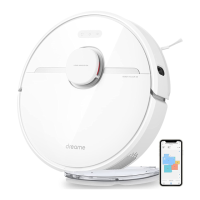
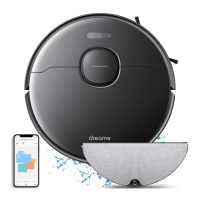
The Dreame Bot L10 Pro is a robot vacuum and mop designed for automated floor cleaning. It offers both vacuuming and mopping functionalities, making it a versatile cleaning solution for various floor types.

Function Description:

The Dreame Bot L10 Pro is a smart robot that can autonomously navigate and clean your home. It features a sophisticated navigation system, including an LDS Laser Sensor and High Precision 3D (3D Obstacle Avoidance Sensor), to accurately map out its surroundings and plan efficient cleaning routes. The robot can perform both dry vacuuming to pick up dust and debris, and wet mopping to tackle spills and stains. It supports multiple cleaning modes, including Quiet, Standard, Strong, and Turbo, allowing users to select the appropriate intensity for different cleaning needs. The robot can be controlled via the Mi Home/Xiaomi Home app, which provides additional functionalities such as scheduled cleaning, selected room cleaning, zone cleaning, and setting up forbidden areas or virtual walls. It automatically returns to its charging dock when the battery is low or a cleaning task is completed.

Important Technical Specifications:

  • Navigation System: LDS Laser Sensor, High Precision 3D (3D Obstacle Avoidance Sensor), Cliff Sensors, Edge Sensors.
  • Cleaning Modes: Quiet, Standard, Strong, Turbo.
  • Connectivity: Wi-Fi (2.4GHz only).
  • Battery: High-performance lithium-ion battery pack.
  • Dust Bin Capacity: Integrated dust bin with a filter.
  • Water Tank Capacity: Dedicated water tank for mopping.
  • Charging: Automatic return to charging dock.
  • Dimensions (Robot): Circular design with a top-mounted LDS sensor.
  • Dimensions (Charging Dock): Compact dock for recharging.
  • Power Cord: Standard power cord for the charging dock.
  • Accessories: Charging Dock, Cleaning Tool, Power Cord, Water Tank, Mop Pad, Side Brush.

Usage Features:

  • Turn On/Off: Press and hold the Power/Clean Button for 3 seconds to turn on or off.
  • Start Cleaning: Briefly press the Power/Clean Button to initiate a cleaning task. The robot maps out a route, cleans edges and walls, and then proceeds with an S-shaped pattern for thorough cleaning.
  • Spot Clean Mode: Press and hold the Spot Clean Button for 3 seconds to clean a 1.5 x 1.5 meter square area around the robot. The robot returns to its original location and powers off after spot cleaning.
  • Pausing/Sleep Mode: Press any button to pause cleaning. The robot enters Sleep Mode after 10 minutes of inactivity, with indicators turning off. Press any button to wake it up.
  • Do Not Disturb (DND) Mode: Prevents automatic cleaning tasks and keeps the power indicator off during specified hours (default 22:00 to 08:00). Scheduled tasks will still run.
  • Mopping Function:
    • Dampen and wring out the mop pad, then slide it into the water tank slot.
    • Fill the water tank with water (do not use detergent or disinfectant).
    • Align and slide the mopping module into the back of the robot until it clicks.
    • Start cleaning via the Power/Clean Button or the app.
    • Remove the mopping module by pressing side clips and sliding it backward.
    • It is recommended to vacuum floors multiple times before the first mopping session.
    • Avoid using the mopping function on carpets.
    • Adjust water flow via the app.
    • Remove the mopping module, empty the water tank, and clean the mop pad when charging or not in use to prevent mildew or odor.
  • App Control (Mi Home/Xiaomi Home App):
    • Download the app by scanning a QR code or searching "Mi Home/Xiaomi Home."
    • Add the device ("Dreame Bot L10 Pro") by tapping "+" and scanning the QR code.
    • Reset Wi-Fi by simultaneously pressing and holding the Spot Clean and Dock buttons until a voice prompt confirms "Waiting for the network configuration" and the Wi-Fi indicator blinks slowly.
    • The app supports scheduled cleaning, selected room cleaning, zone cleaning, and setting forbidden areas/virtual walls.
    • Only 2.4GHz Wi-Fi is supported.
  • Status Indicators:
    • Power/Clean Button: White (cleaning/cleanup completed), Blinking Orange (error).
    • Wi-Fi Indicator: Blinking slowly (to be connected), Blinking quickly (connecting), On (Wi-Fi connected).
    • Battery Level Indicator: White (battery > 15%), Orange (battery < 15%). Full charge is recommended for first-time use.

Maintenance Features:

  • Dust Bin and Filter:
    • Open the robot cover, press the dust bin clip, and remove the dust bin.
    • Open the dust bin cover and remove the filter.
    • Tap the filter basket gently to remove debris; do not use a brush or finger on the filter.
    • Rinse the dust bin and filter with clean water until clean.
    • Thoroughly dry the filter before re-installing (in a well-ventilated or cool place). Do not use detergent on the filter.
  • Mopping Module:
    • Press the two release clips on the side of the water tank, remove the mopping module, and pull off the mop pad.
    • Pour out water from the tank, clean with water only, and air dry (do not expose to direct sun).
    • Clean the mop pad with water only and air dry. Replace the mop pad every 3 to 6 months for optimal performance.
    • Clean the air hole in the cover of the water tank if water flow is slow or uneven.
  • Main Brush:
    • Press the brush guard clips inwards to remove the brush guard.
    • Lift the main brush out of the robot.
    • Pull out the brush cover and use the included cleaning tool to remove tangled hair. Avoid excessive pulling to prevent damage.
  • Side Brush:
    • Pull out the side brushes.
    • Use the included cleaning tool to remove tangled hair.
  • Main Wheel / Omnidirectional Wheel:
    • Use a small screwdriver to separate the axle and the tire for cleaning.
  • LDS Laser Sensor/Edge Sensor, High Precision 3D, Cliff Sensor, Charging Contact:
    • Clean these sensitive elements with dry rags only. Avoid wet cloths to prevent damage.
  • Robot Restarting:
    • If unresponsive or unable to turn off, press and hold the Power/Clean Button for 10 seconds to force a shutdown.
    • Press and hold the Power/Clean Button for 3 seconds to turn it back on.
  • Battery Maintenance:
    • Keep the lithium-ion battery pack well-charged for optimal performance.
    • If not used for an extended period, turn off the robot and store it. Recharge at least once every three months to prevent damage from over-discharging.

DreameTech DreameBot L10 Pro Specifications

General IconGeneral
BrandDreameTech
ModelDreameBot L10 Pro
CategoryVacuum Cleaner
LanguageEnglish

Related product manuals