EasyManua.ls Logo

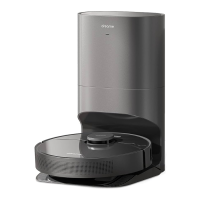
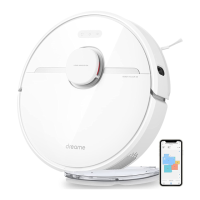
DreameTech DreameBot D10 Plus - User Manual

DreameTech DreameBot D10 Plus
39 pages
Print Icon
To Next Page IconTo Next Page
Loading...







󾖶󾖶󾖷󾖶 󸵦󸋀 󾖶
󽗊󾖷

󽗉󽗊


󽗉
󽗊
Read this manual carefully before use and keep it for future reference.
User Manual
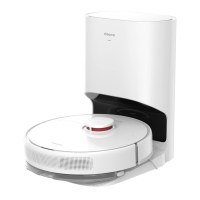
Auto-Empty Robot Vacuum and Mop
D10
Plus
Question and Answer IconNeed help?

Do you have a question about the DreameTech DreameBot D10 Plus and is the answer not in the manual?

Summary

Product Introduction

Brand Name Explanation

Explains the meaning and origin of the brand name 'dreame', reflecting the company's vision.

Manufacturer & Support Information

Provides contact details for after-sales support and identifies the manufacturer.

Safety Information

Important Safety Instructions

Crucial safety precautions to follow when using the electrical appliance to prevent electric shock or injury.

Save These Instructions

Instruction to keep the manual for future reference after reading it.

Product Overview

Pre-Installed Accessories

Lists accessories that are typically pre-installed on the robot for immediate use.

Other Accessories

Details additional accessories available for the robot, such as water tank and mop pad.

Robot Components

Robot Controls and Indicators

Identifies and explains the function of buttons and status indicators on the robot.

Robot Sensors

Details the various sensors on the robot and their functions for navigation and operation.

Auto-Empty Base Components

Auto-Empty Base Features

Describes the main parts and indicators of the auto-empty base.

Dust Bin and Mopping Module

Details the dust bin, dust collection bag, water tank, and mop pad components.

Preparation Before Use

Clearing Home Environment

Provides advice on preparing the home environment for efficient robot operation.

Installing Side Brush and Charging

Instructions for installing the side brush and connecting the robot to power for charging.

App Connectivity and Usage

Connect with Mi Home;Xiaomi Home App

Guides on downloading, installing, and connecting the robot to the Mi Home/Xiaomi Home app.

How to Use Robot Functions

Explains basic operations like turning on/off, starting cleaning, pausing, and spot cleaning.

Mopping and Routine Maintenance

Using the Mopping Function

Instructions on how to use the mopping feature, including water tank and mop pad preparation.

Cleaning the Dust Bin and Filter

Guidance on cleaning the dust bin and filter as part of routine maintenance.

Routine Maintenance Tasks

Cleaning the Mopping Module

Steps for cleaning the mopping module, including the water tank and mop pad.

Cleaning the Main Brush and Side Brush

Instructions for cleaning the main brush and side brushes to remove tangled hair.

Maintenance and Troubleshooting

Cleaning Sensors and Charging Contacts

Guidance on cleaning various sensors and charging contacts for optimal performance.

Replacing the Dust Collection Bag

Steps for replacing the dust collection bag in the auto-empty base.

Troubleshooting and Status Indicators

Cleaning the Air Duct

Instructions for cleaning the air duct if it becomes blocked.

Status Indicator Guide

Explains possible causes and solutions for different light status indicators.

FAQ and Specifications

Frequently Asked Questions (FAQ)

Answers common problems and questions regarding robot operation and connectivity.

Technical Specifications

Lists the technical specifications for the robot and the auto-empty base.

DreameTech DreameBot D10 Plus Specifications

General IconGeneral
BrandDreameTech
ModelDreameBot D10 Plus
CategoryVacuum Cleaner
LanguageEnglish

Related product manuals