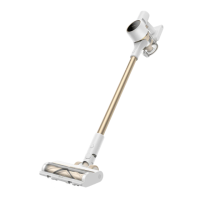
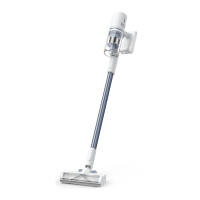
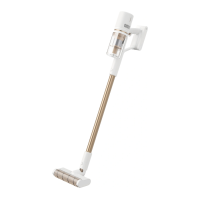
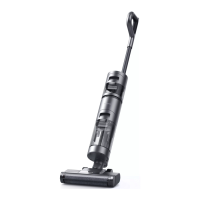
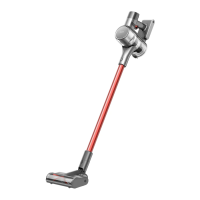
This document describes the Dreame Cordless Vacuum Cleaner, a versatile cleaning device designed for various household tasks.
Function Description
The Dreame Cordless Vacuum Cleaner is a multi-functional cleaning appliance that offers both discontinuous and continuous cleaning modes. It is designed to effectively remove dust, dirt, and debris from different surfaces using a combination of specialized brushes and nozzles. The vacuum cleaner features an electronic lock for continuous cleaning, allowing users to free their fingers and avoid fatigue during extended use. It also incorporates a dust cup, pre-filter, and cyclone assembly for efficient dirt separation and collection.
Important Technical Specifications
Vacuum Cleaner (Model: VTE1)
- Charge Voltage: 30 V
- Rated Power: 450 W
- Rated Voltage: 25.2 V
- Charging Time: Approx. 4 hours
- Rated Capacity: 2800 mAh
Mini Electric Brush (Model: DM002)
- Rated Power: 20 W
- Rated Voltage: 25.2 V
Smart Multi-brush Bar (Model: ASF1)
- Rated Power: 40 W
- Rated Voltage: 25.2 V
Charger
- Model: YLS0251B-E300080 (EU) / YLS0241A-U300080 (UK) / YLS0241A-A300080 (AU)
- Input: 100-240 V~50/60 Hz 0.8 A max
- Output: 30 V 800 mA
Rechargeable Lithium-ion Battery Pack
- Model: P2032-7S1P-BW / P2032-7S1P-BWA / P2032-7S1P-BWC
- Rated Capacity: 2800 mAh
- Energy: 70.56 Wh
The vacuum cleaner is equipped with an LED Battery Status Indicator and a Display Screen that shows the current battery level and suction level.
Usage Features
Product Components:
- Antistatic Contact: Helps prevent static electricity buildup.
- Display Screen: Shows important information like battery status and suction level.
- Extension Rod Release Button: For detaching the extension rod.
- Extension Rod: Extends the reach of the vacuum cleaner.
- Brush Bar Head Release Button: For detaching the brush bar head.
- Smart Multi-Brush Bar: A versatile brush for various floor types.
- Charging Port: Where the charger connects.
- LED Battery Status Indicator: Shows the battery charge level.
- Battery Release Button: For removing the battery pack.
- On / Off Switch: Press to turn on, release to turn off.
- Dust Cup Bottom Cover Release Button: For emptying the dust cup.
- Dust Cup: Collects dirt and debris.
Accessories:
- Charger: For recharging the vacuum cleaner.
- Extension Hose: For hard-to-reach corners.
- Crevice Nozzle: Suitable for vacuuming cracks, corners, doors, windows, stairs, and other hard-to-reach places.
- 2-in-1 Brush Nozzle: For vacuuming curtains, keyboards, ceilings, sofas, vehicle interiors, and coffee tables.
- 2-in-1 Charging & Storage Mount: Includes screws and wall plugs for installation.
- Smart Multi-brush Bar: As described above.
- Mini Electric Brush: For vacuuming dirt, pet hair, and stubborn debris from sofas, bedding, and other fabric surfaces.
- Extension Rod: As described above.
Display Screen Introduction:
- Electronic Lock/Reset Filter: Press briefly to enter/exit lock, press and hold for 1.5 seconds to enter the filter reset interface.
- Lock Status: Indicates if the electronic lock is engaged.
- Suction Level Status: Shows the current suction power.
- Switching Suction Level: Press briefly to switch the suction levels (eco/med/auto/turbo).
Setting Language:
Press and hold the button for 3 seconds to open the language list. Then press the button to scroll through the language to select the desired one. Press and hold the button for 3 seconds to use the selected language. The display screen will return to the main page if there is no operation for more than 15 seconds.
Switching Suction Level:
Press the button to switch between three suction levels: eco, med/auto, and turbo. The corresponding suction level will be highlighted on the display screen. Auto Mode is activated and "Auto" appears on the display screen only when using the smart multi-brush bar. The vacuum will automatically adjust its suction level depending on the surface type.
Installation:
The vacuum cleaner components and accessories can be easily installed by aligning and clicking them into place. The 2-in-1 charging & storage mount requires installation on a wall, ensuring there are no electrical wires or pipes behind the mount. The bottom of the mounting template sticker should be at least 103cm from the ground, and its top should be at least 30cm of clearance above it.
Charging:
A full charge takes approximately 4 hours. Turbo Mode for a prolonged period will cause the battery to heat up, which increases charging time. Allow the vacuum to cool down for 30 minutes before charging if it's hot. The vacuum can be charged directly or by placing it on the charging mount. The display screen shows the current battery level during charging. Once fully charged, the indicator will turn off after 5 minutes, and the vacuum will enter energy-saving mode.
Working Methods:
- Method 1: Discontinuous Cleaning Mode: Press and hold the switch of the vacuum to start working, and release it to stop immediately.
- Method 2: Continuous Cleaning Mode (Electronic Lock): Click the electronic lock key to switch to Continuous Cleaning mode. Briefly press the on/off switch to make the vacuum work in Continuous Cleaning mode. Use the electronic lock to free your fingers and avoid fatigue. To suspend operation, briefly press the on/off switch. To quit Continuous Cleaning mode, click the electronic lock again.
Using Different Accessories:
- Smart Multi-Brush Bar: For cleaning floors such as marble, tile, and low pile carpet. In Auto Mode, the vacuum automatically adjusts its suction level depending on the surface type.
- Mini Electric Brush: For vacuuming dirt, pet hair, and stubborn debris from sofas, bedding, and other fabric surfaces. Not recommended for fragile surfaces like silk.
- 2-in-1 Brush Nozzle: For vacuuming curtains, keyboards, ceilings, sofas, vehicle interiors, and coffee tables.
- Crevice Nozzle: Suitable for vacuuming cracks, corners of doors and windows, stairs, and other hard-to-reach places.
- Extension Hose: Use for hard-to-reach corner cleaning. If any rotating part becomes stuck, the vacuum may shut off automatically. Remove any trapped foreign objects, then resume use. If the battery overheats, the vacuum will automatically shut off. Wait until the battery temperature returns to normal, then resume use.
Maintenance Features
Tips:
- Always use genuine parts to keep your warranty from being void.
- If the filter or nozzle becomes clogged, the vacuum will stop working shortly after being turned on. Clear the tube to restore functionality.
- If the vacuum is not used for an extended period, fully charge it, unplug its charger, and store it in a cool, low-humidity environment away from direct sunlight. To avoid over-discharging the battery, recharge the vacuum at least once every three months.
Cleaning the Vacuum:
Wipe the vacuum with a soft dry cloth.
Cleaning the Dust Cup, Pre-Filter, and Cyclone Assembly:
- Press the dust cup bottom cover release button to empty the contents.
- Push the dust cup release switch in the direction indicated by the arrow, then gently remove the dust cup from the vacuum.
- Remove the pre-filter first, then lift the handle of the cyclone assembly and turn it counterclockwise until it stops, then pull to lift out the cyclone assembly.
- Rinse the cyclone assembly, pre-filter, and dust cup until they are clean. After washing, air dry for at least 24 hours.
- It is recommended to clean the dust cup once every month.
- It is recommended to clean the pre-filter at least once every 3 months and the cyclone system once every 6 months.
Installing the Dust Cup, Pre-Filter, and Cyclone Assembly:
- Insert the cyclone assembly vertically into the dust cup, and make sure that the handle of the cyclone assembly lines up with the slot on the left side of the dust cup. Turn the handle clockwise until it locks, then flip the handle down.
- Place the pre-filter with its front side facing up into the cyclone assembly.
- Slightly tilt the dust cup so the slot aligns with the clip on the vacuum. Then gently push the dust cup until it clicks into place.
Cleaning the Filter:
- Remove the dust cup as shown in the figure.
- Remove the filter from the vacuum by pulling it down in the direction shown in the figure.
- Clean the filter with clean water. Make sure you rotate the filter 360° to thoroughly and remove all dust caught in the filter. Lightly tap the filter several times to remove any excess dirt.
- Allow the filter to air dry for 24 hours.
- Only use clean water to wash the filter. Do not use detergent.
- Do not attempt to clean the filter with a brush or finger.
Installing the Filter:
- Insert the filter into the vacuum and gently press down, as illustrated.
- Reinstall the dust cup.
Cleaning the Smart Multi-Brush Bar:
- Turn the lock counterclockwise until it stops, then remove the roller brush from the smart multi-brush bar.
- Use scissors to cut off the hairs and fibers that stick on the roller brush. Wipe the dust from the notch and transparent cover with a dry cloth or paper towel. Thoroughly dry before use.
- When it is dirty, rinse the roller brush with clean water until it is clean.
- Stand the roller brush upright for at least 24 hours until it is fully dry.
Cleaning the Mini Electric Brush:
- Use a coin as illustrated to rotate the lock counterclockwise until you hear a click.
- After unlocking the roller brush, remove it from the mini electric brush, then rinse and clean the brush head.
- Stand the roller brush upright in a well-ventilated area for at least 24 hours until it is fully dry.
- Once the mini roller brush is dry, reinstall it by following the disassembly steps in reverse.
Battery Pack Maintenance:
The vacuum contains a removable rechargeable lithium-ion battery pack which has a limited number of recharge cycles. After extended use, the battery pack may no longer hold a charge. If this happens, it means the battery pack has reached the end of its life cycle and needs to be replaced.
- Press down the battery pack release button and slide the battery pack to the right, as illustrated, to remove it.
- Install the new battery pack.
The lithium-ion battery pack contains substances that are hazardous to the environment. Before disposing of the vacuum, please first remove the battery pack, then discard, or recycle it in accordance with local laws and regulations of the country or region it is used in.
Troubleshooting (FAQ):
The manual provides a comprehensive FAQ section for common errors, possible causes, and solutions, including:
- Vacuum does not work (battery low, overheat protection, suction/air duct blocked).
- Weak suction force (dust cup full, filter assembly clogged, attachment blocked).
- Motor makes a strange noise (main suction opening or extension rod blocked).
- First indicator red after turning on (battery pack damaged).
- First indicator blinks red when charging (charger incompatible).
- Battery indicator does not light up when charging (charger not plugged in, battery charged/switches to Sleep Mode, problem persists).
- Charging too slow (battery temperature too low or too high).
Troubleshooting (Error Messages):
The display screen may show error messages, and the manual provides solutions for:
- Battery overheating: Please wait and continue to use after motor temperature is normal.
- Roller brush stuck: Refer to the maintenance guide (Cleaning the Smart Multi-Brush Bar section) to clean the fiber material and hairs wrapped around the roller brush.
- Air duct blocked: Check whether the dust cup, filter, pre-filter, extension rod, and smart multi-brush bar are blocked. Refer to the maintenance section to clean. Allow dry thoroughly before reuse.
- Error: Please contact our after-sales service department for maintenance.
WEEE Information:
All products bearing the WEEE symbol are waste electrical and electronic equipment. This indicates that the product should not be mixed with unsorted household waste. Instead, it should protect human health and the environment by handing over your waste equipment to a designated collection point for the recycling of waste electrical and electronic equipment, appointed by the government or local authorities. Correct disposal and recycling will help prevent potential negative consequences to the environment and human health. Please contact the installer or local authorities for more information about the location as well as terms and conditions of such collection points.

 Need help?
 General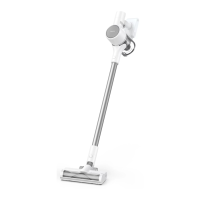

 To Next Page