Need help?
Do you have a question about the Dreamus Astell&Kern SP3000 and is the answer not in the manual?
Details on included items like case, cable, and guides.
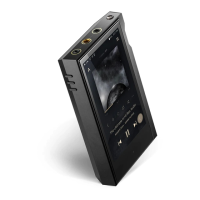
Explains the physical layout, ports, buttons, and their functions.
Instructions for turning the device on, off, and performing a reset.
Guidance on charging the device using a USB wall adapter for optimal speed.
How to connect headphones to the device's audio ports.
Steps for connecting to a computer and copying files to the device.
Procedures for deleting files and safely disconnecting from the computer.
Proper steps for inserting and safely removing microSD cards.
How to update the device's firmware over Wi-Fi for new features and fixes.
Understanding touchscreen controls, home screen, and basic navigation.
How to access and navigate through different menu categories and screens.
Details on playback controls, repeat modes, shuffle, and playlist access.
Managing device status and quick settings via the notification bar.
Guide to installing and using third-party music streaming applications.
Connecting to music libraries and speakers wirelessly using AK CONNECT.
Detailed instructions for connecting and transferring files via AK File Drop.
How to select music from categories and start playback.
Steps to create, add, remove, rename, and delete playlists.
Adjusting music loudness leveling for consistent playback volume.
Details on supported OS, formats, and driver installation for USB DAC.
Managing DSD output types and connecting to portable DACs.
Steps to connect the AK CD-Ripper and perform CD ripping.
How to use the AK CD-Player functionality with the AK CD-Ripper.
Explains the display and controls available when Car Mode is activated.
How to set up and manage up to five bookmarks for quick folder access.
How to mark songs as favorites and access them from the Favorites folder.
Configuring Wi-Fi, Bluetooth, EQ, Crossfeed, and other audio preferences.
Customizing display, timers, updates, language, and system information.
Accessing model, firmware, MAC info, and performing system resets.
Steps for connecting the device to available Wi-Fi networks.
Instructions for enabling Bluetooth, pairing, and managing connections.
Detailed steps for adjusting equalizer frequencies and saving custom settings.
Important safety guidelines for handling the device and avoiding environmental hazards.
Steps to resolve frequently encountered problems with the device.
Information on FCC, CE compliance and body-worn RF exposure.
List of registered trademarks for product technologies.
Legal disclaimers regarding product use, liability, and battery replacement.
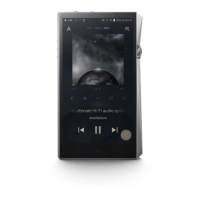
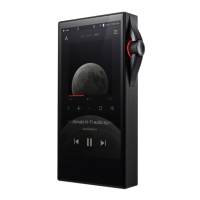
Detailed technical specifications of the SP3000, including hardware, audio, and connectivity.
 Display
| display size | 5.46 inches |
|---|---|
| display resolution | 1080x1920 |
 Audio Specifications
| frequency response (unbalanced) | ±0.017dB (20Hz~20kHz) |
|---|---|
| frequency response (balanced) | ±0.021dB (20Hz~20kHz) |
| signal-to-noise ratio (unbalanced) | 126dB @ 1kHz |
| signal-to-noise ratio (balanced) | 130dB @ 1kHz |
| crosstalk (unbalanced) | -136dB @ 1kHz |
| crosstalk (balanced) | -145dB @ 1kHz |
| total harmonic distortion + noise (unbalanced) | 0.0006% @ 1kHz |
| total harmonic distortion + noise (balanced) | 0.0004% @ 1kHz |
| output impedance (3.5mm) | 0.7 ohm |
| output impedance (2.5mm) | 1.7 ohm |
| output impedance (4.4mm) | 1.6 ohm |
Power and Battery| battery capacity | 5, 050mAh |
|---|---|
| battery voltage | 3.8V |
Connectivity| wi-fi standards | 802.11 a/b/g/n/ac (2.4/5GHz) |
|---|---|
| bluetooth version | V5.0 |
| usb type | USB Type-C |
 Memory
| built-in memory | 256GB |
|---|---|
| external memory | microSD (Max. 1TB) |
 Weight and Dimensions
| width | 82.4 mm |
|---|---|
| height | 139.4 mm |
| depth | 18.3 mm |
| weight | 493 g |

 To Next Page