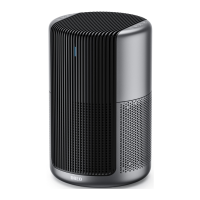
The DREO Macro Max S is a smart true HEPA air purifier designed for household use, offering a comprehensive filtration system and various smart features for improved air quality.
Function Description
The DREO Macro Max S air purifier is designed to clean indoor air using a 3-stage filtration system. It removes airborne particles and helps improve overall air quality in a room. The device can be controlled via a physical control panel, an LED display, and a mobile app, offering smart functionalities like voice assistant integration and remote control. It also includes an air quality sensor to monitor PM 2.5 particles and adjust operation accordingly.
Important Technical Specifications
- Input: 120V~60Hz
- Dimension: 11.22 x 11.22 x 20.86 inches (285 x 285 x 530 mm)
- Weight: 11.89 lbs (5.35 kg)
- Filtration System: 3-stage filtration, including a pre-filter, H13 HEPA filter, and high-efficiency activated carbon filter.
- Connectivity: Wi-Fi and Bluetooth for app control and voice assistant integration (Amazon Alexa, Google Assistant).
- Safety Features: Safety lock (automatic shut-off if the back cover is opened or not properly closed), polarized plug.
Usage Features
The air purifier offers several modes and controls for customized operation:
- Power Button: Turns the device on/off. A long press (10 seconds) resets factory settings.
- Display Info/Filter Reset (5s) Button: Cycles through information on the LED display (clean air, PM 2.5 concentration, filter life). A long press (5 seconds) resets the filter change reminder.
- Sleep Mode Button: Activates Sleep Mode, setting the fan speed to the lowest rate. All light indicators turn off after 5 seconds in this mode.
- Timer Button/WiFi Connection Button (5s): Sets a timer for the air purifier to turn on/off (1-12 hours). A long press (5 seconds) initiates Wi-Fi connection settings, with the Wi-Fi indicator flashing during pairing.
- Fan Speed/Turbo Mode Button: Cycles through fan speeds (levels 1-3) and activates Turbo Mode. Turbo Mode provides maximum fan speed for rapid purification, recommended for extremely poor air quality.
- Auto Mode: Automatically adjusts fan speed based on real-time air quality conditions detected by the air quality sensor.
- LED Display: Provides a comprehensive and intuitive display of air quality, timer, PM 2.5 concentration, filter life, fan speed, turbo mode, auto mode, Wi-Fi status, child lock, and filter change reminder. The LED display and lights can be turned off via the Dreo App.
- Air Quality Indicator Light: Changes color to indicate air quality levels:
- Blue: Excellent
- Green: Good
- Orange: Moderate
- Red: Poor
- Note: The sensor detects PM 2.5 particles but not odors. For strong odors, manual adjustment to the highest fan speed is recommended.
- Child Lock: Locks all buttons on the air purifier, available only through the Dreo App.
- Memory Function: Retains previous settings (except timer) when the air purifier is turned off or disconnected from power and then turned on again.
- Light Detection: In low light conditions, LED lights turn off. Any button press wakes up the air purifier. This feature can be deactivated in the Dreo App.
- App Control: Connects to the Dreo app for remote control, setting up voice assistants (Amazon Alexa, Google Assistant), and accessing additional features like child lock and light detection settings.
Maintenance Features
- Filter Replacement: The 3-stage filter should be replaced every 6-8 months or when the filter change reminder alerts. The filter change reminder flashes when replacement is needed. After replacing, the filter reset button must be pressed and held for 5 seconds to reset the reminder.
- Cleaning the Filter: The outer pre-filter can be cleaned with a soft, dry brush every 2-4 weeks for optimal use.
- Cleaning the Air Purifier:
- Unplug the device before any cleaning.
- Remove the filter and clean the inside of the purifier with a dust vacuum.
- Wipe the housing with a dry, soft, non-abrasive cloth.
- Cleaning the AQ Sensor: It is recommended to clean the AQ sensor on the back with a dust vacuum at least every three months.
Important Safety Instructions
- Use the appliance only as described in the user manual.
- Not suitable for children under 8 years old without supervision.
- Place on a level, stable, and dry surface, away from heat sources and excessively humid environments.
- Maintain at least 15 inches (38 cm) of clearance on all sides.
- Do not immerse in water, operate with wet hands, or insert objects into openings.
- Do not attempt to repair or modify the appliance; servicing should be performed by qualified personnel.
- Plug directly into a wall outlet with the correct voltage.
- Keep the power cord out of traffic areas and do not run it under carpeting or furniture.
- Always unplug before cleaning or prolonged disuse.
- Do not use with a damaged cord or plug, or if the appliance malfunctions.
- The polarized plug should fit correctly into the outlet.
- Do not use with solid-state speed control devices.

 Need help?
 General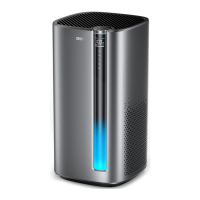

 To Next Page