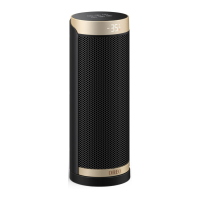
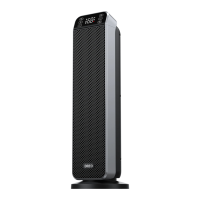
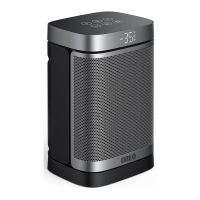
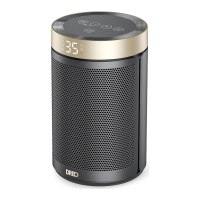
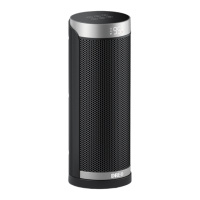
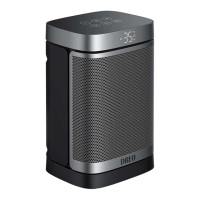
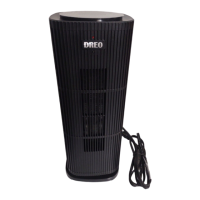
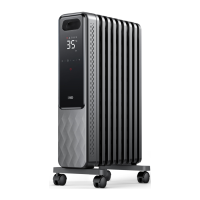
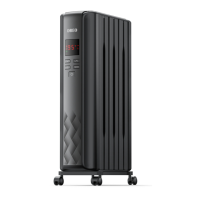
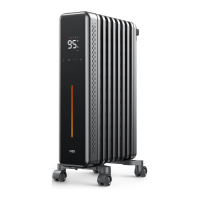
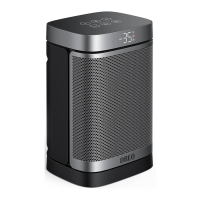
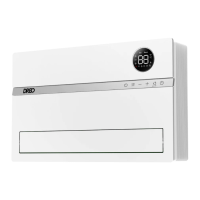
This document describes the Dreo PTC Fan Heater, model DR-HSH002, a fan heater designed for household use.
Function Description
The Dreo PTC Fan Heater is a portable electric heater that utilizes PTC (Positive Temperature Coefficient) technology to generate heat. It is designed to provide warmth in indoor spaces. The heater features multiple operating modes and temperature settings to suit user preferences and ambient conditions. It includes safety features such as tip-over protection and overheat protection to ensure safe operation.
Important Technical Specifications
- Model: DR-HSH002
- Input: 120V~60Hz
- Rated Power: 1500W (High), 900W (Low)
- Remote Control Battery: CR2025, 3V
- Temperature Adjustment Range: 41°F to 95°F (in 1°F increments)
- Safety Certifications: ETL Listed (Intertek XXXXXX)
Usage Features
The Dreo PTC Fan Heater offers a range of features for convenient and safe operation:
Control Interface:
The heater can be controlled via a top-mounted control panel with buttons and an LED display, or through a remote control which replicates all control functions.
Power ON/OFF:
- To turn on: Press the power button once. The heater will default to "95°F" and "HI" heat level, with the power indicator on red.
- To turn off: Press the power button again. The heater will shut off with a 15-second delay and a countdown displayed on the LED.
Modes and Heat Levels:
- Cycle through modes: Press the "M" button repeatedly to switch between High (HI), Low (LO), and ECO modes.
- ECO Mode: In ECO mode, the heater automatically adjusts its working mode (High or Low) based on the ambient temperature to maintain the set temperature. Both "ECO" and "HI" / "LO" indicators will be lit on the LED display.
- Temperature Adjustment (ECO Mode): While in ECO mode, the temperature can be adjusted using the "+" or "-" buttons.
Temperature Adjustment:
- When the heater is on, use the "+" or "-" buttons on the control panel or remote to adjust the desired temperature from 41°F to 95°F in 1°F increments.
- Once the set temperature (TO) is reached, the heater will stop heating and enter standby mode (after a 30-second delay). It will resume heating when the room temperature drops below the set temperature.
Oscillation:
- To start oscillation: Press the oscillation button on the heater or remote control.
- To stop oscillation: Press the oscillation button again.
Auto OFF Timer:
- To set the timer: Press the timer button on the heater or remote control to cycle through settings from 00 to 12 hours. The unit will automatically stop running when the set time is up.
- To cancel the timer: Press and hold the timer button for 3 seconds, set the timer to 00, or turn the unit off.
Auto LED Display OFF:
- If no operation is performed within 1 minute, the LED display will automatically turn off, leaving only the power indicator and working mode light on.
- To reactivate the display: Press any button.
Mute/Unmute Function:
- Hold the "M" button for 3 seconds on the heater or press the mute button on the remote control to turn the buzzer sound on or off. The HI, LO, and ECO indicators will flash once with a beep sound to confirm the change.
Memory Function:
The heater retains its last settings (temperature, working mode, and oscillation status) when turned off and will resume these settings upon being turned on again.
24-Hour Auto Shut Off:
For safety, the heater will automatically shut off if it operates continuously for 24 hours without any user intervention.
Tip-Over Protection:
If the heater is tipped over, it will automatically shut off, display "P4" on the LED, and emit beeps. To resume operation, place the heater back on a flat, level, and stable surface and turn it on again.
Overheat Protection:
If the ambient temperature exceeds 122°F (50°C), the heater will stop heating, trigger an overheat alarm, display "FF" on the LED, and beep. To reset, unplug the heater from the power source and plug it back in once the ambient temperature drops below 122°F.
Maintenance Features
Regular cleaning and proper storage are recommended to ensure optimal performance and longevity of the heater.
Cleaning:
- Before cleaning: Always turn off the heater, unplug it, and allow it to cool down completely.
- Exterior cleaning: Use only a soft cloth to gently wipe the outer surfaces of the heater.
- Avoid: Do not use any cleaning agents or detergents. Never immerse the heater in water or allow water to drip into the motor housing. Ensure the heating element and switches do not get wet.
- Internal cleaning: It may be necessary to use a vacuum cleaner to remove any polystyrene or packaging material that might be trapped within the appliance.
Storage:
- For off-season storage, cover the heater to protect it from dust.
- Store it in a cool, dry location.
- Carefully fold the power supply cord and secure it with a tie. Place the heater in its packing box.
- Keep the heater in a cabinet away from any hot or wet locations.
Important Maintenance Notes:
- Do not allow water to run into the interior of the heater to prevent fire or electric shock hazards.
- Any servicing beyond cleaning should only be performed by an authorized service representative. Do not attempt to modify or repair the product yourself, as this could void the warranty and cause damage or personal injury.
Battery Replacement (Remote Control):
- Press the locking button to pop up the battery holder.
- Replace the battery with a CR2025 3V type, ensuring the positive (+) side is facing up.
- Push the holder back in until it is securely locked into place.
- Caution: The remote control contains a small lithium button/coin cell battery. Keep it away from children and do not swallow it. Seek immediate medical advice if swallowed. Ensure the battery compartment is always securely closed. Dispose of used cells properly.

 Need help?

 To Next Page
 General