EasyManua.ls Logo

dreo DR-HSH004 - User Manual

dreo DR-HSH004
12 pages
Print Icon
To Next Page IconTo Next Page
Loading...
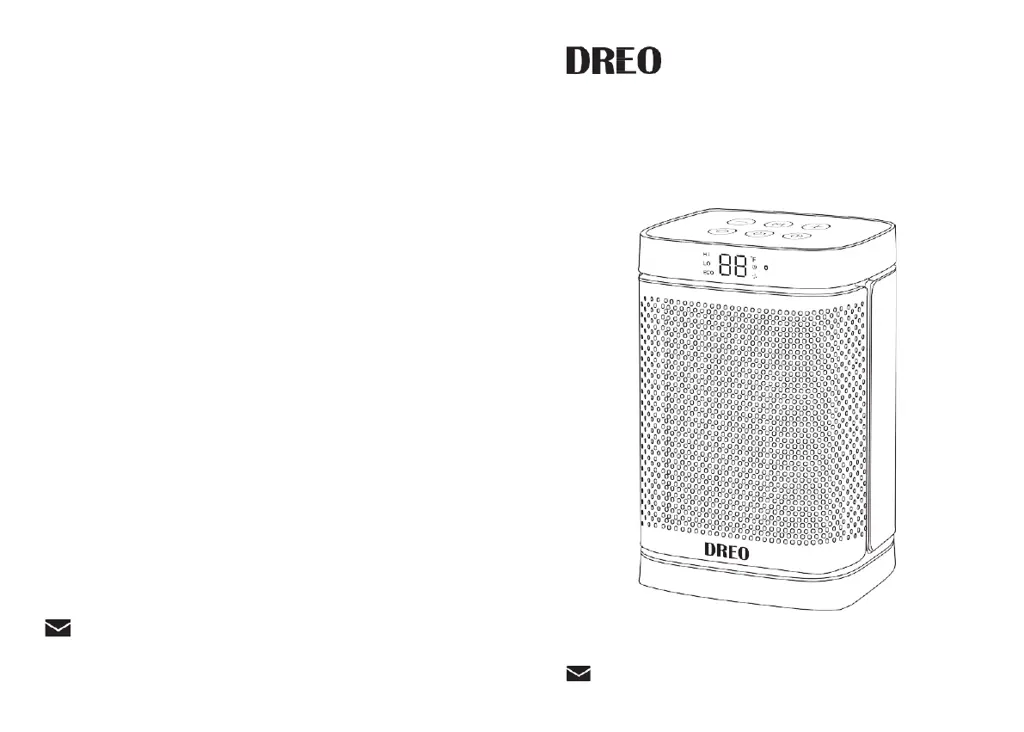
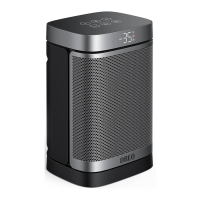
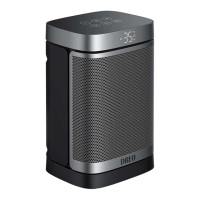
PTC Fan Heater
User Guide
support@dreo.com MANUFACTURER
Shenzhen Hesung Innovation Technology Co., LTD
MODEL: DR-HSH004
support@dreo.com

Questions and Answers

  • P
    Phillip GibbsAug 2, 2025
    Why my Dreo Heater does not start?
    • S
      Stephanie LeeAug 3, 2025
      Your Dreo Heater might not be starting due to several reasons: - The power cord may not be properly plugged in. Ensure it is connected to a powered electrical outlet. - The overheat protection might have been activated. Unplug the heater and allow it to cool down. - There might be objects on or near the heater. Remove any obstructions.
  • G
    Glenn BrownAug 7, 2025
    What to do if my Dreo Heater doesn't start after plugging it in?
    • J
      Jennifer CarrAug 7, 2025
      If your Dreo Heater doesn't start after plugging it in, consider these potential causes: - There might be no power passing through the unit. Check your circuit breaker or fuse to ensure it's working correctly. - The heater may not be placed on a flat and even surface. Make sure it is properly positioned. - The set temperature could be lower than the ambient temperature. Ensure that the temperature setting is higher than the current room temperature.
  • M
    Mark RomeroAug 11, 2025
    What to do if dreo DR-HSH004 Heater suddenly stops during heating?
    • H
      holmeszacharyAug 11, 2025
      If your Dreo Heater suddenly stops during heating, it could be due to the following reasons: - The temperature may have exceeded the thermal cutoff threshold. Turn off and unplug the unit, allow it to cool down, and then plug it back into the electrical outlet. - The heater might have been tipped over. Place it on a flat, level, and stable surface.
  • L
    Lee BauerAug 15, 2025
    What to do if my dreo DR-HSH004 Heater shows FF error code?
    • M
      Mr. David Neal DDSAug 15, 2025
      If your Dreo Heater displays the error code 'FF', it indicates that the overheat protection has been activated. To resolve this, unplug the heater and wait for it to cool down completely before plugging it back in.
  • J
    Jesse HughesAug 19, 2025
    What to do if my dreo DR-HSH004 Heater displays P4 error?
    • R
      Russell SinghAug 20, 2025
      If your Dreo Heater displays the error code 'P4', it indicates that the tip-over protection has been activated. Place the heater back on a flat, level, and stable surface to resolve this issue.
  • B
    Brian ReedAug 25, 2025
    How to fix E1 error on dreo DR-HSH004 Heater?
    • D
      Dr. Christopher WaltersAug 25, 2025
      If your Dreo Heater displays the error code 'E1', it indicates a temperature sensor open circuit. Unplug it from the power source and contact Customer Support.
  • B
    Brett NortonAug 28, 2025
    How to fix E2 error on Dreo Heater?
    • C
      Caitlin RoachAug 28, 2025
      If your Dreo Heater displays the error code 'E2', it indicates a temperature sensor short circuit. Unplug it from the power source and contact Customer Support.

Summary

IMPORTANT SAFETY INSTRUCTIONS

FOR HOUSEHOLD USE ONLY

General safety warnings for household use.

GENERAL SAFETY

General safety precautions for operating the heater.

LOCATION SAFETY

Guidelines for safely placing and using the heater.

ELECTRICITY SAFETY

SPECIFICATIONS

HOT SURFACE WARNING

Warning that the front surface gets very hot during use.

KNOWING YOUR HEATER

HEATER COMPONENTS

Identifies key parts of the heater like control panel, air outlets, and base.

USING YOUR HEATER

MODE SETTINGS AND OPERATION

Explains how to select power modes (HI, LO, ECO, Fan) and operate the heater.

TIMER AND OSCILLATION

Instructions for setting the auto-off timer and controlling oscillation.

TEMPERATURE ADJUSTMENT

Details on using +/- buttons to set temperature between 41-95°F.

MORE FEATURES

MEMORY AND AUTO-OFF FUNCTIONS

Explains memory function and 24-hour auto-off feature.

SAFETY PROTECTIONS

Explains Tip-Over Protection (P4) and Overheat Protection (FF).

CLEANING AND MAINTENANCE

CLEANING PROCEDURES

Steps for cleaning the outer surface, air inlet, and filter mesh.

IMPORTANT CAUTIONS

Warnings against disassembling, using cleaning agents, or immersing the unit in water.

TROUBLESHOOTING

MALFUNCTION CODES

Explains error codes E2, E1, FF, P4 displayed on the LED screen.

HEATER STARTUP ISSUES

Solutions for when the heater does not start, including power and overheat protection.

HEATER STOPS DURING HEATING

Addresses issues where the heater suddenly stops during operation.

WARRANTY AND SERVICE

WARRANTY DETAILS

Information on the default 12-month warranty and how to extend it.

CUSTOMER SUPPORT

Contact information and guidance for customer support.

dreo DR-HSH004 Specifications

General IconGeneral
Model NumberDR-HSH004
CategoryHeater
BrandDreo
Heating TypeCeramic
Power1500W
Voltage120V
ThermostatYes
Safety FeaturesOverheat protection, tip-over protection
Remote ControlYes
Power SourceCorded Electric
Temperature Range41°F to 95°F (5°C to 35°C)
Timer1-12 hours
OscillationYes
Product Dimensions9.1 x 7.5 x 13.4 inches
Item Weight4.41 pounds

Related product manuals