Need help?
Do you have a question about the Drew & Cole Clever Chef and is the answer not in the manual?
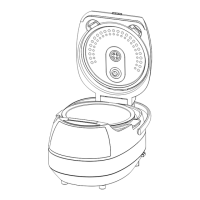
Open the Cleverchef, remove and clean the inner pot, and wipe the interior before use.
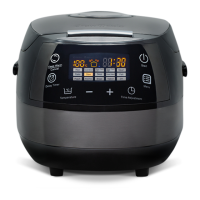
Turn on the Cleverchef and understand initial display and error message indicators.
Fill the inner pot with liquids and ingredients between the 0.5 L and MAX markings.
Select a desired cooking program using the MENU button and start the cooking cycle.
Modify the cooking time using the TIME ADJUST button and the +/- adjustment buttons.
Modify the cooking temperature using the TEMPERATURE ADJUST button and the +/- buttons.
Set a delayed start time for cooking, up to a maximum of 24 hours.
Utilize the steam function by adding water, inserting the steamer tray, and selecting STEAM.
Cook pasta or poach food by adding water, selecting PASTA/POACH, and adding ingredients.
Ensure the Cleverchef is cool before cleaning to prevent damage or injury.
 General
| Material | Stainless steel |
|---|---|
| Timer | 24-hour delay timer |
| Functions | Slow Cook, Steam, Sauté |
| Preset Programs | Rice, Stew, Soup |
| Capacity | 5 liters |
| Category | Multi Cooker |


 To Next Page