Page 5SKU 45935 / 45936
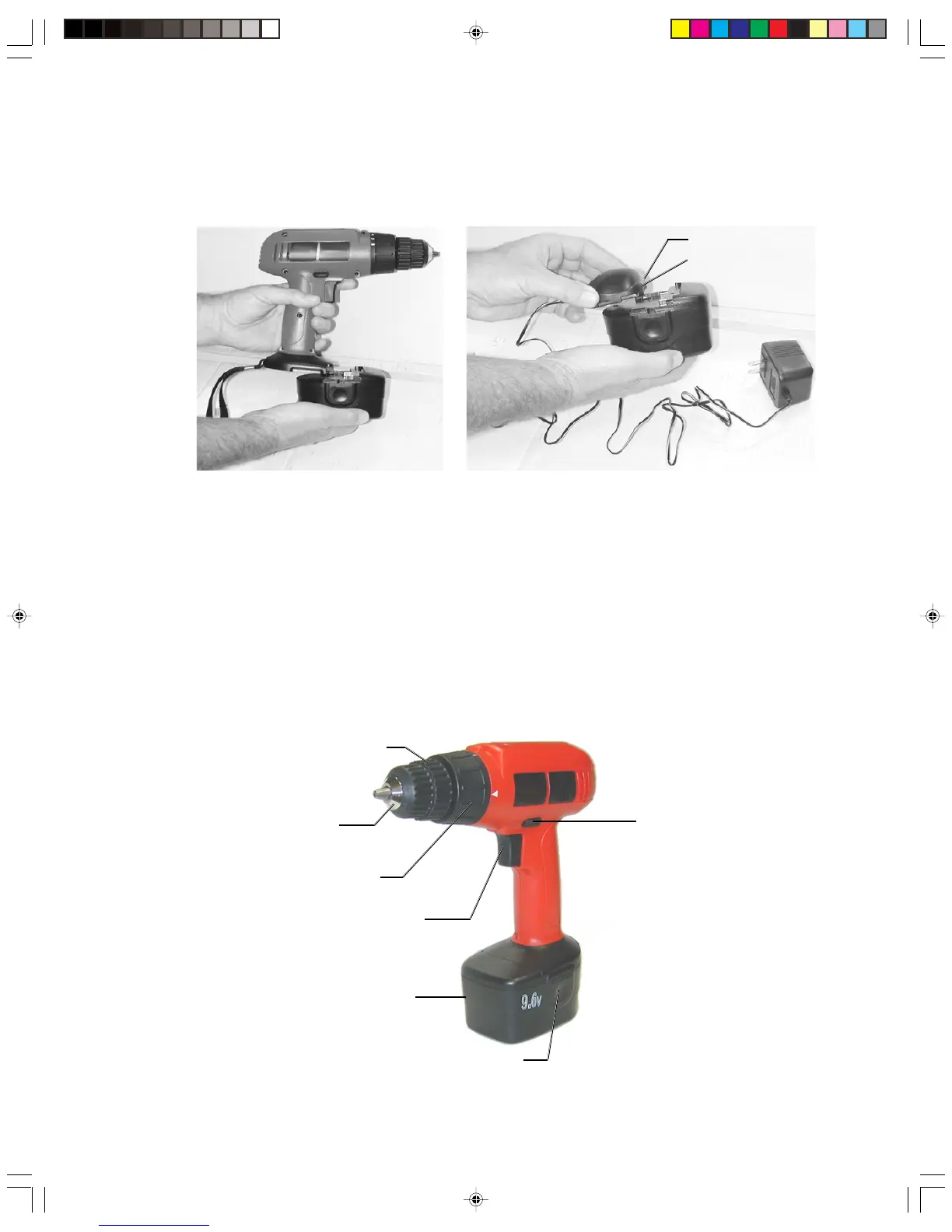
Verify on the Charger Base that the green power indicator and the red charging
indicator light come on. If they do not come on, check the power connection or try a
different wall outlet. Charge the new battery for 8 hours. Subsequent charges will take
3 to 5 hours.
Caution: The charger will not automatically switch off when the battery is fully charged.
The red charging indicator light will remain on. Avoid battery damage by removing
power to the charger after the desired charge time.
Drill Torque Selector
The Torque Selector dial is indicated by the number 1 through 5; Lowest torque: position
#1. Highest torque: position #5.
For example, position #1 (low torque) is appropriate for driving screws into wood without
stripping the screw, but would not provide enough torque for drilling. Position #3 and up
(high torque) are appropriate for drilling.
Charging light (red)
Power light (green)
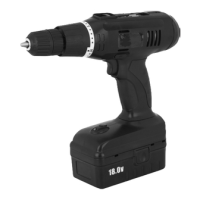
Chuck
Chuck Sleeve
Torque Selector
Variable Speed Switch
Forward / Reverse Switch
Battery
Battery Release Buttons
Warning: Never charge battery more than 12 hours continuously.
Chargers should not be left plugged in, or charging for more than 12 hours.
Rev 04/02
45935-45936a.p65 10/15/03, 2:51 PM5



 To Next Page