EasyManua.ls Logo

Drill Master 95578 - User Manual

Drill Master 95578
20 pages
Print Icon
To Next Page IconTo Next Page
Loading...
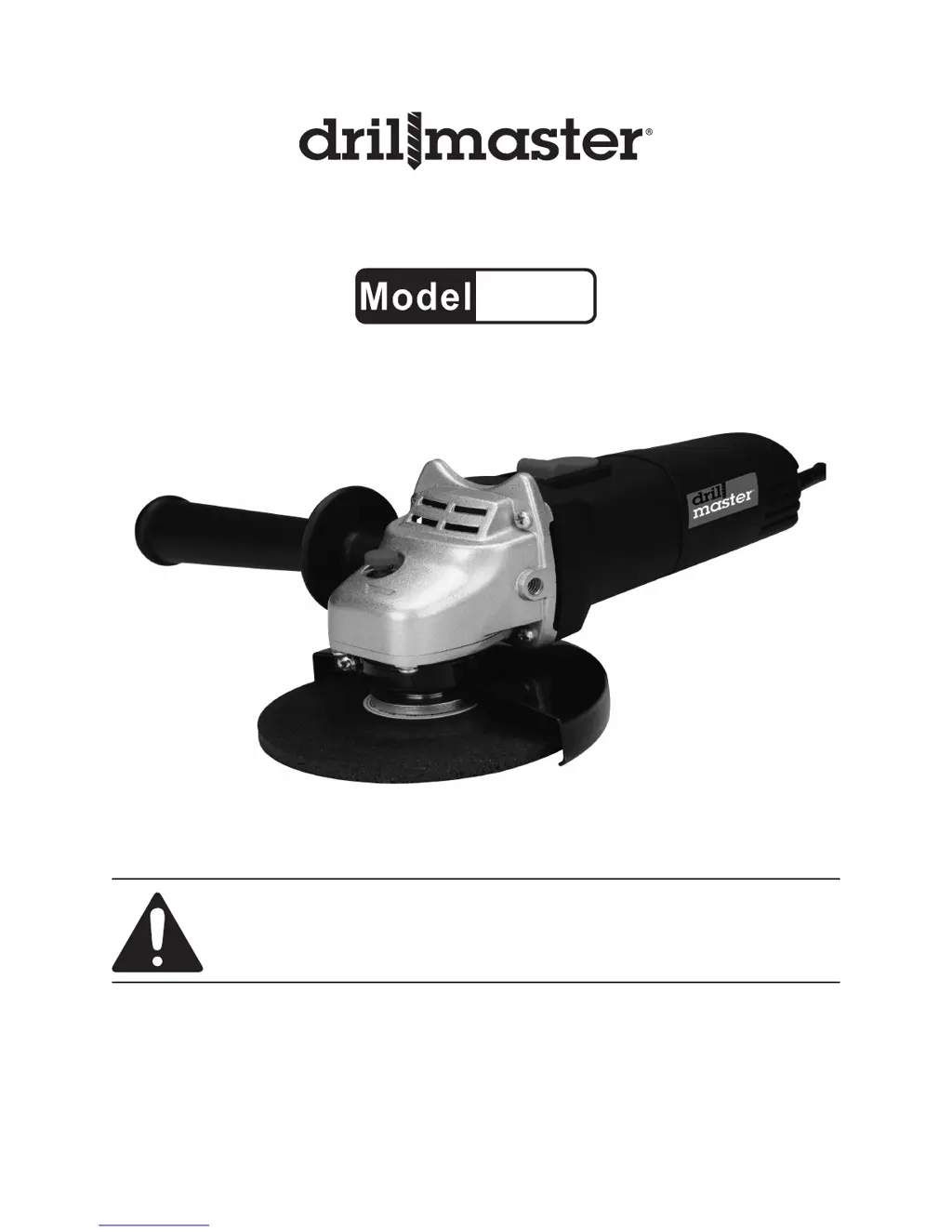
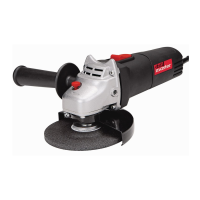
4-1/2” ANGLE GRINDER
95578
SET UP AND OPERATING INSTRUCTIONS
Visit our website at: http://www.harborfreight.com
Read this material before using this product.
Failure to do so can result in serious injury.
SAVE THIS MANUAL.
Copyright
©
2006 by Harbor Freight Tools
®
. All rights reserved. No portion of this manual or any artwork
contained herein may be reproduced in any shape or form without the express written consent of Harbor
Freight Tools. Diagrams within this manual may not be drawn proportionally. Due to continuing improvements,
actual product may differ slightly from the product described herein.
For technical questions or replacement parts, please call 1-800-444-3353.
Manual Revised 10d; 11a

Other manuals for Drill Master 95578

Questions and Answers

  • J
    Joshua CardenasAug 16, 2025
    How to fix a Drill Master Grinder that will not start?
    • D
      Denise BowersAug 16, 2025
      If your Drill Master Grinder won't start, there are several potential causes: 1. Ensure the cord is properly plugged in. 2. Verify that the outlet has power. If not, check the circuit breaker, ensuring it's the correct capacity and not overloaded. 3. If equipped, the tool's thermal reset breaker may have tripped. Turn off the tool, let it cool, and press the reset button. 4. The brushes might be damaged, in which case you should have a qualified service technician replace them. 5. There may be internal damage or wear, requiring servicing by a technician.
  • M
    Mrs. Lisa HenryAug 19, 2025
    Why is my Drill Master 95578 overheating?
    • D
      David GonzalezAug 19, 2025
      If your Drill Master Grinder is overheating, consider the following: 1. Avoid forcing the tool to work too fast; allow it to operate at its own pace. 2. The motor housing vents might be blocked. Wear ANSI-approved safety goggles and a NIOSH-approved dust mask/respirator while blowing dust out of the motor using compressed air. 3. A long or small diameter extension cord could be straining the motor. Eliminate the use of an extension cord, or use one with the proper diameter for its length and load.
  • W
    Whitney FreemanAug 22, 2025
    What to do if my Drill Master 95578 Grinder operates slowly?
    • T
      tfosterAug 22, 2025
      If your Drill Master Grinder operates slowly, it might be due to: 1. Applying excessive pressure to the workpiece. Decrease the pressure and allow the tool to do the work. 2. A long or small diameter extension cord reducing power. Try eliminating the extension cord. If one is necessary, use the correct diameter for its length and load.
  • K
    Kiara JenningsAug 25, 2025
    Why is my Drill Master 95578 making excessive noise?
    • B
      Billy BrownAug 26, 2025
      If your Drill Master Grinder is making excessive noise or rattling sounds, it could be due to: 1. Damaged brushes. Have a qualified service technician replace the brushes. 2. Internal damage or wear, such as in the bearings. Have a technician service the tool.
  • H
    Heather NealAug 28, 2025
    Why Drill Master 95578 Grinder performance decreases over time?
    • M
      Megan LopezAug 28, 2025
      If the performance of your Drill Master Grinder decreases over time, it is likely due to a worn or damaged carbon brush. Have a service technician replace the brush.
  • Z
    Zachary PriceAug 31, 2025
    What to do if Drill Master 95578 Grinder does not grind effectively?
    • J
      jose73Aug 31, 2025
      If your Drill Master Grinder does not grind, sand, or brush effectively, check the following: 1. Ensure the disc accessory is correctly installed and tightened on the spindle using the Outer Flange Arbor Nut. 2. Verify the disc accessory is in good condition and is the correct type for the material you are working with. Use only the proper type of disc accessory in good condition.
  • D
    Daniel MedinaSep 3, 2025
    What to do if my Drill Master Power Tool Angle Grinder will not turn on?
    • M
      Mrs. Sarah AndersonSep 3, 2025
      First, ensure the tool is properly connected to a working 120 volt, grounded electrical outlet and that the power switch is in the “ON” position. If it still doesn't turn on, unplug the tool and inspect the carbon brushes for wear or debris. Clean or replace them if needed. If problems persist, have a qualified service technician examine the tool.
  • F
    fdaySep 5, 2025
    Why does my Drill Master Power Tool Angle Grinder run, but a rough cut surface results when grinding the workpiece?
    • K
      Katherine FernandezSep 6, 2025
      A rough cut surface may occur if the tool isn't held at the correct angle (10 to 15 degrees to the work surface). Also, inspect the grinding wheel for dullness, cracks, or damage; replace it if necessary.
  • R
    Rachel OneillSep 9, 2025
    What to do if the Power Switch does not turn the Drill Master Power Tool Angle Grinder off?
    • A
      Amber DanielSep 9, 2025
      Immediately disconnect the power cord/plug from the electrical outlet and stop using the tool. Then, have a qualified service technician check out the tool.
  • M
    Meredith SinghSep 12, 2025
    Why is the grinding action irregular or bumpy and the Drill Master Power Tool difficult to control?
    • D
      Dr. Walter RasmussenSep 12, 2025
      Make sure to hold the tool at an angle of 10 to 15 degrees to the work surface.

Summary

Set Up and Operating Instructions

Important Safety Information

Safety Warnings for Specific Operations

Common Warnings for Grinding, Sanding, Wire Brushing

Specific safety rules for common operations like grinding, sanding, and wire brushing.

Accessory Safety and Guarding

Rules for selecting and using accessories and guards safely.

Kickback and Related Warnings

Preventing Kickback

Understanding and preventing sudden tool movements.

Specific Operation Safety Warnings

Grinding Operations Safety

Guidelines for choosing and mounting grinding wheels.

Grounding and Electrical Safety

Grounding Requirements

Ensuring proper grounding to avoid electric shock.

Extension Cords and Symbology

Instructions for Putting Into Use

Adjusting the Wheel Guard

Procedure for correctly positioning the wheel guard.

Installing the Side Handle

Steps for attaching the side handle securely.

Operating Instructions

Tool Set Up

Preparation steps before operating the tool.

Installing a Non-threaded Grinding Wheel

Detailed steps for mounting a non-threaded wheel.

Installing a Threaded Accessory

Procedure for attaching threaded accessories.

Work Piece and Work Area Set Up

Guidelines for preparing the workpiece and environment.

General Operating Instructions

Cleaning, Maintenance, and Lubrication

Troubleshooting

Drill Master 95578 Specifications

General IconGeneral
BrandDrill Master
Model95578
CategoryGrinder
LanguageEnglish

Related product manuals