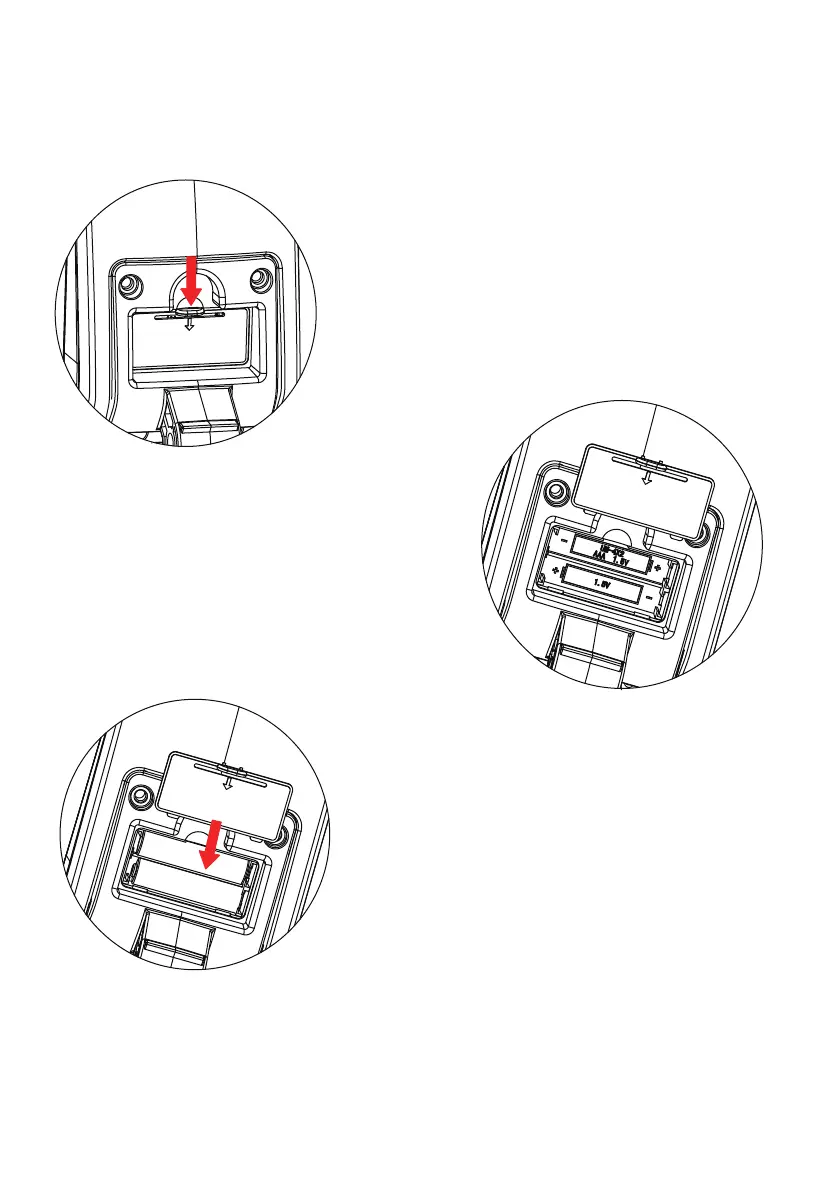
How to intall & replace the battery
Remove the battery cover, and put in the
Find the plug at the back of the monitor, push
down the battery cover and then pull it out.
battery properly, as shown.
Plug the battery cover as shown, and check if
the monitor is working normally after that.


 To Next Page