6
REV6.12.11.14
Operation step by step
Always read the operating instructions before use.
14006E
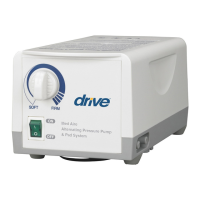
Step 1 Turn on the power. The indicator of the power switch will come on.
The pump starts to pump air into the bubble pad.
14005E
Step 1 Same as above.
Step 2 For time-saving in the first inflation, turn the pressure knob to the full Firm position.
NOTE: It requires approximately 10 minutes for a bubble pad to be fully inflated.
Step 3 Turn the pressure-adjust knob to set a comfortable pressure level from soft to firm
according to patient’s weight and comfort.
Pressure set up
It is recommended that the pressure-adjust knob being turned to Firm when the bubble pad is
initially inflated. Users can then easily adjust the pressure level of the bubble pad to a desired
firmness by themselves or according to the suggestion from a health care professional.
If the pressure is consistently low, check for any leakage occurring in inflation tubes. Contact
your local dealer for replacement of any damaged tubes.
Troubleshooting
1. Check if the plug is inserted firmly into the outlet.
2. Turn on the power switch again.
If the power indicator is ON and the pump still doesn’t work,
contact your local dealer immediately.
If the power indicator is OFF, there may be a faulty outlet. Try to
connect the power cord to another outlet. If the power indicator
is still OFF, contact a qualified electrician for main power check.
Incomplete inflation
(Low pressure)
1. For a quick check, adjust the pressure to Firm.
2. Check to see if the inflation tubes connected to the pump are
twisted or disconnected, or any leakage occurring.
Always keep the tubes straight.
Change the tubes if there is any leakage.


 To Next Page