.............................................................................................................................
DRIVE COMPRESSOR/NEBULIZER MODEL MQ5800, MQ5900, MQ5900P
.............................................................................................................................
12
Change lter every 30 days or when lter turns gray.
CAUTION: Never operate the unit without a lter.
Do not substitute cotton or any other
materials for the lters. Do not attempt to clean the
lters or reuse a lter.
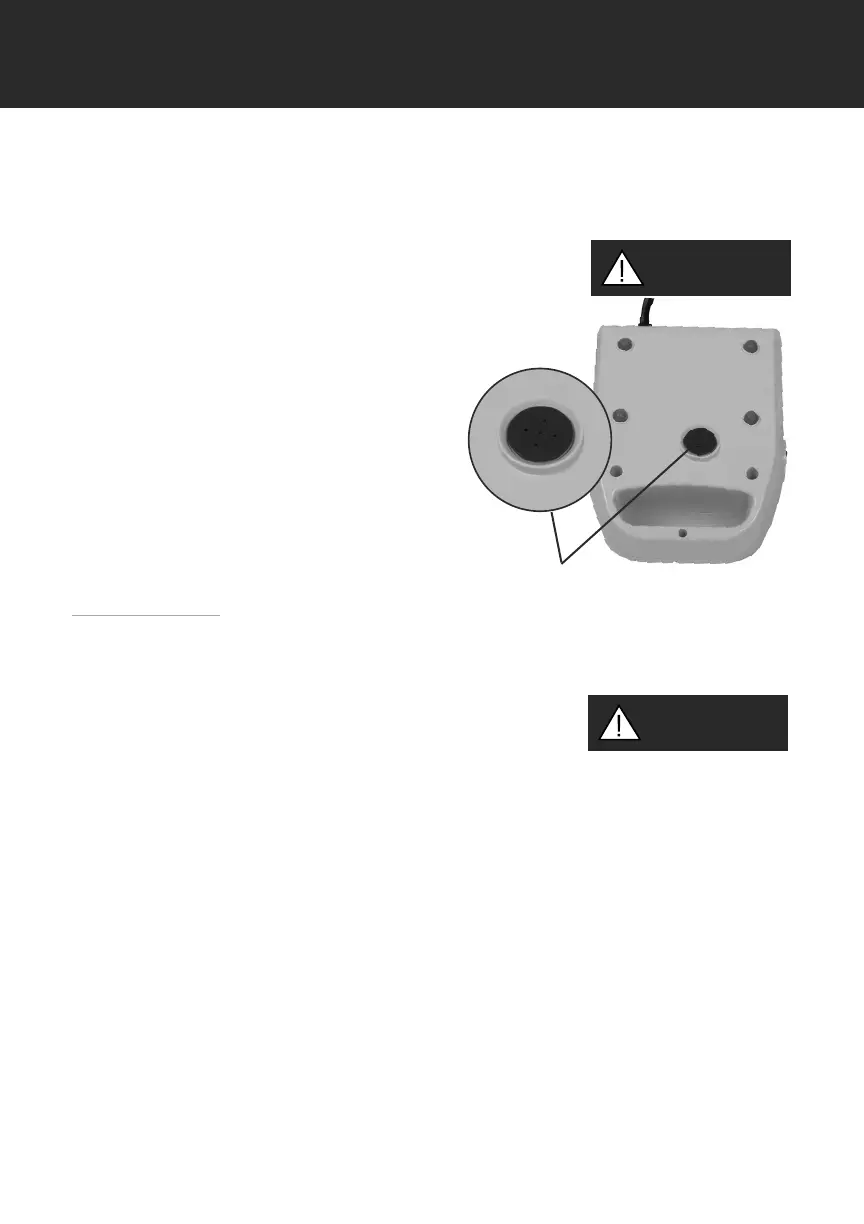
To replace the lter, follow these steps:
1. Change the lter only when the unit is o,
unplugged and completely cool.
2. Gently pull the lter cap out of
the compressor.
3. Remove the lter from the lter cap.
4. Place a new lter in the lter cap.
5. Return the lter cap to its place,
ensuring that it is rmly in place.
Maintenance
All maintenance must be performed by a qualied Drive provider or authorized
service center.
Electric shock hazard. Do not remove compressor cabinet.
All disassembly and maintenance must be done by a qualied
Drive provider.
Filter Cover
CAUTION
WARNING!


 To Next Page