EasyManua.ls Logo

Drive Ventura 4 - User Manual

Drive Ventura 4
22 pages
Print Icon
To Next Page IconTo Next Page
Loading...
Rev.2.02.15.13
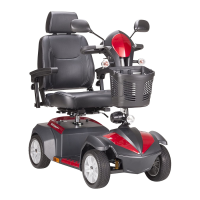
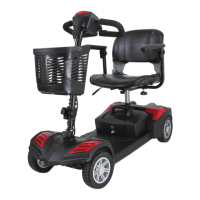
VENTURA 4 VENTURA 3
VENTURA SCOOTER
OWNER’S MANUAL

Questions and Answers

  • E
    ericperryJul 26, 2025
    What to do if my Drive Ventura 4 switches on but won't move?
    • K
      Karina AyalaJul 26, 2025
      If your Drive scooter is not moving when switched on, first, ensure the batteries have sufficient power and recharge them if necessary. Second, check that the freewheel lever is engaged in the ‘DRIVE’ position.
  • E
    Emily WestJul 31, 2025
    Why is my Drive Ventura 4 so slow?
    • D
      David YoderJul 31, 2025
      If your Drive scooter appears slow, you should check the battery power level and recharge if needed. Also, make sure the speed dial is not set to a slow setting.
  • M
    Michael HallAug 5, 2025
    What to do if my Drive Scooter horn sounds involuntarily?
    • D
      Dustin CookAug 5, 2025
      If the horn on your Drive scooter sounds involuntarily, ensure that the wigwag paddle is released. If the issue persists, try switching the scooter off and on, or recharge the batteries. If the problem still continues, you should contact your dealer.
  • C
    Christine MossAug 10, 2025
    How to fix a Drive Ventura 4 Scooter that will not switch on?
    • J
      Jennifer CurryAug 10, 2025
      If your Drive scooter is not switching on, try recharging the battery. Also, check the fuse and circuit breaker in the scooter.
  • J
    Jay WeissAug 15, 2025
    How to tighten a loose handlebar on a Drive Ventura 4?
    • T
      Timothy IrwinAug 15, 2025
      If the handlebar on your Drive scooter appears loose, tighten the height adjustment handle to secure it.
  • S
    Sarah EdwardsAug 20, 2025
    What to do if the seat turns when operating my Drive Ventura 4?
    • S
      Sean MayerAug 21, 2025
      If the seat on your Drive scooter turns during operation, slowly rotate the seat until it drops into place and is secure.

Summary

2. Safety Notice

2.1 Before Driving Safety Precautions

User must be familiar with operation before driving. Keep safety notices in mind.

2. Safety Notice

2.2 While Driving Safety Precautions

Guidelines for safe operation while the scooter is in motion.

2. Safety Notice

2.4 EMI and Interference Risks

Information on Electromagnetic Interference (EMI) and its effects on the scooter.

3. Parts Introduction

3.1 Parts Description and Diagram

Detailed identification of each part of the scooter with numbered labels.

4. Operation

4.2 Operating Your Scooter

Instructions on how to start, move, stop, and use basic functions.

4. Operation

5. Battery Charging and Care

5.1 Charging the Battery Steps

Step-by-step guide for charging the scooter's battery.

Battery Charging Warnings and Precautions

Important safety warnings and precautions to follow during battery charging.

5. Battery Charging and Care

6. Inspection and Maintenance

7. Trouble Shooting and Specification

Troubleshooting Common Issues

Common scooter problems and their suggested remedies.

8. Warranty

Drive Ventura 4 Specifications

General IconGeneral
BrandDrive
ModelVentura 4
CategoryScooter
LanguageEnglish

Related product manuals