EasyManua.ls Logo

Drive Spitfire Scout - User Manual

Drive Spitfire Scout
37 pages
Print Icon
To Next Page IconTo Next Page
Loading...
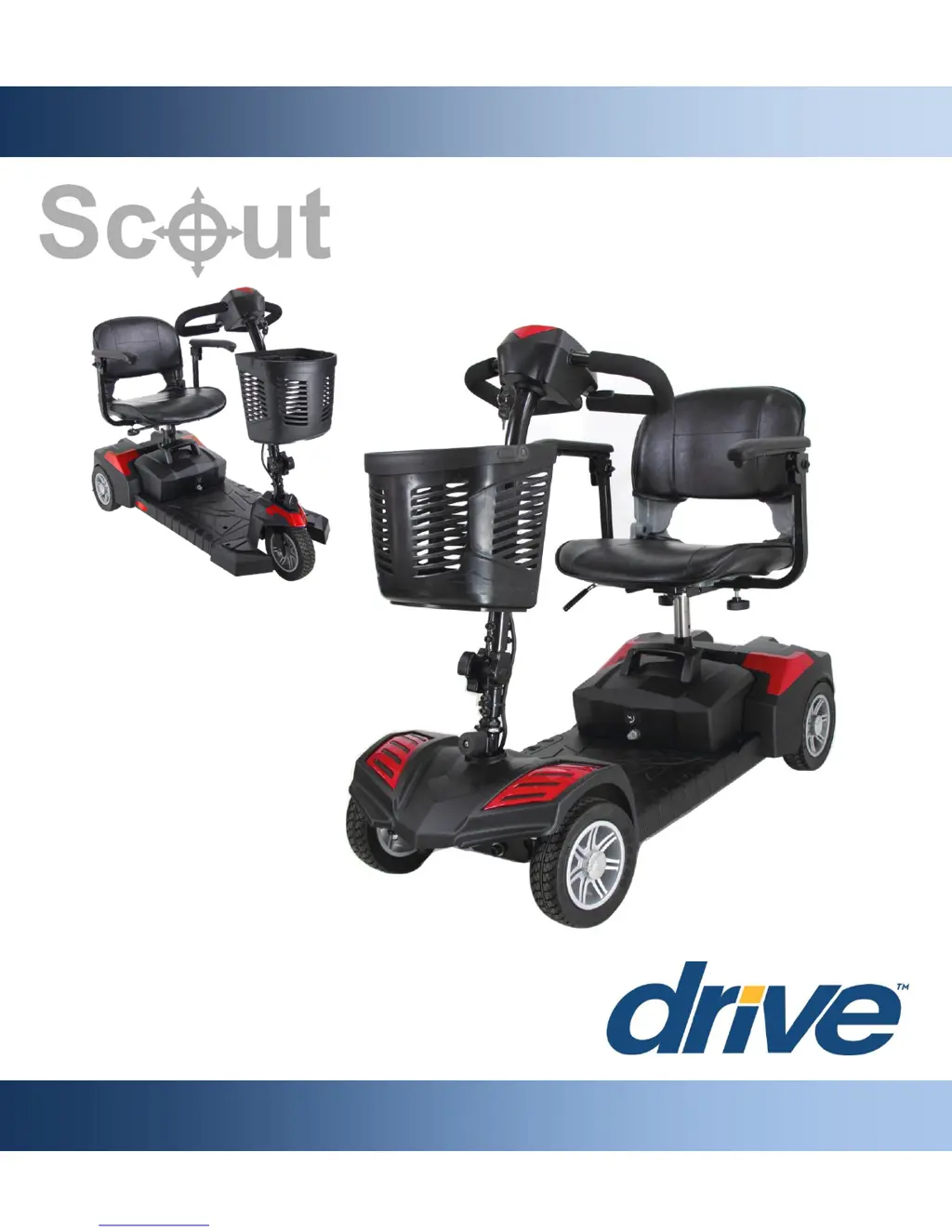
SPITFIRE SCOUT
OWNER’S MANUAL

Questions and Answers

  • W
    Wendy HernandezAug 17, 2025
    How to troubleshoot a throttle fault on a Drive Spitfire Scout Scooter?
    • S
      Sheri SalazarAug 17, 2025
      If your Drive Scooter is experiencing a throttle fault, check the throttle connection. If the connection appears damaged or loose, consider replacing the throttle.
  • L
    Lynn LopezAug 19, 2025
    What to do if my Drive Scooter shows a low voltage warning?
    • T
      Timothy AlexanderAug 19, 2025
      If your Drive Scooter indicates a low voltage issue, the first step is to charge the battery pack. Ensure the charger is properly connected and allow sufficient time for the battery to reach full charge.
  • A
    Anne Melendez DVMAug 22, 2025
    What to do if my Drive Scooter has a battery fault?
    • S
      Steve JonesAug 22, 2025
      If your Drive Scooter displays a battery fault, start by checking the connections to the battery. If the connections are secure, try charging the battery pack. If the issue persists, further inspection or battery replacement may be necessary.
  • H
    hcraneAug 26, 2025
    Why does my Drive Spitfire Scout show a throttle fault at startup?
    • K
      Kenneth WigginsAug 26, 2025
      If your Drive Scooter is showing a throttle fault, ensure that the throttle is in the rest or neutral position when powering on the scooter. This can often resolve the issue.
  • T
    Tonya NelsonAug 27, 2025
    How to fix a thermal fault on my Drive Spitfire Scout?
    • M
      Mason LoweAug 28, 2025
      If you are experiencing a thermal fault with your Drive Scooter, power it off and allow it to rest for 15 minutes. After the rest period, power the scooter back on. This should help reset the system.
  • K
    Kathleen TaylorAug 30, 2025
    What to do if my Drive Spitfire Scout Scooter displays a brake fault?
    • M
      Mr. Matthew WestAug 30, 2025
      If your Drive Scooter indicates a brake fault, make sure that the freewheel lever is engaged to “drive” mode. This should resolve the issue and allow normal operation.
  • S
    stevegravesSep 2, 2025
    What to do if my Drive Scooter has a speed pot fault?
    • D
      Denise CohenSep 2, 2025
      If your Drive Scooter is showing a speed pot fault, check the speed pot connection. If the connection is faulty, replace the speed pot if necessary.
  • J
    jmillsSep 5, 2025
    What to do if my Drive Spitfire Scout Scooter shows a Low Voltage error?
    • T
      terryparsonsSep 5, 2025
      If your Drive Scooter indicates a Low Voltage error, charge the battery pack. Also, try turning the scooter off and then back on again to clear the flash code.
  • B
    Bethany SnowSep 7, 2025
    What should I do if my Drive Scooter displays a Thermal Fault?
    • E
      Edward ShortSep 7, 2025
      If your Drive Scooter displays a Thermal Fault, power off the scooter, let it rest for 15 minutes, and then power it back on. Alternatively, turn the scooter off and then back on again to clear the flash code.
  • D
    deleonpamelaSep 12, 2025
    What to do if my Drive Spitfire Scout has a Brake Fault?
    • D
      Dawn GarciaSep 12, 2025
      If your Drive Scooter indicates a Brake Fault, engage the freewheel lever to “drive” mode. You can also try turning the scooter off and then back on again to clear the flash code.

Summary

Preface

Safety Notices

Safety Guidelines

General, Modifications, and Safety Checks

General safety guidelines, modification warnings, and pre-use safety checks.

Weight Capacity and Incline Guidelines

Maximum weight capacity and safe operation on inclines.

Freewheel Operation Guidelines

Understanding and using the freewheel mode safely.

Brakes, Stopping, and Outdoor Precautions

Braking system, stopping procedures, and precautions for outdoor/weather use.

Obstacle Navigation Safety

Guidelines for safely navigating steps, curbs, and fixed obstacles.

Transport, Belts, and Transfers

Safe scooter transport, optional belt use, and transfer procedures.

Personal Limitations and Substance Use

Awareness of personal limitations, alcohol, drugs, and smoking while operating.

EMI Information

Electromagnetic Interference (EMI) Precautions

Avoiding interference from electronic devices and nearby transmitters.

Parts

Scooter Parts Identification

Diagram and labels for identifying all major scooter components.

Control Panel Functions Overview

Explanation of battery indicator, horn, speed dial, throttle, and key switch.

Setup

Initial Assembly Steps (Seat Post, Battery)

Steps to assemble the seat post and secure the battery pack.

Final Assembly Steps (Armrests, Basket, Charging)

Attaching armrests, front basket, and initial battery charging procedure.

Optional Shroud Replacement (DLX Models)

Instructions for interchanging shrouds on DLX models, including front panel.

Rear Shroud Replacement (DLX Models)

Procedure for replacing the rear shroud on DLX models.

Comfort Adjustments

Seat Swivel and Height Adjustments

How to adjust seat swivel and seat height for user comfort.

Armrest and Tiller Angle Adjustments

Adjusting armrest width/angle and tiller angle for optimal positioning.

Assembly & Disassembly

Scooter Disassembly Steps (1-3)

Steps for disassembling the seat, battery pack, and tiller.

Scooter Disassembly (Step 4) and Assembly (Step 1)

Splitting the scooter base and joining the base sections for assembly.

Scooter Assembly Steps (2-4)

Completing assembly by attaching tiller, battery pack, and seat.

Operation

Turning On;Off and Basic Controls

How to turn the scooter on/off and use the key switch and throttle.

Driving, Speed Control, and Battery Gauge

Operating the scooter, adjusting speed, and interpreting battery indicators.

Batteries & Charging

Charging Procedures and Battery Break-In

Steps for charging, and procedures for breaking in new batteries.

Battery Maintenance and Range Factors

Tips for battery longevity, factors affecting range, and public transport considerations.

Inspection & Maintenance

General Maintenance and Temperature Effects

Routine maintenance, moisture exposure, and operating temperature guidelines.

Storage and Cleaning Procedures

Proper storage methods and guidelines for cleaning and disinfecting the scooter.

Disposal and Contacting Support

Information on scooter disposal and when to contact an authorized provider.

Detailed Maintenance Schedule

Routine inspection checklist for daily, weekly, and monthly checks.

Basic Troubleshooting

Understanding Diagnostic Flash Codes

Interpreting diagnostic codes for common scooter faults and recommended actions.

Specifications

Scooter Technical Specifications

Detailed specifications including weight, speed, dimensions, and components.

Limited Warranty

Warranty Coverage and Periods

Details on warranty duration for different parts and overall coverage.

Warranty Exclusions and Service Policy

Items not covered by warranty and procedures for warranty service.

Accessories

Optional Accessories for Enhanced Functionality

List of available accessories to add convenience and functionality to the scooter.

Drive Spitfire Scout Specifications

General IconGeneral
BrandDrive
ModelSpitfire Scout
CategoryScooter
LanguageEnglish

Related product manuals