EasyManua.ls Logo

DRIVEN DRBTM2 - User Manual

DRIVEN DRBTM2
6 pages
Print Icon
To Next Page IconTo Next Page
Loading...
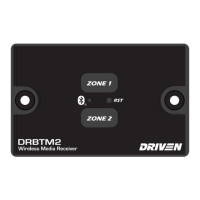
DRBTM2
Wireless Media Receiver
Welcome
Thank you for purchasing the DRBTM2 Wireless Media Receiver. Before operating your new
product, please read these operating instructions carefully. They contain important information for
safe use, installation and maintenance of the product.
Please keep this instruction manual for future reference. The manufacturer does not accept
responsibility for any damages that may arise due to improper use. If you have any further ques-
tions regarding our products, please contact us at:
support@dbdrive.net
1
Question and Answer IconNeed help?

Do you have a question about the DRIVEN DRBTM2 and is the answer not in the manual?

Summary

Welcome and Introduction

Control Legend and Operation

Button and Indicator Functions

Details the functions of Zone 1, Zone 2 buttons, pairing indicator, and reset button.

Wiring Diagram and Specifications

Wiring Connections Guide

Details the wire color coding for Zone 1, Zone 2, and power connections.

Technical Specifications Summary

Lists voltage range, power draw, output wattage, and Bluetooth capabilities.

Application Setup and Pairing

App Installation and Device Pairing

Guides on downloading the app, connecting the device, and pairing via Bluetooth.

Application Interface Controls

App Control Features Overview

Details app functions like volume control, EQ adjustments, track navigation, and LED lighting management.

Limited Warranty Information

DRIVEN DRBTM2 Specifications

General IconGeneral
TypeBluetooth Receiver
Bluetooth Version5.0
Charging Time2 hours
Range10 meters
Audio Output3.5mm audio jack