1
10
Return
The device has a return function. If the return point is properly registered before take-off, if the communication signal is lost
between the remote control and the drone, or if the return button is pressed, the drone automatically returns to the return point
and lands to avoid accidents. The drone has three different return modes:
1. One-button return
2. Return on loss of control
3. Low battery return
One-button return
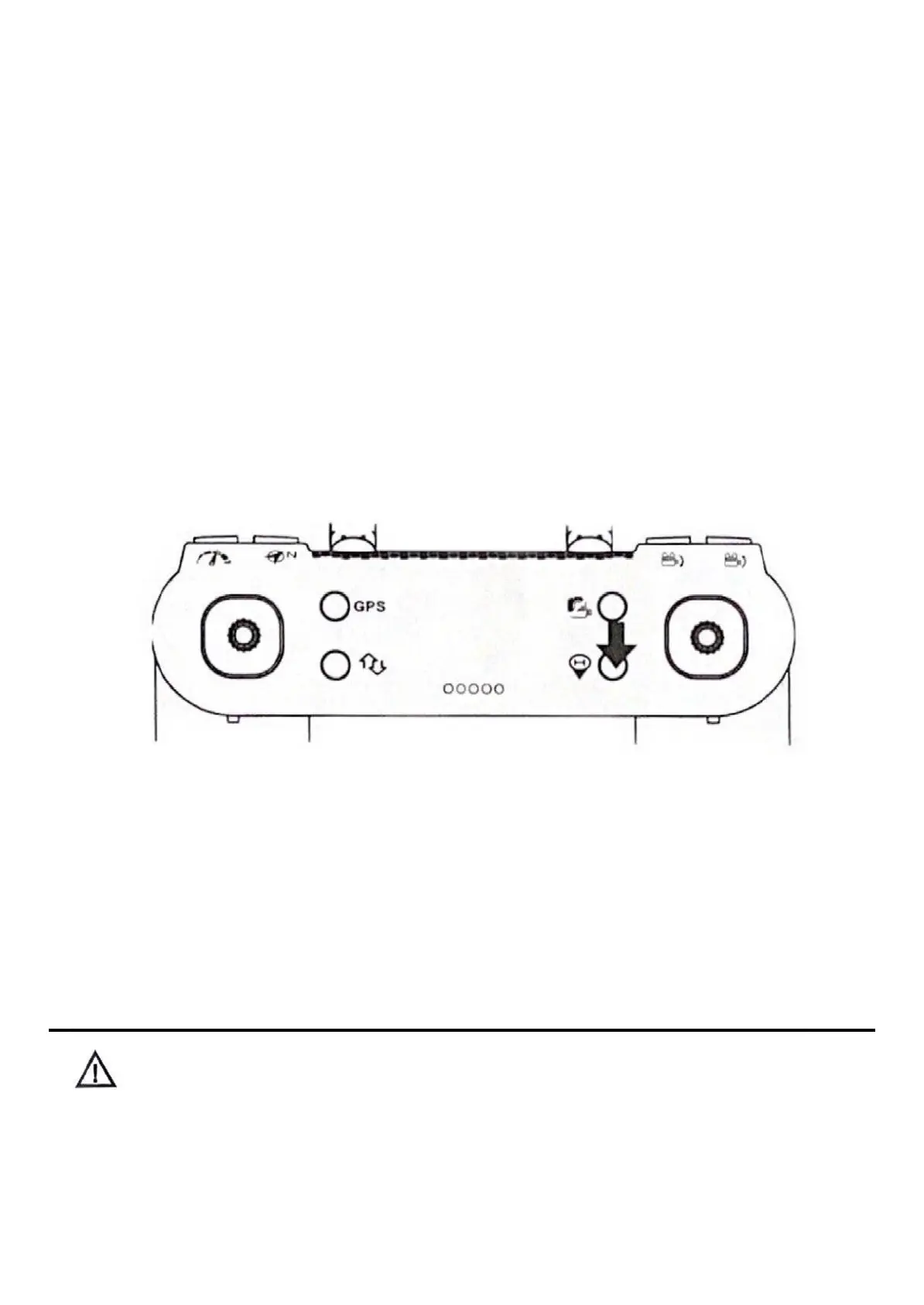
When the GPS signal is good (the number of satellites is higher than 7), the return of the drone can be triggered by the
button on the remote control. The return process is the same as for the uncontrolled return. The difference is that when the
drone returns to land, the user can control the drone to avoid obstacles with the jockstick. With the button you can get out
of the return flight function and the user can take control again.
•
If the drone does not receive the satellite and the remote control signal continues to be
interrupted for more than 6 seconds, the aircraft will not be able to return to the air.
Out of control
The GPS signal is good (the number of GPS satellites is greater than 7), the compass is working properly and the UAV has
successfully registered the return point, if the remote control signal is interrupted continuously for more than 6 seconds, the
Mont Control system will take control of the UAV and fly it to the registered return point. If the remote control signal is restored
during flight, the return process will continue, but
the user can cancel the return and regain control of the aircraft using the return button on the remote control.
Considerations on the return
10



 To Next Page