4
INSTALLING THE GS3055-I
CONNECT 24 Enrollment Information
Only authorized dealers can enroll a GS3055-I with CONNECT 24. Dealer application forms and additional
information on the CONNECT 24 Voice Response Unit can be found at the CONNECT 24 web site
wwwwww
wwwwww
www
.connect24.com.connect24.com
.connect24.com.connect24.com
.connect24.com. Please contact CONNECT 24 at the number below for assistance:
USA 1-888-251-7458USA 1-888-251-7458
USA 1-888-251-7458USA 1-888-251-7458
USA 1-888-251-7458
CANADA 1-888-955-5583CANADA 1-888-955-5583
CANADA 1-888-955-5583CANADA 1-888-955-5583
CANADA 1-888-955-5583
NOTE: Steps 1 and 2 should be completed before powering the GS3055-I unit.
STEP 1 - Activate Your SIM Card
Your SIM card must be activated with Connect 24 prior to use. Please call the Voice Response Unit
(VRU) at least 24 hours prior to installation.
STEP 2 - Initialize the GS3055-I with Connect 24
Call the VRU at the toll-free number. Follow the voice prompts and enter in your profile number, installer
ID number, installer PIN number and central station number. Ensure all information is available before
calling the VRU. All this information can be found in your VRU Enrollment Package.
STEP 3 - Determine Best Signal Location
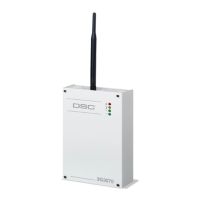
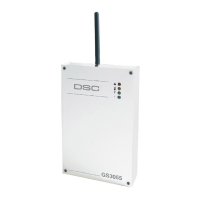
1. Remove the screw and the front cover [1].
2. Fit the antenna [2] (ensure that the bolt [3] is fastened tightly).
3. Using the connector [5], connect the GSM Module [17]. Ensure the connector is secure.
4. Following the arrow on the board, insert the SIM-CARD [6] face down in the SIM holder (see Fig.1).
NOTE: Before inserting or removing the SIM card, please ensure the unit is powered down.
5. Power up the GS3055-I and check signal strength.
• Connect battery to the RED and BLK battery leads.
• Connect DC Power source to +/- 12V terminals.
• Allow unit to power up
• The green LEDs will indicate the signal strength. The bottom green LED must be ON for the location
to be acceptable. Please refer to the “Status LEDs” section for more information.
6. Power down the GS3055-I by removing the DC power source and battery leads.
STEP 4 - Connect the GS3055-I
1. Using the cabinet, mark the 4 screw locations then drill the anchor screw holes.
NOTE: Check for cable conduits and water pipes before drilling.
2. Using anchor screws (not included), mount the cabinet to the wall.
3. Run the cables, then pull them through the cable entry [14] or the knockouts provided.
4. Complete the connections on the terminal board [12]. Ensure power and Telco circuit connections
are made only after the cabinet has been secured to the building or structure and has been
connected to the protective earth ground. Descriptions of the terminals can be found in the
“Connecting the GS3055-I” section.
5. Using the 4 screws, reattach the front cover [1] securely to the cabinet.
NOTE: Please refer to Figure 2 at the end of this manual for wiring diagram.
CONNECTING THE GS3055-I
(1) Earth Ground(1) Earth Ground
(1) Earth Ground(1) Earth Ground
(1) Earth Ground
This terminal must be connected to the Mains Earth, in order to comply with the Telecommunications
Network Safety Standards (Overvoltage Protection Requirements).
TIP (2) / RNG (3) External telephone lineTIP (2) / RNG (3) External telephone line
TIP (2) / RNG (3) External telephone lineTIP (2) / RNG (3) External telephone line
TIP (2) / RNG (3) External telephone line
These terminals must be connected directly to the incoming telephone line .


 To Next Page
 Loading...