EasyManua.ls Logo

DSR INC100 - User Manual

DSR INC100
15 pages
Print Icon
To Next Page IconTo Next Page
Loading...
0099001766-02
MODEL:
INC100
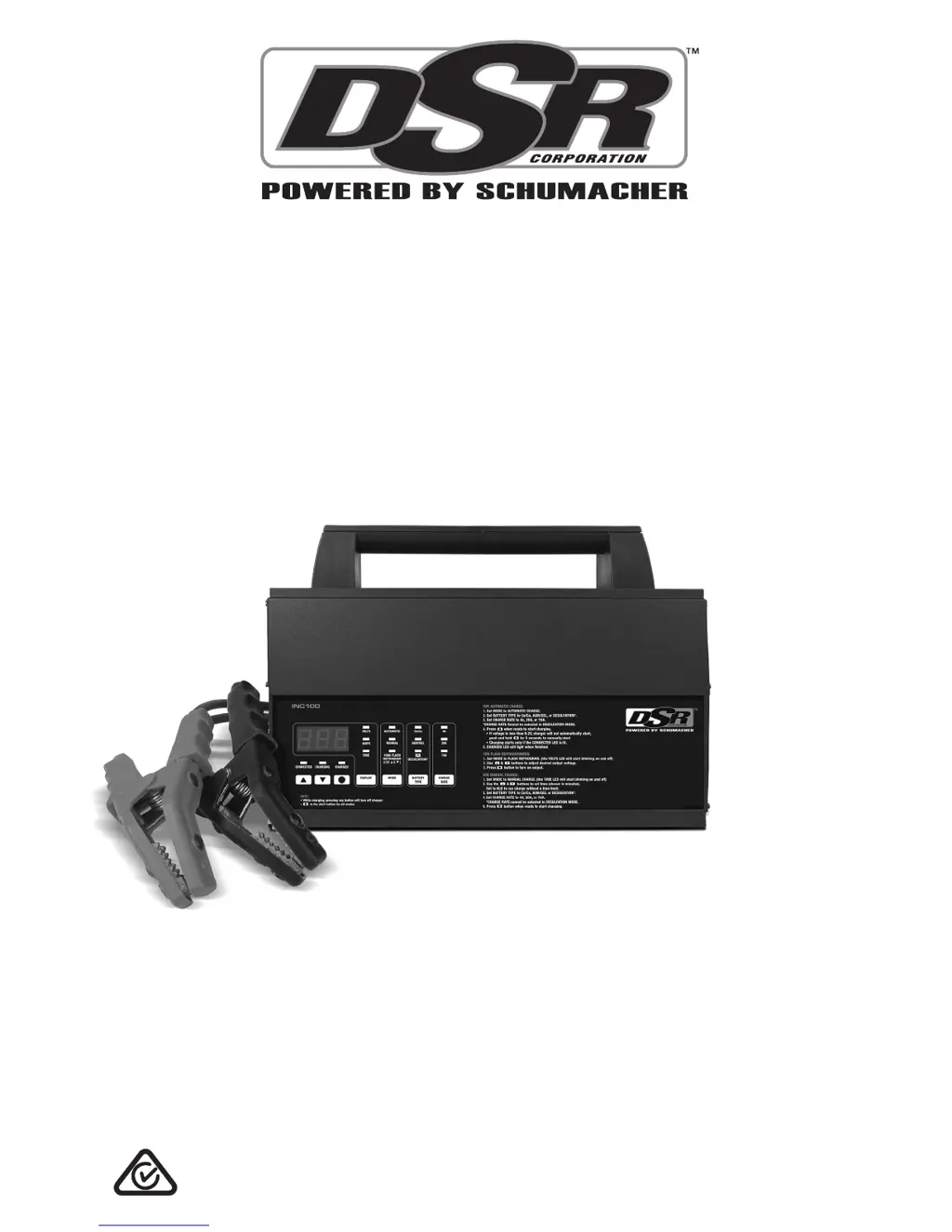
Battery Charger/
Power Supply
OWNER’S MANUAL
PLEASE SAVE THIS OWNER’S MANUAL AND READ BEFORE
EACH USE. This manual will explain how to use the unit safely
and effectively. Please read and follow these instructions and
precautions carefully.

Questions and Answers

  • A
    allison34Aug 16, 2025
    What to do if DSR Battery Charger voltmeter reading is between 10.5 and 12.7V?
    • H
      hopkinsspencerAug 16, 2025
      If the voltmeter reading on your DSR Battery Charger is between 10.5 and 12.7V, it indicates that the battery is low. Recharge the battery to resolve this issue.
  • A
    Adrienne MendezAug 18, 2025
    Why is my DSR Battery Charger not turning on?
    • C
      collinsjenniferAug 19, 2025
      The DSR Battery Charger might not turn on because it has overheated and shut down as a result of its thermal protection feature. To resolve this, unplug the AC cord and allow the charger to cool down. Ensure that nothing is blocking airflow to the fans, and clean them according to the Maintenance Instructions.
  • A
    Amanda WilsonAug 21, 2025
    What to do if my DSR Battery Charger display reads 0.0 volts?
    • C
      Cynthia RiveraAug 21, 2025
      If the display of your DSR Battery Charger shows 0.0 volts, it could be due to several reasons: the clamps aren't making a solid connection to the battery or frame, the connections are reversed, or the battery is defective. Check the connections to ensure they are clean and secure, rocking the clamps back and forth can help. If that doesn't work, unplug the charger and reverse the clips. If the issue persists, have the battery checked by a professional.
  • A
    Alexander JonesAug 25, 2025
    How to fix a rattling noise in my DSR Battery Charger cooling fan?
    • N
      Nancy HeathAug 26, 2025
      A rattling noise in the cooling fan of your DSR Battery Charger indicates a buildup of dirt and grime, causing it to become unbalanced. To fix this, blow the dirt and grime off the fan blades using compressed air as described in Maintenance Instructions.
  • C
    coreymillsAug 28, 2025
    Why does my DSR Battery Charger show low amps when charging?
    • L
      Leslie YoungAug 28, 2025
      If the amps reading on your DSR Battery Charger is lower than the selected charge rate while charging a discharged battery, it could be due to a few reasons. The extension cord might be too long or have too small a wire gauge. Alternatively, the battery may have a weak cell or sulfated plate. Also, the charger may have reached the maximum voltage and is reducing the current, which is a normal condition. Try using a shorter or heavier gauge extension cord. A sulfated battery may eventually take a normal charge if left connected. If the battery won't take a charge, have it checked. If it is normal condition, continue to charge the battery and see Battery Percent and Charge Time section, Charge Rate subsection.
  • D
    donaldlopezAug 31, 2025
    Why DSR Battery Charger has no display and LEDs are off?
    • A
      amy10Aug 31, 2025
      If your DSR Battery Charger has no display and the LEDs are not lit, the charger is likely not plugged in or there is no power at the receptacle. Ensure the charger is plugged into a working AC outlet and check the fuse or circuit breaker supplying power to the outlet.
  • A
    Anthony WoodwardSep 3, 2025
    What to do if my DSR Power Supply has no display and LEDs are not lit?
    • J
      John FisherSep 3, 2025
      If the DSR Power Supply unit shows no display and the LEDs are off, the unit might not be properly connected to a power source or the outlet may not be working. Ensure the unit is plugged into a functioning AC outlet. Also, check the fuse or circuit breaker that supplies power to the outlet to see if it's open or tripped.
  • C
    Christie PatrickSep 6, 2025
    Why does my DSR Power Supply shut down or not turn on?
    • J
      Jared MillerSep 6, 2025
      If your DSR Power Supply unit shuts down or won't turn on even when properly connected, it may have overheated. This unit has thermal protection and will shut down if it gets too hot. To resolve this, unplug the AC cord and allow the unit to cool down. Ensure that nothing is blocking the airflow to the fans, and clean the fans as shown in the Maintenance Instructions.
  • C
    clarkkathySep 8, 2025
    What to do if my DSR Power Supply display reads 0.0 volts?
    • R
      riverataylorSep 9, 2025
      If the display of your DSR Power Supply reads 0.0 volts, it could be due to several reasons. The clamps may not be making a good connection to the battery or frame, the connections might be reversed, or the battery itself could be defective. Check for poor connections, ensuring the connection points are clean. Try rocking the clamps back and forth to improve the connection. Unplug the unit and reverse the clips. Have the battery checked to rule out any defects.
  • B
    Brian PowellSep 12, 2025
    How to fix a DSR Power Supply cooling fan that is making a rattling noise?
    • J
      Julie MarshallSep 12, 2025
      If the cooling fan in your DSR Power Supply is making a rattling noise, it's likely due to a buildup of dirt and grime causing it to become unbalanced. Blow the dirt and grime off the fan blades using compressed air as described in Maintenance Instructions.

Summary

IMPORTANT SAFETY INSTRUCTIONS

Electrical Safety Warnings

Warns about electric shock and fire hazards associated with charger usage.

PERSONAL PRECAUTIONS

Explosive Gases Warning

Highlights the risks associated with explosive gases generated by lead-acid batteries.

PREPARING TO CHARGE

Battery Acid Contact Warning

Warns about the corrosive nature of battery acid and how to handle it.

CHARGER LOCATION

Location Safety Warnings

Alerts users to explosion and battery acid contact risks related to charger placement.

CONNECTING IN VEHICLE

Vehicle Connection Safety Warning

Emphasizes the danger of sparks near batteries causing explosions.

CONNECTING OUTSIDE VEHICLE

External Connection Safety Warning

Reiteration of spark hazard near batteries for external connection scenarios.

GROUNDING AND AC POWER CORD CONNECTIONS

Grounding and Cord Safety Warning

Warns about electric shock and fire hazards associated with grounding and power cord connections.

CONTROL PANEL

OPERATING INSTRUCTIONS

Automatic Charging

Step-by-step guide on how to perform automatic battery charging.

Manual Charging

Step-by-step guide on how to perform manual battery charging.

CHARGING MODES AND MODE SPECIFICS

Automatic Charging Mode Details

Details the automatic charging process and its transition to maintain mode.

Desulfation Mode Operation

Explains the desulfation mode for sulfated batteries and its operation.

100 A FLASH REPROGRAMMING

TROUBLESHOOTING

No Display or Lights

Addresses issues where the display and LEDs are not lit.

Not Charging

Helps diagnose why the charger is connected but not initiating charging.

Charger Shut Down; Wont Turn On

Provides solutions for the charger shutting down or failing to turn on.

SPECIFICATIONS

DSR INC100 Specifications

General IconGeneral
Input Voltage100-240VAC
Output Voltage12VDC
Power100W
Efficiency85%
Operating Temperature0°C to 40°C
ProtectionOver Voltage, Over Current, Short Circuit