EasyManua.ls Logo

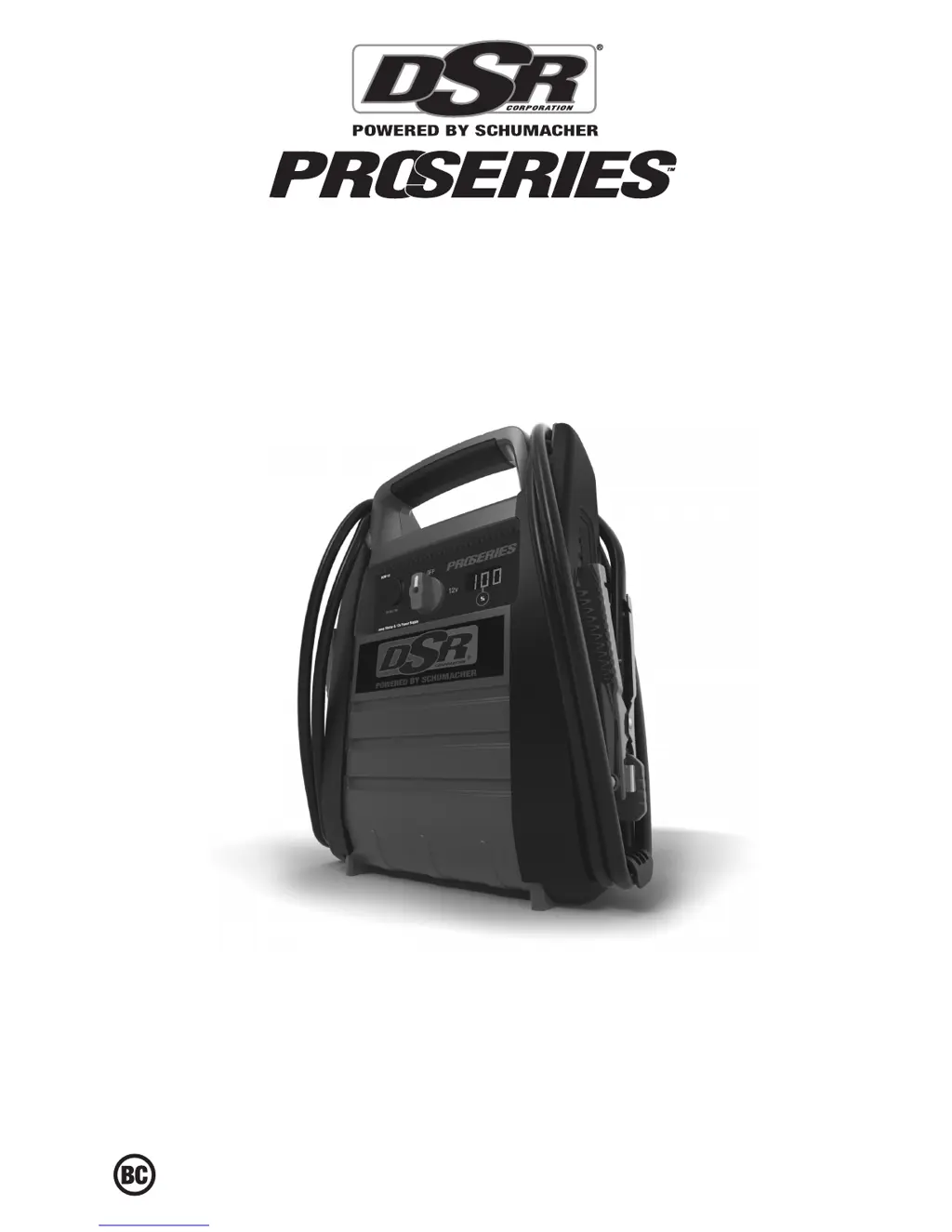
DSR Pro Series - User Manual

DSR Pro Series
40 pages
Print Icon
To Next Page IconTo Next Page
Loading...
0099001808-00
MODEL / MODELO / MODÈLE :
DSR116
12 Volt Jump Starter with Power Converter
Arrancador portátil de 12 voltios con convertidor de energía
Démarrage de secours 12 volts avec convertisseur
OWNERS MANUAL / MANUAL DEL USUARIO / MANUEL D’UTILISATION
PLEASE SAVE THIS OWNER’S MANUAL AND READ BEFORE EACH USE.
This manual will explain how to use your jump starter safely and effectively. Please
read and follow these instructions and precautions carefully.
POR FAVOR GUARDE ESTE MANUAL DEL PROPIETARIO Y LEER ANTES DE
CADA USO. En este manual se explica cómo utilizar el arrancador con seguridad
y ecacia. Por favor, lea y siga las siguientes instrucciones y precauciones.
ESSAYER DE GARDER LE MANUEL D’INSTRUCTIONS ET LE LIRE AVANT
CHAQUE UTILISATION. Ce manuel explique comment utiliser l’unité d’une façon
sûre et efcace. S’il vous plaît lisez et suivez ces instructions et précautions.

Other manuals for DSR Pro Series

Questions and Answers

  • R
    Robert ThompsonAug 16, 2025
    What to do if the CHARGING LED is blinking on my DSR Battery Charger?
    • M
      Mark JohnsonAug 16, 2025
      If the CHARGING LED is blinking on your DSR Battery Charger, it could be due to several reasons: the charger might be in abort mode, the battery could be sulfated, or the battery might be bad. To resolve this, first, unplug the charger from the AC outlet and then plug it back in. If the issue persists, use the Desulfation Mode for 8 hours. If problems continue after this, have the battery checked by a professional.
  • E
    eric55Aug 19, 2025
    Why are all the LEDs lit erratically on my DSR Battery Charger?
    • M
      Matthew ButlerAug 19, 2025
      If all the LEDs are lit erratically on your DSR Battery Charger, it is likely that a button was accidentally pressed while the charger was being plugged in. To fix this, unplug the charger from the AC outlet and then plug it back in, making sure not to touch the control board during the process.
  • T
    Taylor LeeAug 21, 2025
    What to do if the CHARGED LED is on, but the battery is not fully charged with my DSR Battery Charger?
    • L
      Lisa SmithAug 21, 2025
      If the CHARGED LED is on but your battery isn't fully charged when using the DSR Battery Charger, it could be because the surface charge voltage is high, or the battery voltage is very low, causing the charger to detect it as 6V instead of 12V. The suggested solution is to replace the battery. You can also try unplugging the charger from the AC outlet and plugging it back in.
  • E
    emilyrodriguezAug 25, 2025
    How to fix the issue when the CONNECTED LED is not on for DSR Battery Charger?
    • V
      Veronica KellyAug 26, 2025
      If the CONNECTED LED is not on when using your DSR Battery Charger, it indicates that the battery is not connected correctly or the battery voltage is at zero volts. Ensure you have a proper connection to the battery. Also, turn off all electrical components in the car and try connecting again.
  • N
    Nancy BrooksAug 27, 2025
    What to do if the red BAD BATTERY LED is lit on my DSR Battery Charger?
    • M
      Makayla WilsonAug 28, 2025
      If the red BAD BATTERY LED is lit, several issues could be the cause. It could mean that after 2 hours of charging, the battery voltage is still below 10V, or in maintain mode, the output current has exceeded 1.5A for 12 hours, or the battery’s initial voltage is below 12.2V and the total input is less than 1.5 Ah, or the battery voltage drops to below 12.2V in Maintain Mode. The battery might be defective, sulfated, overheated, too large, have a short circuit, too old, or unable to hold a charge. Ensure there are no loads on the battery; if present, remove them. If not successful, have the battery checked or replaced. If the charger is in desulfation mode, continue charging for several hours. If the battery is overheated, allow it to cool.
  • F
    fstantonAug 30, 2025
    How to troubleshoot if the POWER LED does not light when the DSR Battery Charger is properly connected?
    • M
      Mary NelsonAug 30, 2025
      If the POWER LED doesn't light up when your charger is properly connected, the issue could be a dead AC outlet or a poor electrical connection. Check the AC outlet for an open fuse or a tripped circuit breaker. Also, inspect the power cord and any extension cords for loose plugs.
  • M
    Mark EspinozaSep 3, 2025
    What to do if the battery is properly connected, but the CHARGING LED never lit on my DSR Battery Charger?
    • J
      Jaime AlexanderSep 3, 2025
      If the battery is correctly connected, but the CHARGING LED never lit, it may be because the battery voltage is low. Press the START/STOP button to start charging.
  • S
    Samuel SnyderSep 5, 2025
    Why didn't the CHARGING LED light immediately after connecting the battery to my DSR Battery Charger?
    • F
      farmerheatherSep 5, 2025
      If the CHARGING LED didn't light immediately after connecting the battery, don't worry; this is normal.
  • B
    barryjeffreySep 9, 2025
    Why won't my DSR Pro Remote Starter jump start my car?
    • N
      Nancy BrooksSep 9, 2025
      If your DSR Remote Starter won’t jump start your car, there might be several reasons: * The clips may not be making good contact. Ensure the connection points to the battery and frame are clean, and rock the clips back and forth. * The connections might be reversed. If so, disconnect the jump starter and reverse the clips. * The jump starter's battery could be low. Check the charge status by pressing the button on the front. * Your vehicle’s battery may be defective. In this case, have the battery checked.
  • S
    sara78Sep 12, 2025
    What to do if my DSR Remote Starter won't power my 12V device?
    • P
      Paul SimpsonSep 12, 2025
      If your DSR Remote Starter isn’t powering your 12V device, here are a few things to check: 1. Make sure the 12V device is actually turned on. 2. Verify that the jump starter has sufficient charge by checking the battery charge status. 3. The 12V device may be drawing too much power (more than 15A) or has a short circuit, which tripped the internal circuit breaker. Disconnect the 12V device to allow the breaker to automatically reset, then try again. If it continues to happen, consider replacing the 12V device.

Summary

Important Safety Instructions

Personal Precautions

Connecting the Jump Starter

Features

Charging the Internal Battery

Charging the Jump Starter with included Charger

Step-by-step instructions for charging the jump starter using its dedicated charger.

Operating Instructions

Jump Starting a Vehicle Engine

Detailed steps for using the jump starter to start a vehicle engine.

Powering A 12 V DC Device

How to use the jump starter as a power source for 12V DC accessories.

Troubleshooting

DSR Pro Series Specifications

General IconGeneral
Remote StartYes
Keyless EntryYes
RangeUp to 3000 feet
CompatibilityMost vehicles
Security SystemYes
Smartphone ControlOptional (requires additional module)
Engine Immobilizer BypassYes

Related product manuals