DTEN.COM SALES@DTEN.COM SUPPORT@DTEN.COM +1 866 936 3836
* For more info about the product, please visit https://www.dten.com/support.
* Do not attempt to disassemble the product. If the product does not work, please contact support@dten.com.
* The content in this document is for reference only. Content is subject to change without notice. For most updated information, please visit dten.com.
BOARD D7
STEP 1
Plug in the power cord. Power on the unit by switching on the
power that is located next to the power cord port. Turn on the
monitor by pressing the power button at the front of the panel.
STEP 2
Follow the instruction on the screen to setup the DTEN board.
STEP 3
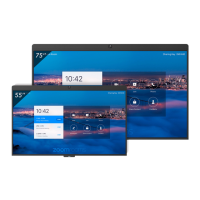
When the setup is completed, you will see the DTEN board Home screen.
Quick Setup
Pg.
2


 To Next Page