“White Ink Manifold”
lift up on this to get the white ink dampers off
Revision Date / Version: 2/13/2014 - 7
4. Carefully slide the “RETAINER BAR” out
(indicated previous page 1-B)
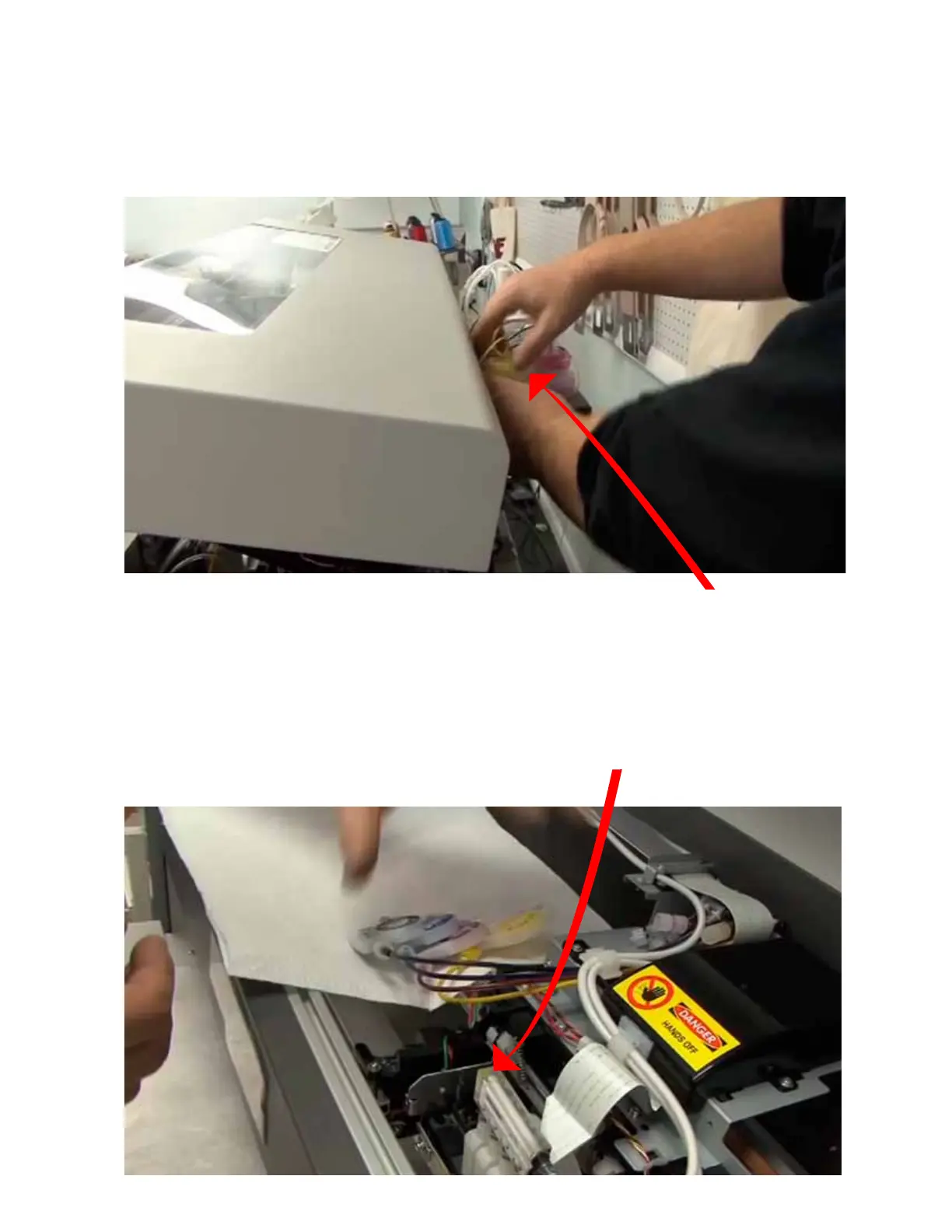
5. Insure that the CMYK ink bottles have no pressure by loosening the bottle caps (Indicated below 1-C)
6. Pull the CMYK dampers off one at a time. Then pull the white ink dampers out (white ink
are all connected through the White Ink Manifold)
they will all come out together. (Indicated below 1-D)
Fig 1-C
Fig 1-D
M2 (PRINTHEAD CABLE REPLACEMENT)
(Always POWER DOWN printer and UNPLUG before doing any repair work)
Loosen CMYK caps to insure
that there is no pressure on those
ink lines.
NOTE:
Let the dampers hang loosely over the rag.
CMYK dampers will hang over the LEFT side,
and the WHITE will hang over RIGHT side.


 To Next Page
 Loading...