10
3.Control
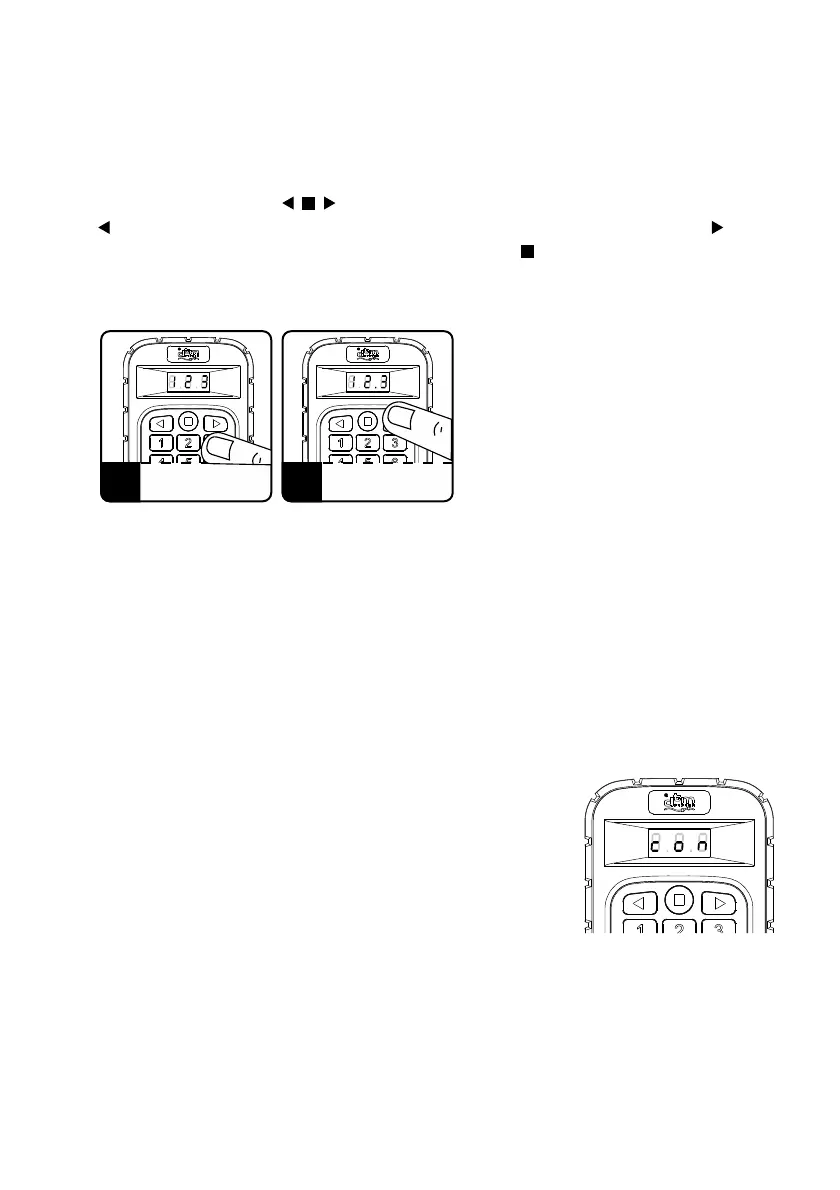
The selection of the remote control from the STARK transmitter is made by pressing a
number in the range from 0 to 999 on the numeric keypad of the transmitter. After
selecting the remote number, press one of the three available remote function buttons,
marked with the symbols: located on the keyboard (top row of buttons). Pressing
the function button signals the lighting of the left dot on the display, pressing signals
the lighting of the right dot on the display. Pressing the function button is signaled by
thelightingof two dots on the display.
The Stark remote starts transmitting the radio signal as soon as the function button is
pressed. The signal transmission takes about 400ms. If another function key is pressed
during this time, the current transmission is interrupted and a new transmission is
started. In the continuous transmission mode, when the function button is pressed,
transmissionwillend in 36 seconds.
4.Confirmation of activation of the receiver output
In the CSS system, it is possible to transmit the signal back
fromthereceiver,whichisa confirmation of channel control.
The confirmation is sent by the receiver only when requested
bythetransmitter.
In the STARK remote control, each short press of the remote
control function button causes sending a radio signal along
with a request for confirmation from the receiver. Receipt of
confirmation is signaled by displaying the 'con' message
on the transmitter display.
A longer pressing of the transmitter button, more than
400ms, causes sending a radio signal without requesting
confirmation.
1 2
SELECT THE REMOTE
NUMBER ON THE KEYPAD
PRESS THE FUNCTION
BUTTON OF THE REMOTE
CONTROL
Fig. 2 Control with a transmitter.
Fig. 3 Confirmation
of channel control.



 To Next Page
 Loading...