12
6. Low battery indication
Thetransmitteris powered by a 3.6V R6 battery. Low battery status issignaledbythe"Lo"
message displayed for 1.5 seconds on the transmitter's display after each signal
transmission.Replacethebatterywhenit is low.
7. Battery replacement
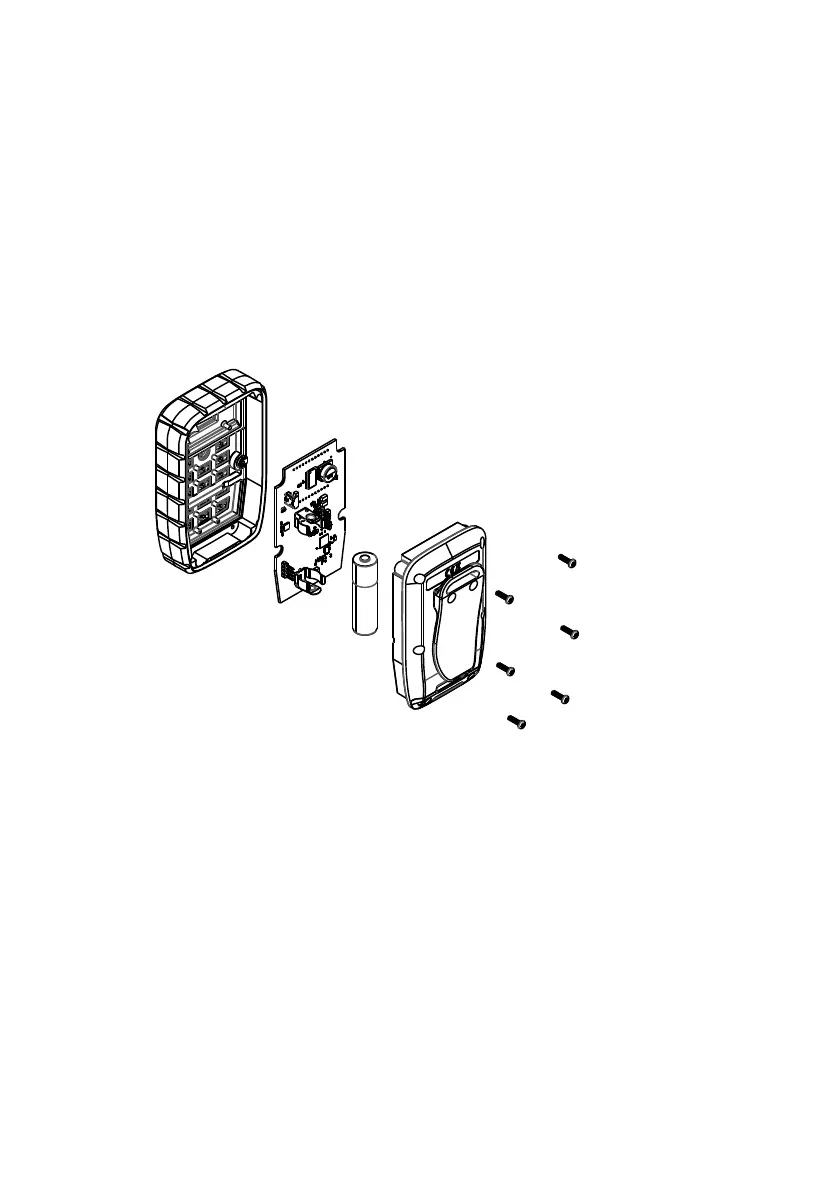
To replace the battery, unscrew the 6 screws on the back of the housing. Remove the
electronics board and replace the battery by placing a new battery in a basket on the
board,payingattention to the polarity.
8. Firmware update
The transmitter has a built-in USB interface, which is designed to perform software
updates.To connect the cable, it is necessary to unscrew the housing. Firmware update is
made by a dedicated CSS UPDATE application available for download on the
manufacturer'swebsite www.dtm.pl.
Fig.5 Battery replacement.



 To Next Page