S
W€/ULPDAT;E
key
:
Press
'thE!
SAW
key to save the free scene and go
to
the next free scene
The
UPDATE
key allow you to update the saved scene and go back to the scene function
see par
4.1
U&DO
key:
Prsssing this key you go back to the saved scene
MASK
key:
Press this key
to
activate the mask function. see par
4.8
UN17
key:
Press this keys to select the successive/precedent unit
SELECT
key:
Pressing this key you go back to the unit selection see par
4.3
Fig.
7
I
-
rrr~!!
iir
-
l
he,
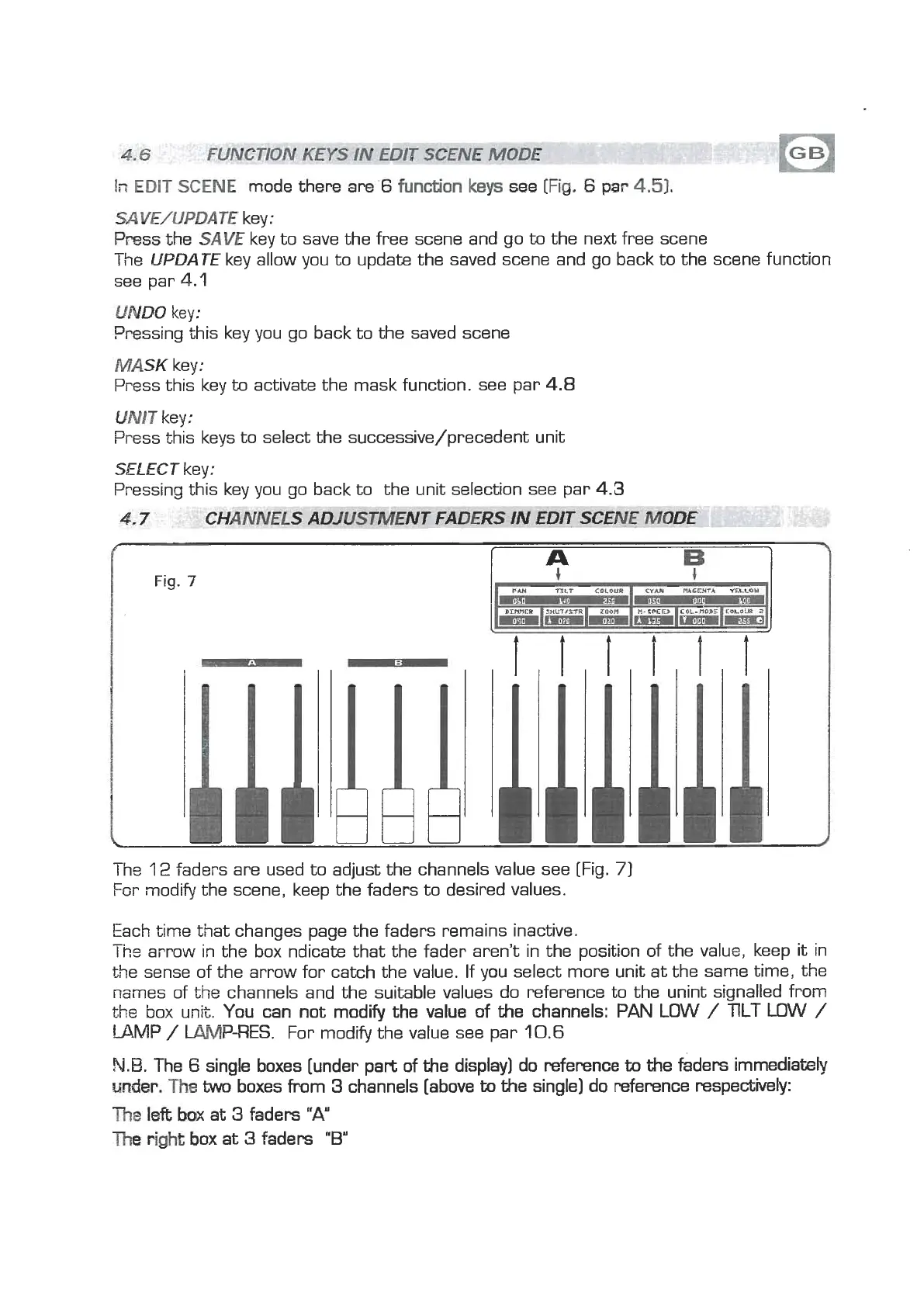
12
faders are used to adjust the channels value see [Fig.
7
For modify the scene, keep the faders to desired values.
Each time that changes page the faders remains inactive.
-.
Ins
arrow in the box ndicak that the fader aren't in the position of the value, keep it in
the sense of the arrow for catch the value. If you select more unit at the same time, the
names of the channels and the suitable values do reference to the unint signalled from
the box unit. You can not modify the value of the channels:
PAN
LOW
/
TlLT LOW
/
LAMP
/
W-RES.
For modify the value see par
10.6
N.B.
The
6
single boxes [under part of the display] do reference
to
the
faders immediately
m&r,
The
W
boxes from
3
channels [above
to
the single] do reference respectively:
The
left
ba>c
at
3
faders
"A"
The
right
box
at
3
faders
"B"



 To Next Page
 Loading...